With Instagram connected, your team can respond to customer inquiries, manage conversations collaboratively, and maintain a complete communication history from a single platform.
This guide explains how to connect your Instagram account to WowChat.
Why Connect Instagram?
Connecting Instagram to WowChat helps your organization:
- Manage Instagram conversations from a centralized inbox
- Respond to customers faster
- Improve team collaboration
- Reduce missed messages
- Maintain conversation history
- Deliver a consistent customer experience
Instead of switching between multiple applications, your team can manage all customer interactions from one workspace.
Before You Begin
Before connecting to Instagram, ensure you have:
- Access to your WowChat workspace
- An Instagram Business Account
- Administrative access to the Instagram account
Connecting Instagram
Follow these steps to connect your Instagram account.
Open Channels
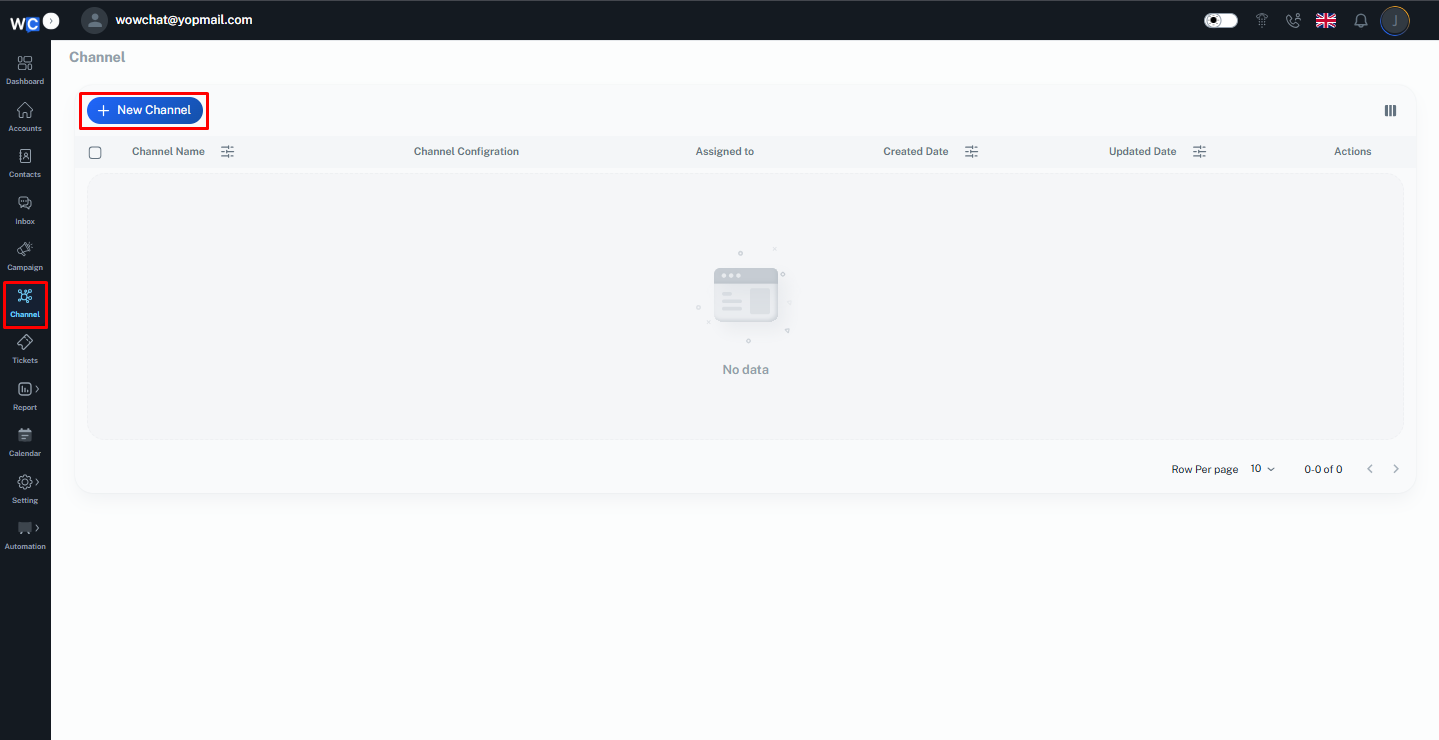
After successfully logging in to your WowChat account, click on the Channels option from the left-hand navigation menu.
Create a New Channel
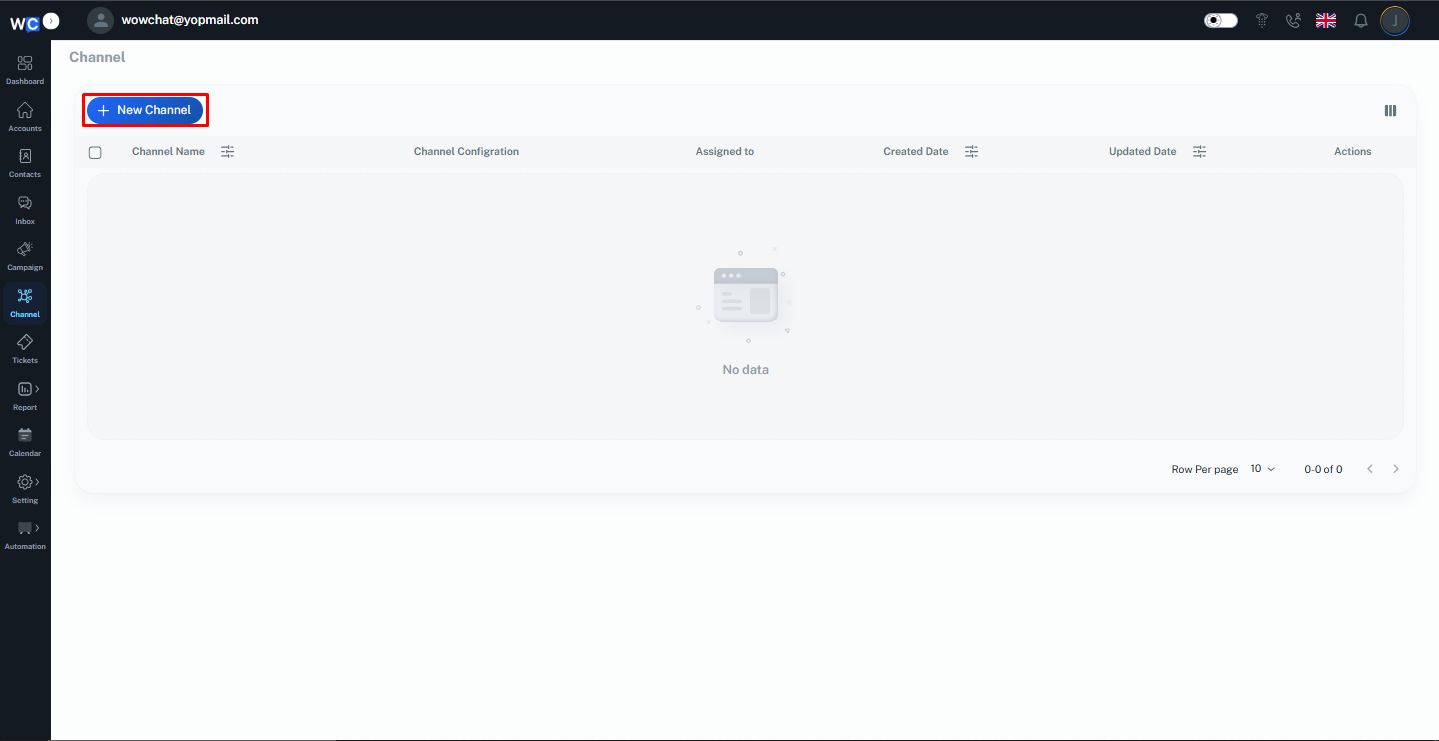
Click the New Channel button to begin creating a new communication channel.
Select Instagram
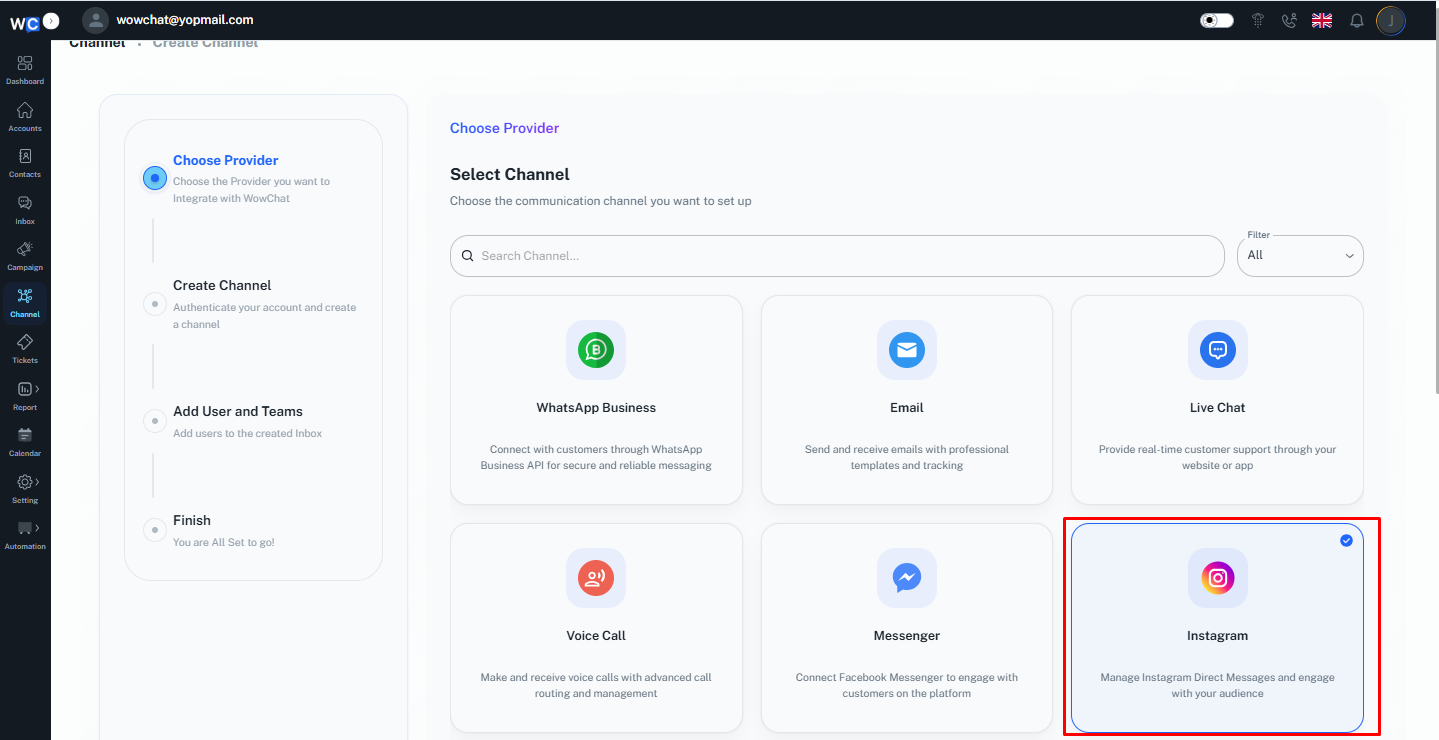
From the available channel types, select Instagram.
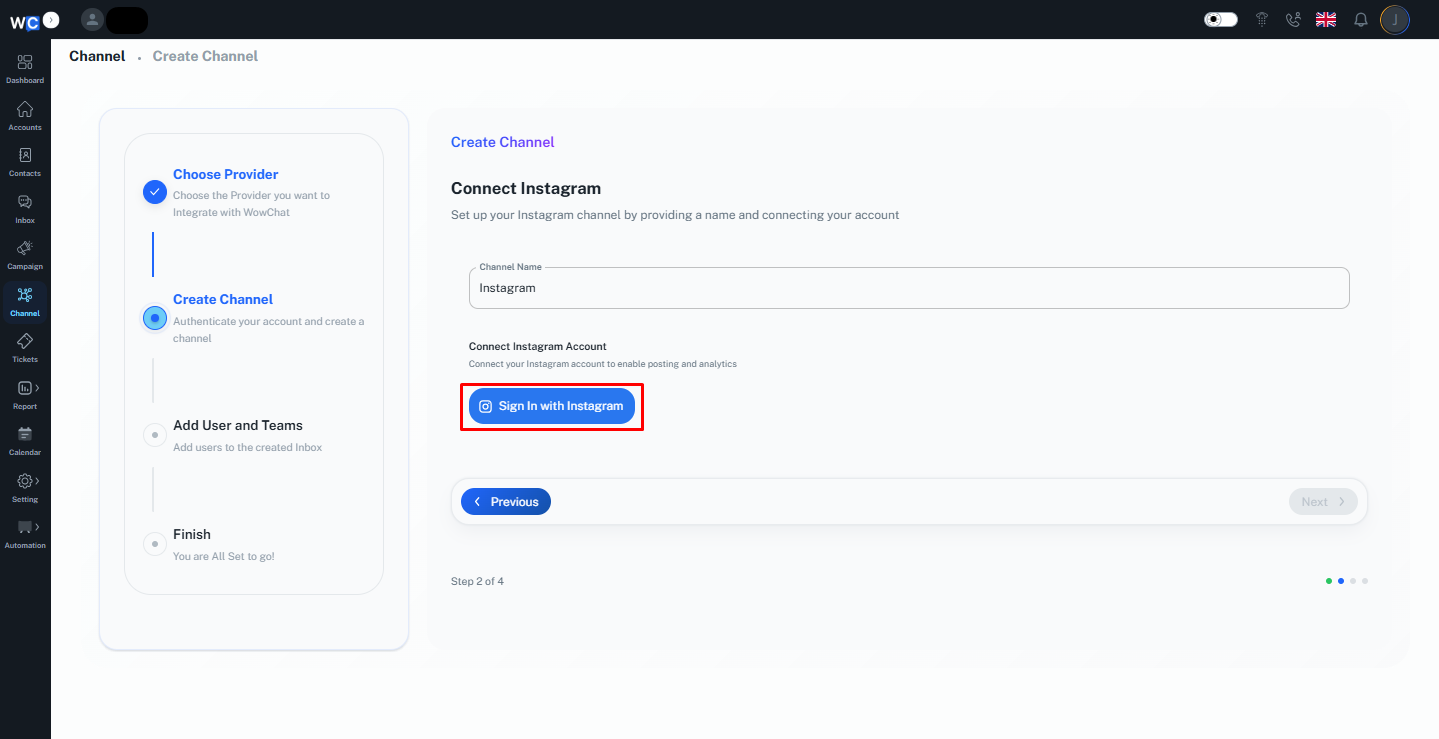
Enter Channel Name
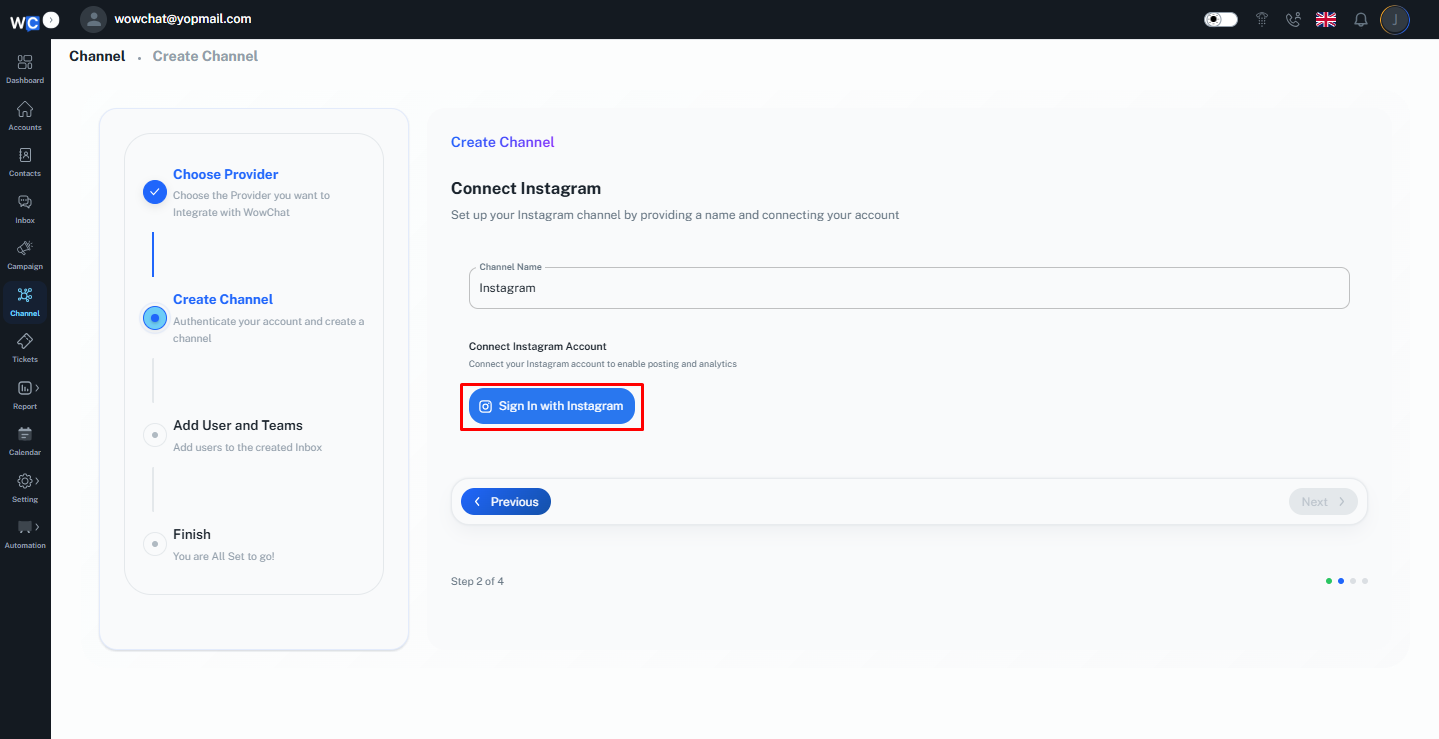
Provide a unique Channel Name for the Instagram channel. This name will help identify the channel within your workspace.
Sign In with Instagram
Click the Sign in with Instagram button to begin the Meta authorization process.
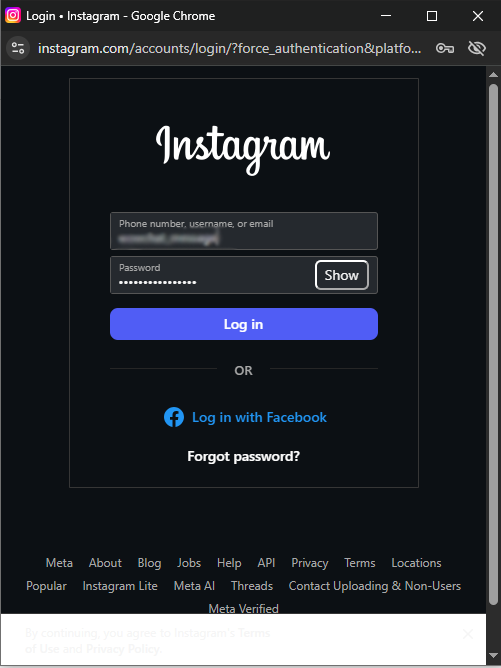
Log In to Your Instagram Account
A Meta authorization window will open.Enter your Instagram account credentials:• Email Address or Mobile Number• PasswordClick the Log In button to continue.
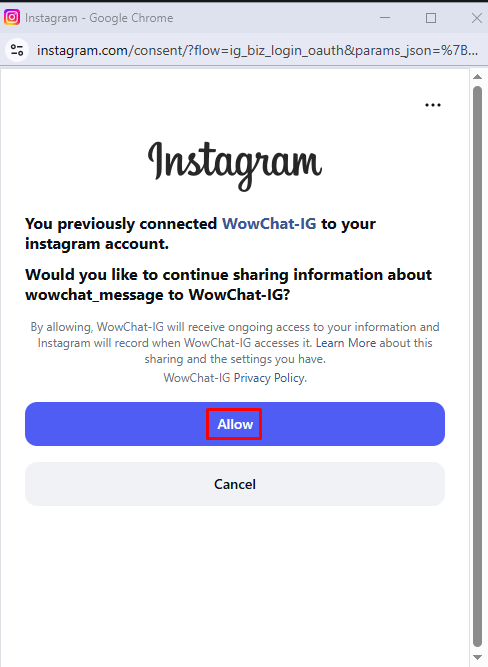
Allow Permissions
Review the requested permissions and allow access to connect your Instagram account with WowChat.
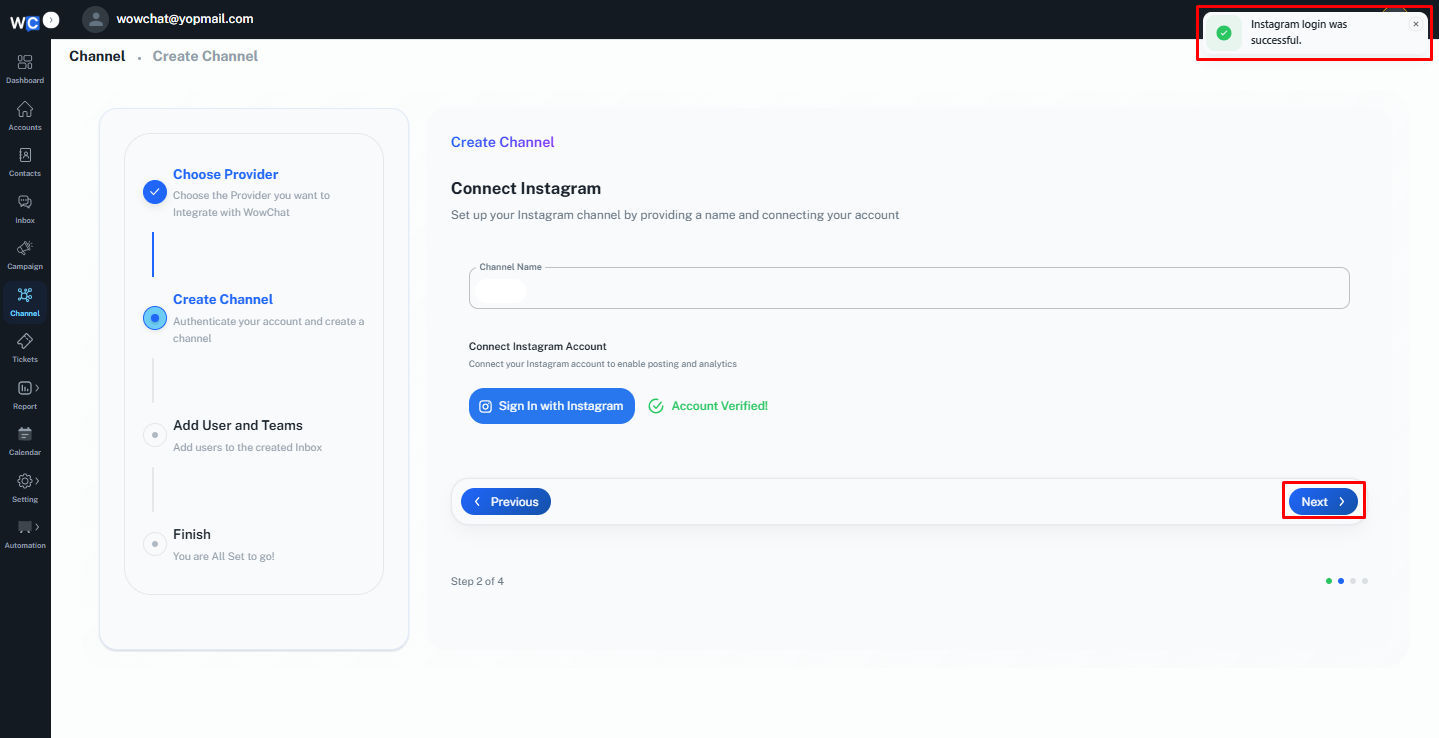
Return to WowChat
After successfully authorizing your Instagram account, you will be redirected back to WowChat. Click the Next button to continue.
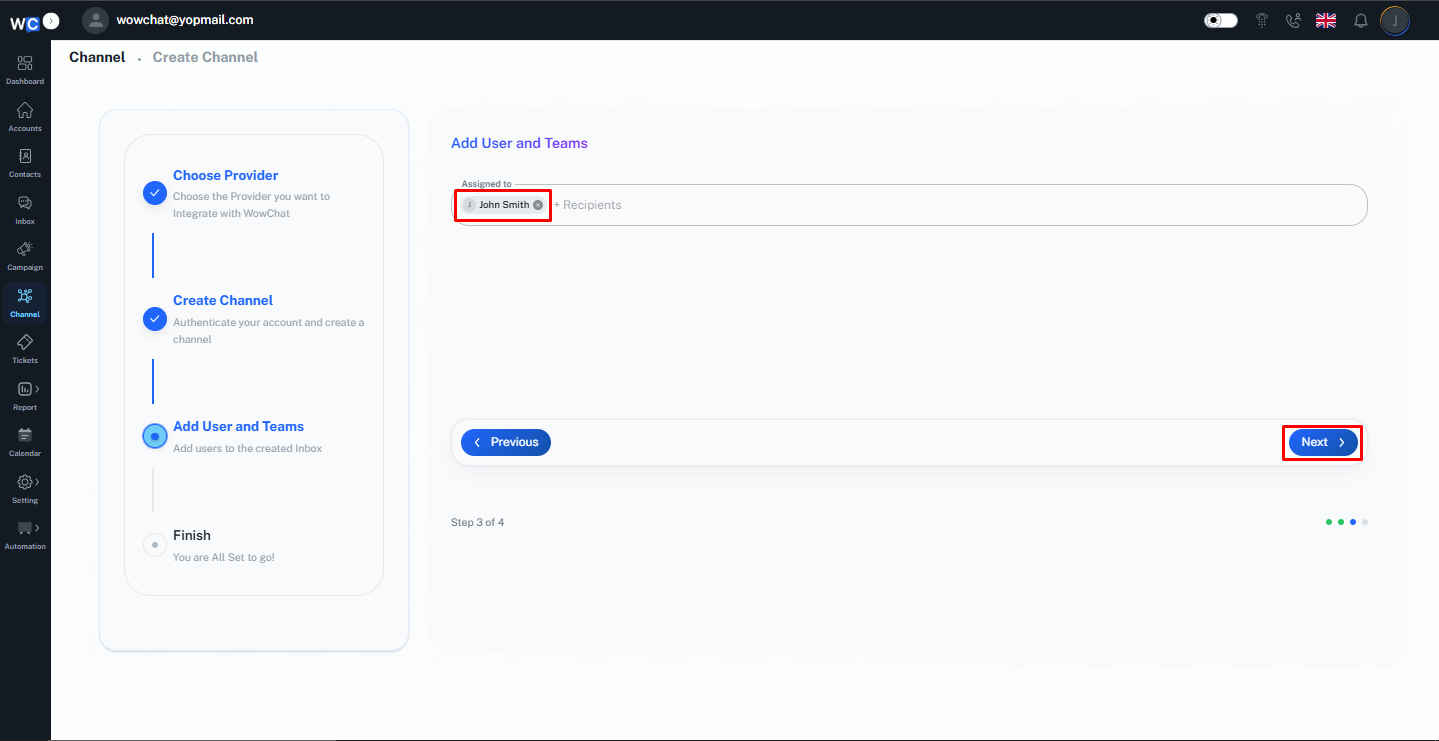
Assign Users
Select the user that you want to assign this channel to and click the Next button.
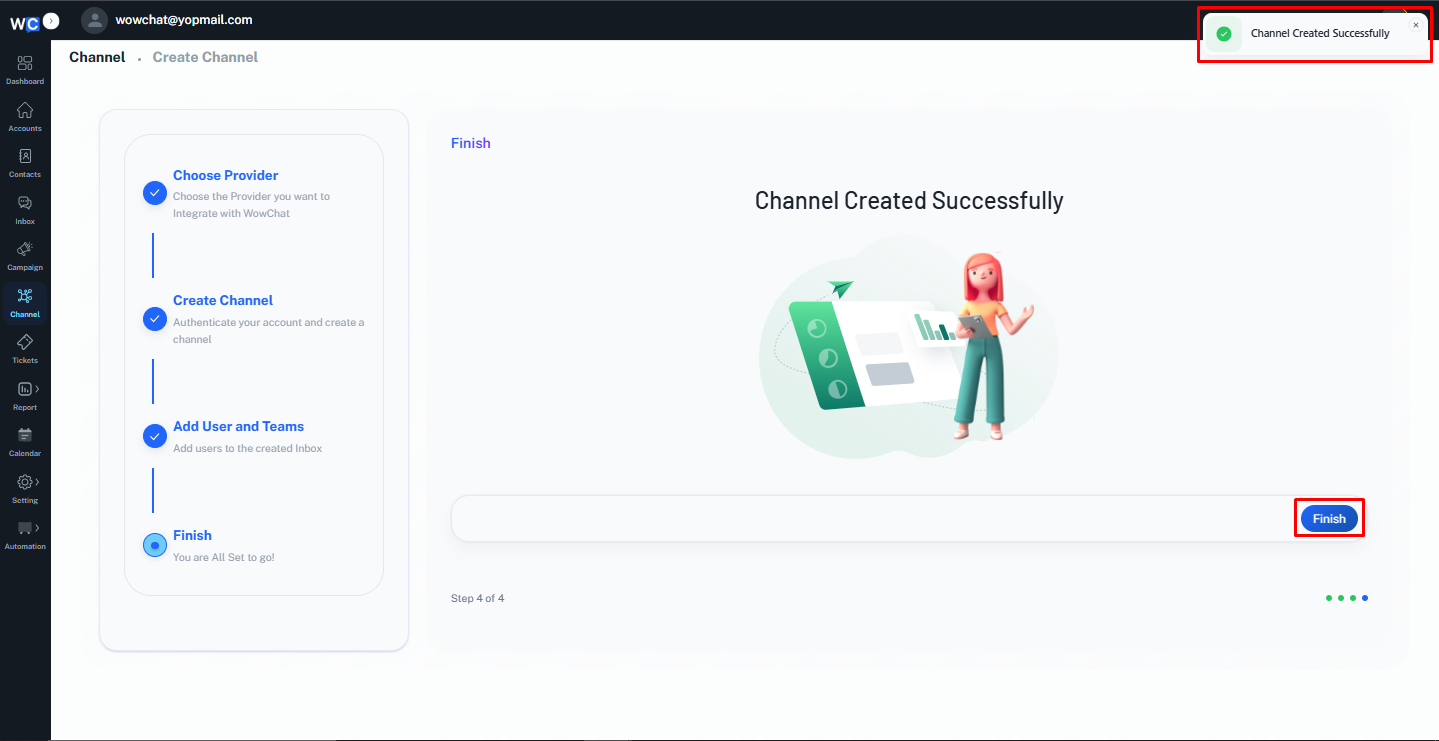
Channel Created Successfully
Your Instagram channel has been created successfully. Click the Finish button to complete the setup process.
How Instagram Conversations Work
Once connected:
- Customers send messages through Instagram Direct Messages.
- Messages automatically appear in the WowChat Unified Inbox.
- Team members can respond directly from WowChat.
- Conversations can be assigned to users or teams.
- Customer conversation history remains available for future reference.
This helps your team manage customer communication more efficiently.
Benefits of Instagram Integration
Connecting Instagram to WowChat allows you to:
- Centralize Instagram conversations
- Improve customer response times
- Enable team collaboration
- Reduce missed customer inquiries
- Maintain complete conversation history
- Manage multiple communication channels from one platform
Frequently Asked Questions (FAQ)
Instagram Integration allows you to connect your Instagram Business account and manage Instagram Direct Messages directly within WowChat.