Zoho CRM Integration with WowChat

Unify Conversations
Automate Sales
Grow Smarter

Bring your customer communication and CRM data together with WowChat’s Zoho CRM Integration. Connect your WhatsApp, Facebook Messenger, Instagram, LINE, SMS, Email, and Web Chat conversations directly to your Zoho CRM and give your team the context they need to sell smarter and support faster.No more switching tabs. No more lost leads. Just seamless communication and productivity — all from one platform.
Zoho CRM with WowChat

Bridge the Gap Between Chat & CRM

Your customers chat with you across multiple channels but your sales and support teams live in Zoho CRM. With WowChat’s Zoho CRM integration, you can connect the two worlds. Automatically capture leads, log conversations, and view customer details in one unified space.Turn every interaction into an opportunity.

Key Features of Zoho CRMZoho CRM Integration

360° Customer View
See complete customer details, chat history, and past interactions from WowChat — directly inside Zoho CRM.
Lead & Contact Sync
Automatically create or update leads and contacts in Zoho CRM whenever a new chat or message starts in WowChat.
Two-Way Data Sync
Keep both systems updated in real time — so your CRM and chat data always stay in sync.
Chat-to-Lead Automation
Convert new conversations from WhatsApp, Facebook, Instagram, LINE, or Web Chat directly into CRM leads with one click or automatically.
Conversation Logging
Automatically log messages, emails, and call records from WowChat into Zoho CRM for complete conversation history.
Task & Follow-Up Creation
Turn customer chats into tasks, deals, or follow-ups in Zoho CRM without leaving WowChat.
Workflow Automation
Trigger CRM workflows based on chat events — for example, create a lead when a WhatsApp inquiry arrives or send a follow-up email automatically after a chat.
Multi-Channel CRM Integration
Sync all your channels — WhatsApp, Facebook Messenger, Instagram, SMS, Voice, Web Chat, and Email — to Zoho CRM under one unified contact record.
Analytics & Reporting
View insights from both WowChat and Zoho CRM to measure lead conversions, campaign performance, and agent efficiency.

Why Integrate Zoho CRMwith WowChat?

Centralize all customer communication and CRM data

Automatically capture leads from chat, voice, and social channels

Reduce manual entry and human error

Provide your team with full customer visibility

Close deals faster with real-time context and automation

Align sales, support, and marketing teams on one system
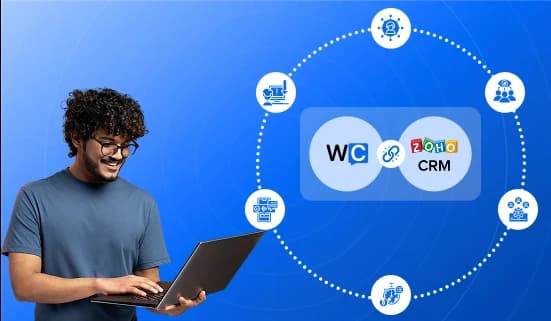
Zoho CRM with WowChat

How toGet Started

1

Step 1

Login to WowChat and navigate to Integrations

2

Step 2

Select Zoho CRM Integration

3

Step 3

Authenticate your Zoho account securely

4

Step 4

Map your fields and choose sync preferences

5

Step 5

Start syncing contacts, leads, and conversations instantly

Sell SmarterSupport FasterWith WowChat + Zoho CRM

Unify your CRM and communication into one connected ecosystem. With WowChat’s Zoho CRM Integration, every chat becomes a lead, every lead gets context, and every team stays in sync.

Frequently Asked Questions

Need immediate help? Check out these common questions and answers.

It connects your WowChat conversations (from WhatsApp, Facebook, Instagram, LINE, SMS, Voice, and Email) directly to Zoho CRM — keeping customer data and chats perfectly aligned.
Yes, you’ll need Zoho CRM admin or integration permissions to authorize the connection with WowChat.
Absolutely! WowChat can auto-create new leads in Zoho CRM whenever someone messages you for the first time.
Yes. Customer data, notes, and updates flow both ways between WowChat and Zoho CRM.
Yes. You can view the chat summary and conversation history directly in the contact or lead record.
Yes. WowChat uses Zoho’s official APIs and secure OAuth authentication for safe, encrypted data transfer.

Ready to Explore More WowChat Features?

Discover how our complete suite of tools can revolutionize your customer communication strategy.

© 2026 WowChat. All rights reserved.