Within WowChat Omni Channel, users can create, manage, and submit WhatsApp Business templates directly for Meta approval. The platform provides an intuitive interface for configuring template details, adding media content, defining message variables, and setting up interactive buttons to enhance customer engagement.
Access WhatsApp Templates
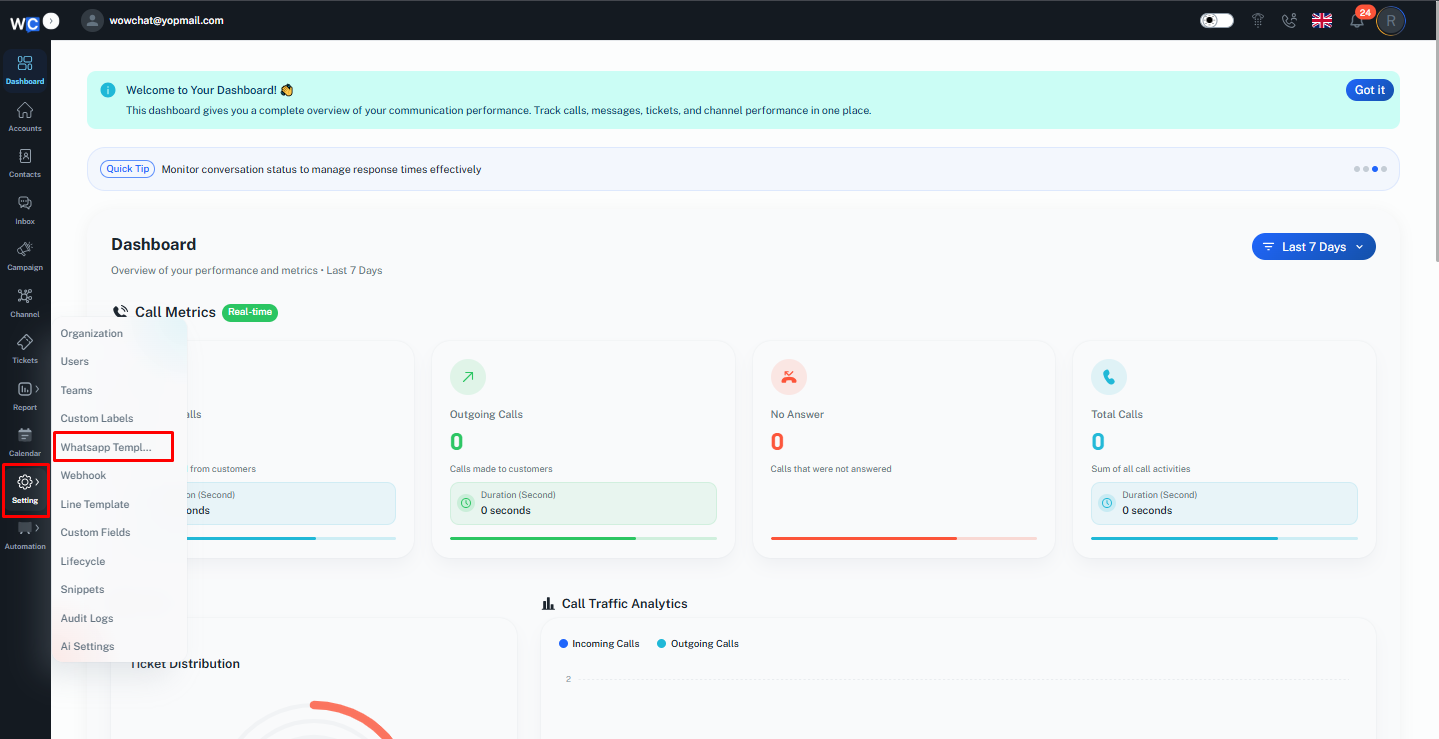
To create a new WhatsApp Business template, open the Navigation Menu and go to Settings. From the Settings section, click on WhatsApp Templates to access the template management page, where you can view existing templates and create new ones.
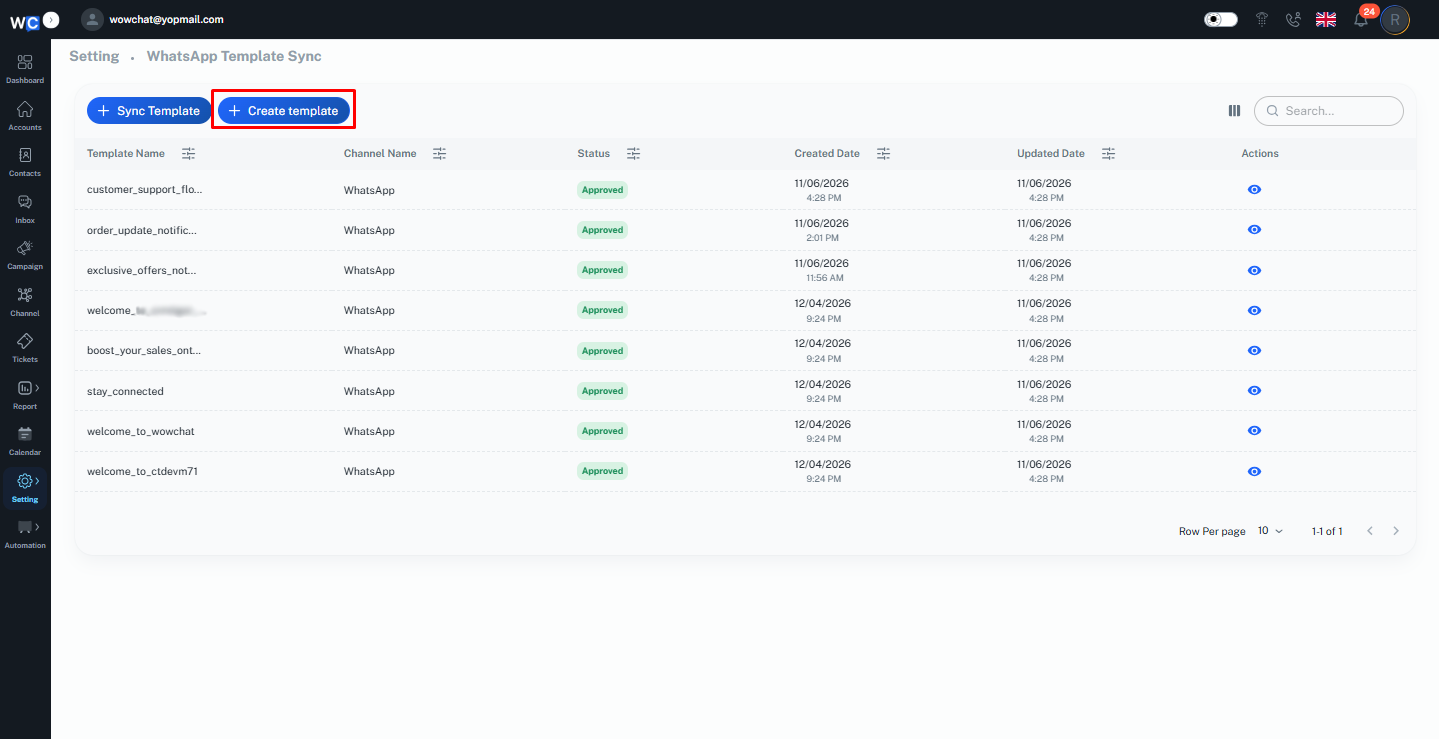
On the WhatsApp Templates page, click the Create Template button to begin creating a new WhatsApp Business template.
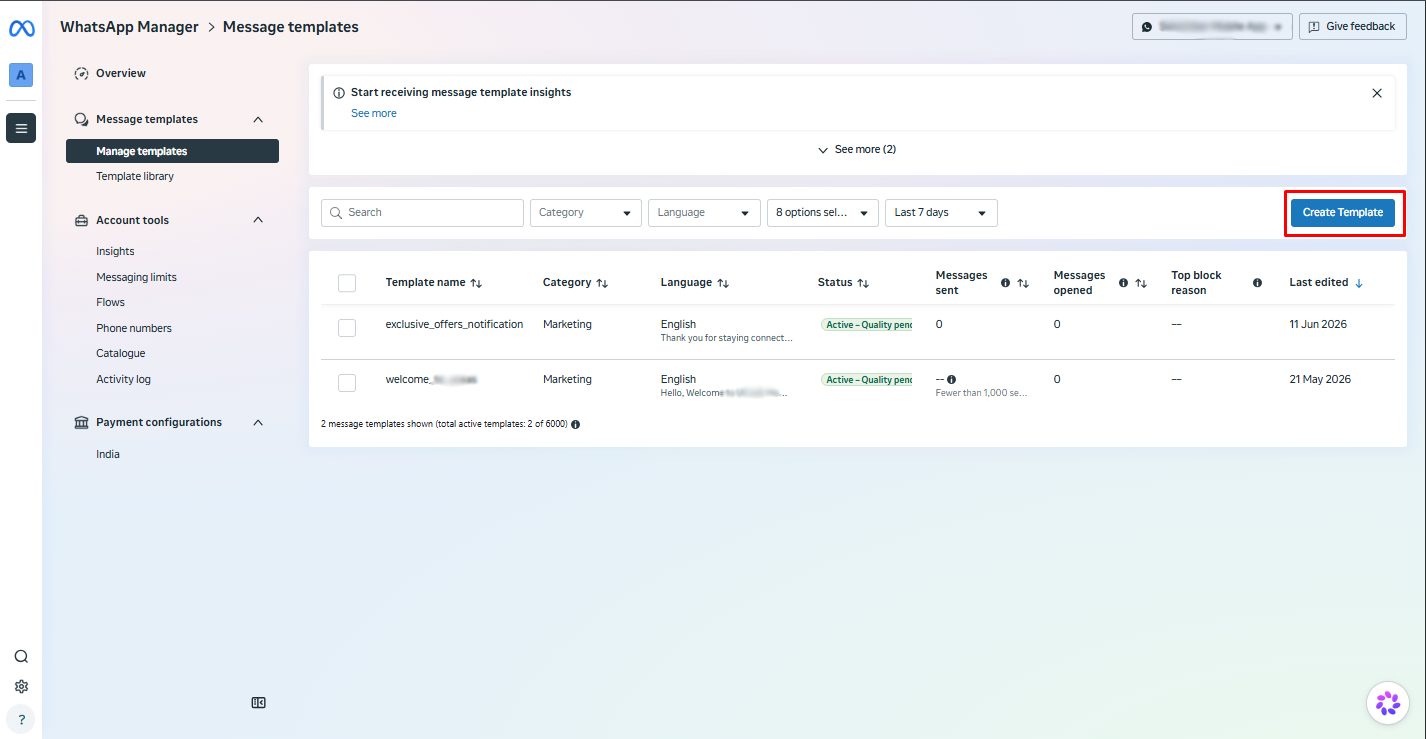
After clicking Create Template, you will be redirected to the Meta Template Management page. To start creating a new WhatsApp Business template, click the Create Template button on this page, as shown in the screenshot below.
Template Categories
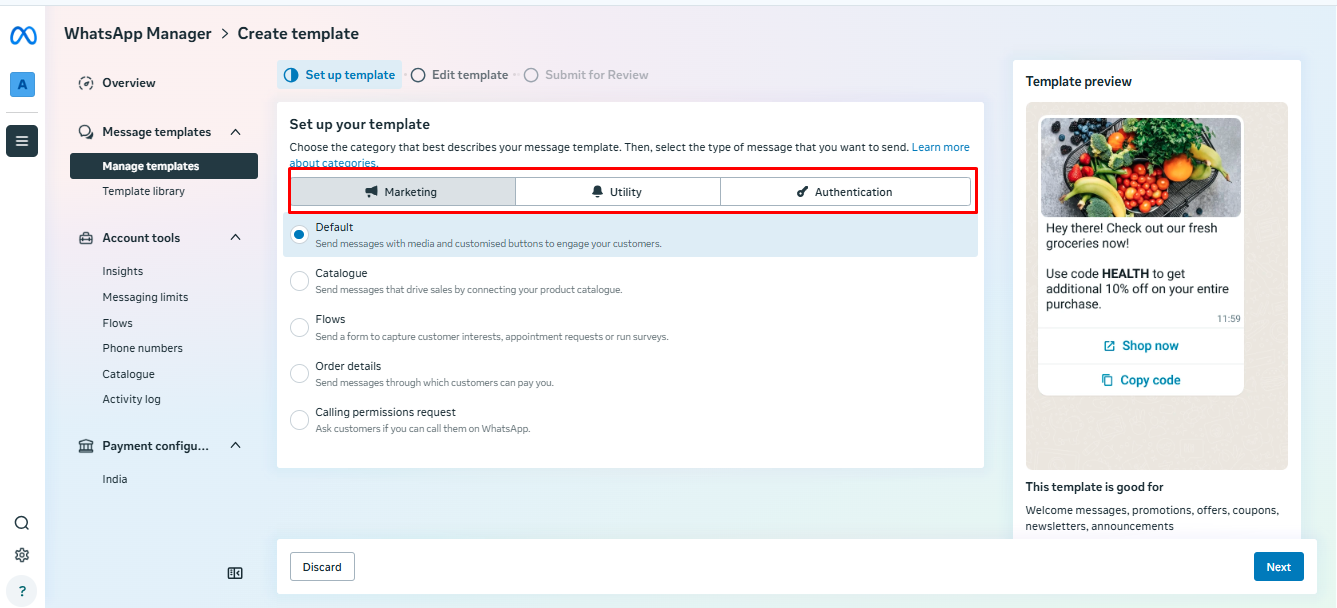
When creating a WhatsApp Business template, you must select the category that best matches the purpose of your message. Meta provides three template categories:
- Marketing: Marketing templates are used to promote products, services, offers, events, and other business-related campaigns. These templates help businesses engage customers and drive awareness through promotional messaging.
- Utility: Utility templates are designed for transactional and service-related communications. They are commonly used for order confirmations, delivery updates, appointment reminders, account notifications, and other important customer updates.
- Authentication: Authentication templates are used to verify a user's identity through one-time passwords (OTPs) or verification codes. These templates help provide secure access and account verification for users.
Select the category that best aligns with your intended message before proceeding with template configuration.
FAQ
WhatsApp Business Message Templates are pre-approved message formats that businesses can use to send structured communications to customers, such as notifications, reminders, updates, and promotional messages.