Step 1: Navigate to the WhatsApp Business Channel
- Log in to WowChat.
- From the navigation menu, click Channels.
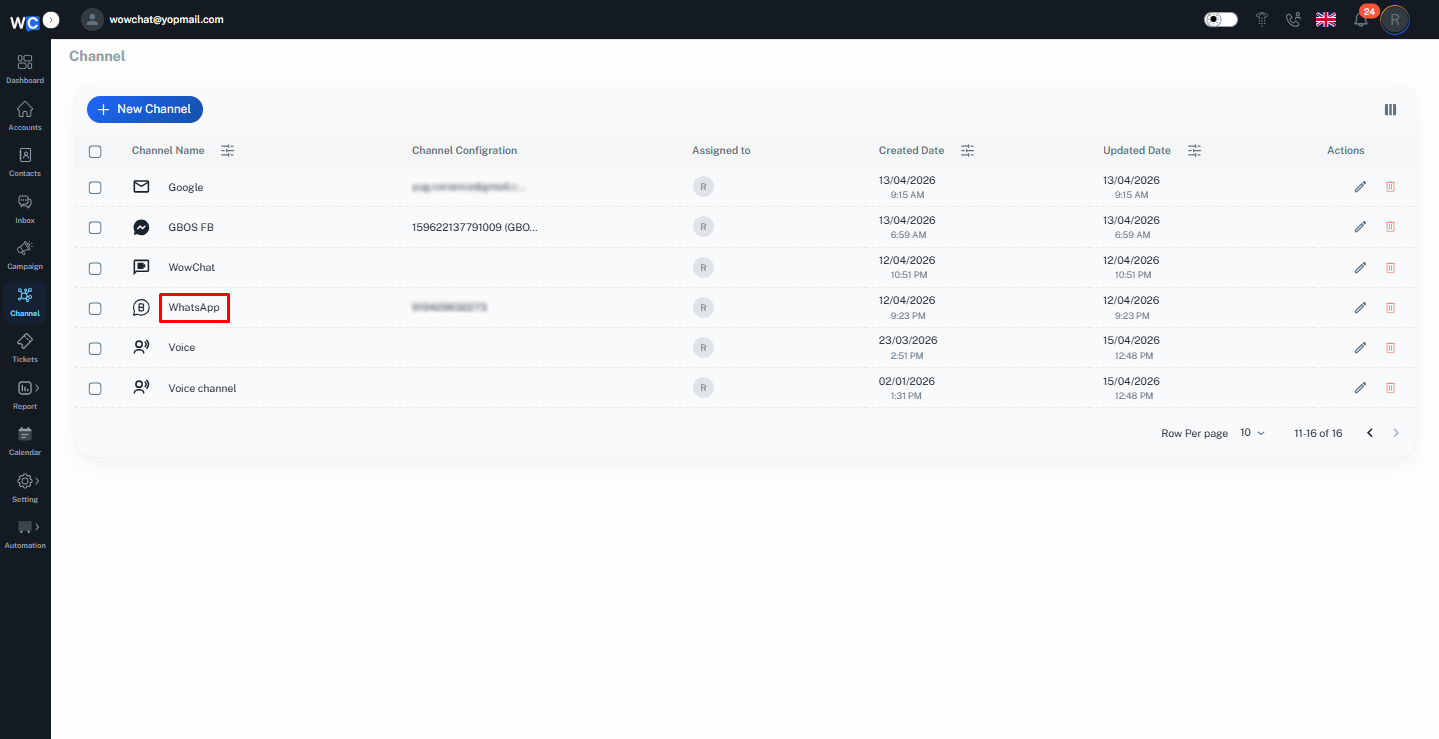
Step 2: Open the Channel Configuration
- Locate the WhatsApp Business number you want to manage.
- Click the Edit button corresponding to that number.
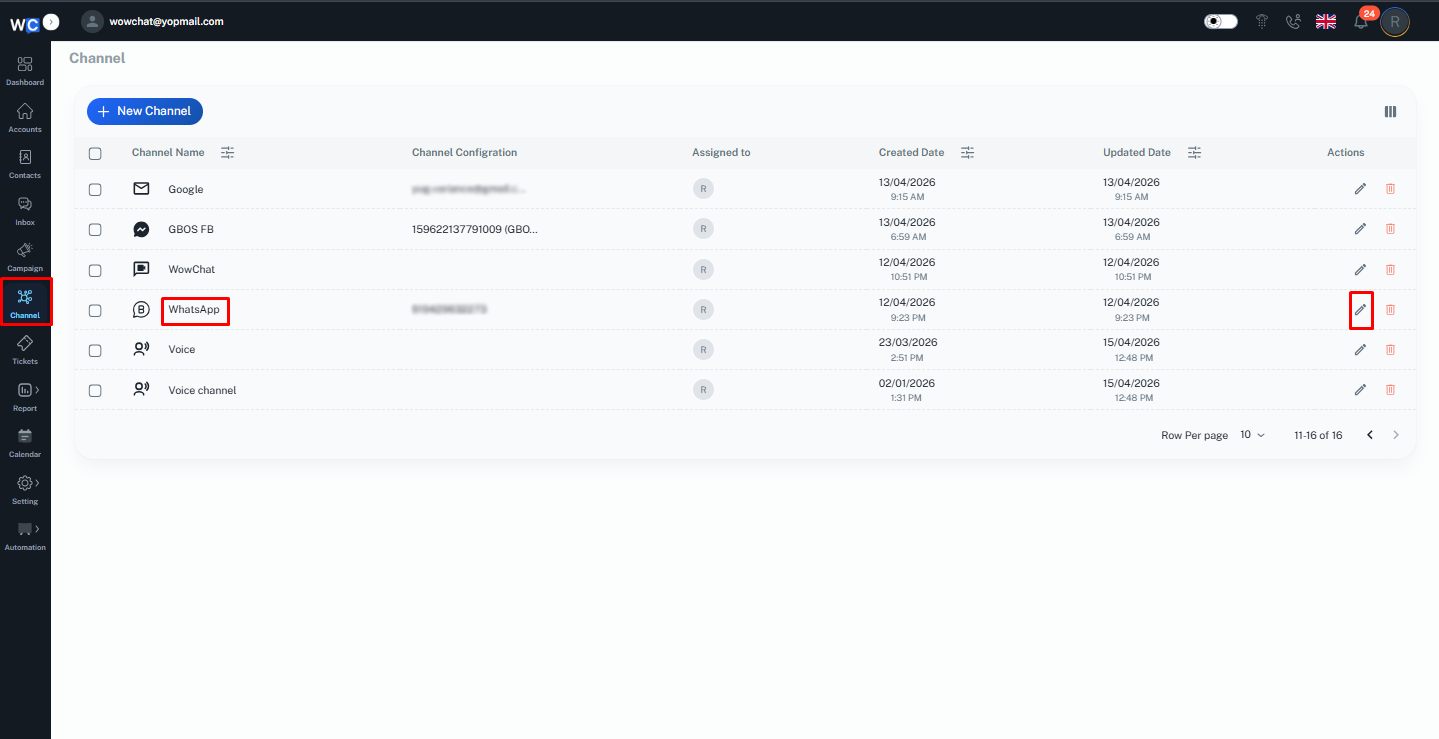
Step 3: Assign Users
- In the channel configuration page, locate the Assigned To field.
- Select one or more users who should have access to this WhatsApp Business number.
- Multiple users can be assigned to the same number.
- Click Save to apply the changes.
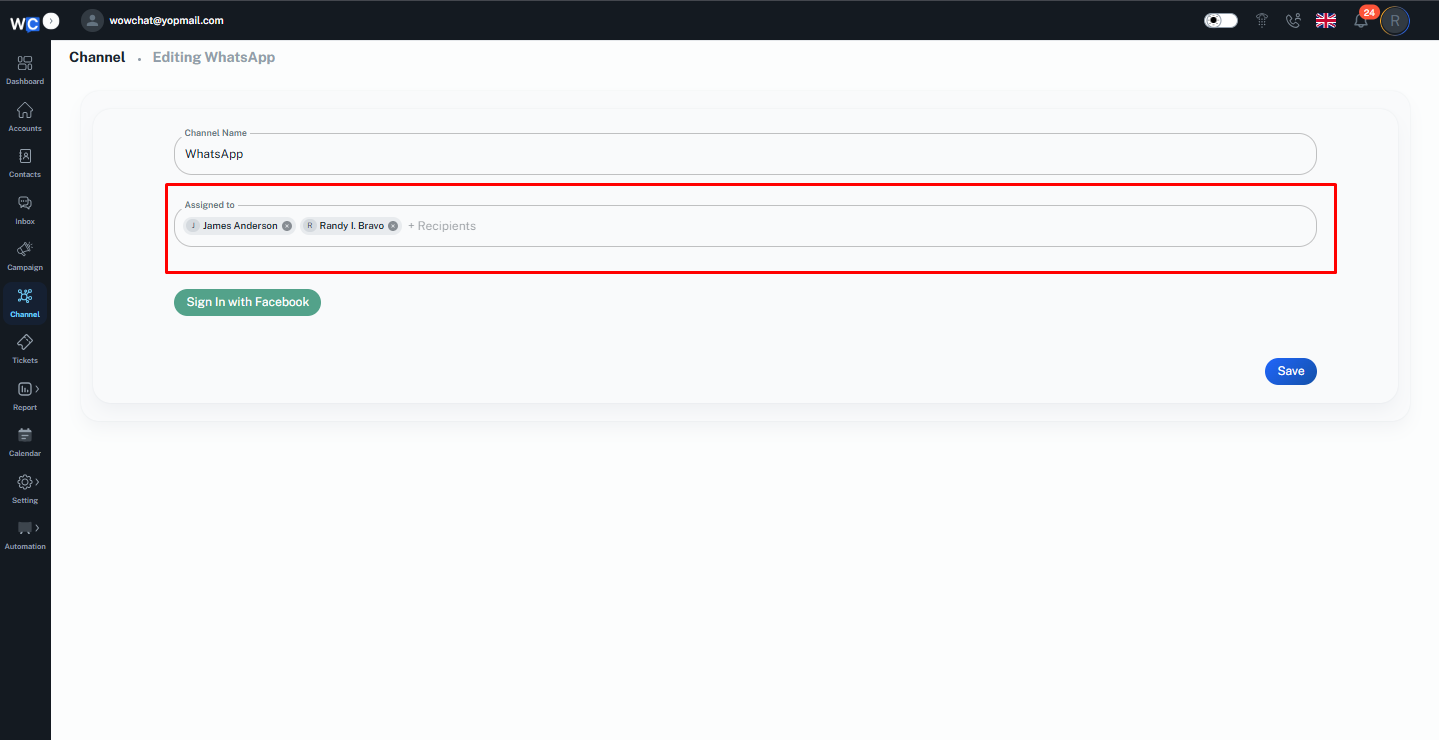
After completing a new WhatsApp Business configuration, the system automatically redirects you to the channel configuration page. From this page, you can immediately assign the WhatsApp number to multiple users using the Assigned To field.
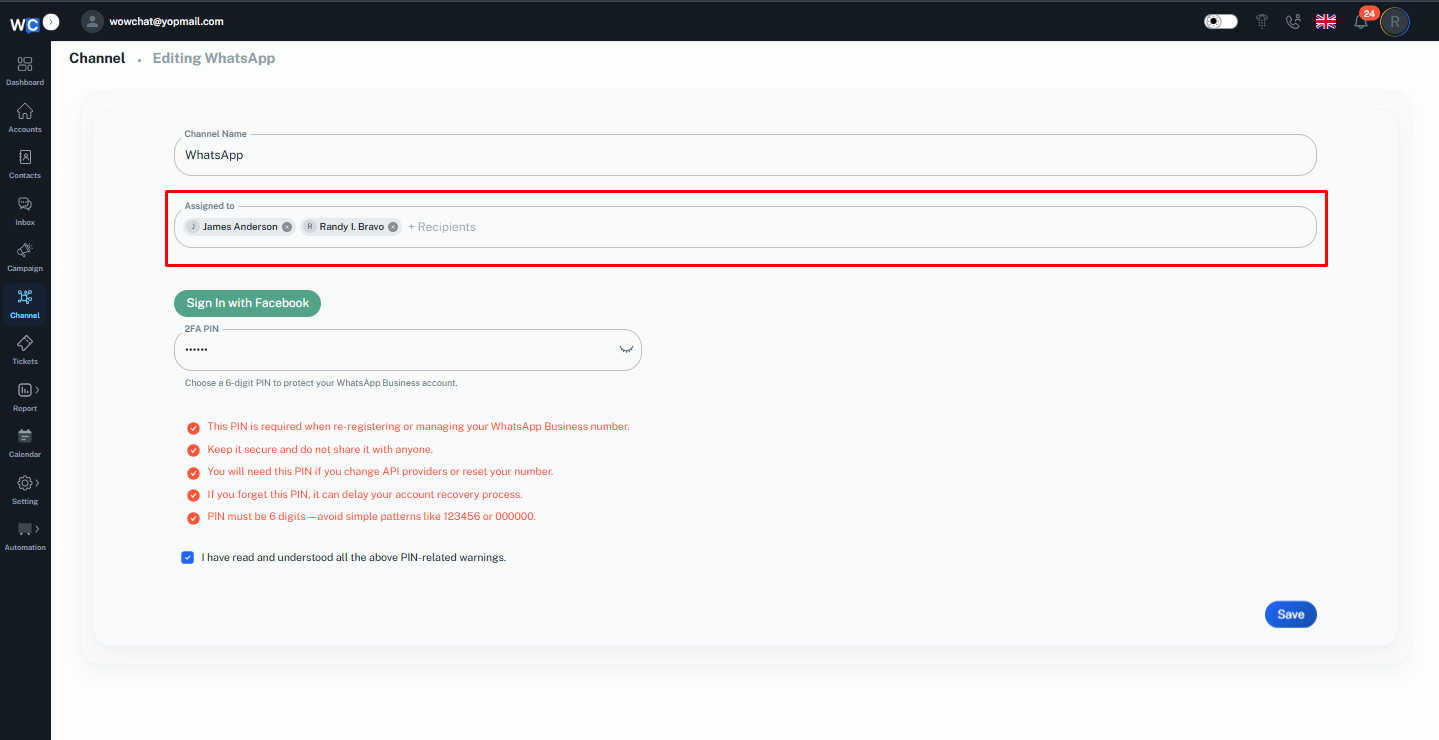
Once assigned, the selected users will have access to the WhatsApp Business number and can manage conversations based on their assigned permissions.
FAQ
Yes, a single WhatsApp Business number can be assigned to multiple users so team members can manage and respond to customer conversations together.