This type of template is commonly used for actions such as account login, password reset, or verifying a new device or phone number. It ensures that only the intended user can complete the process by requiring a time-sensitive code.Authentication templates are designed to be simple, secure, and highly reliable, with limited customization options to maintain compliance with WhatsApp's policies.
How to Create an Authentication Template in WowChat
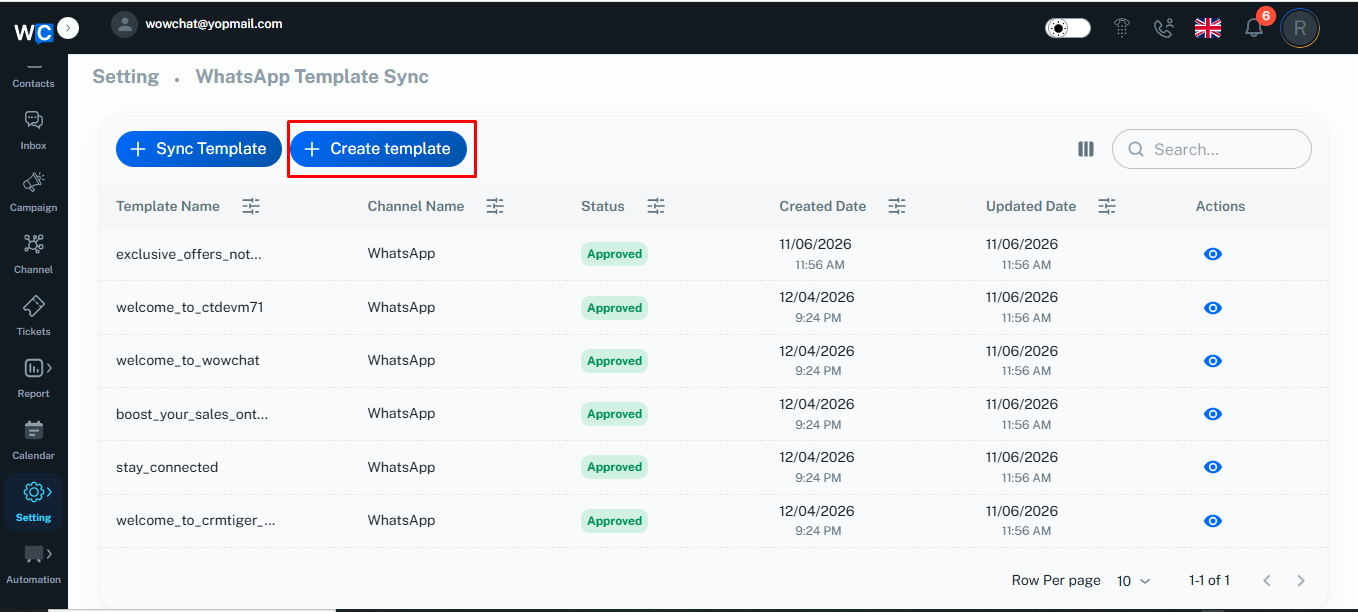
To create an authentication template, start by going to the WowChat navigation menu and opening the WhatsApp Templates section.Inside this section, click on the Create Template button to begin the template creation process.
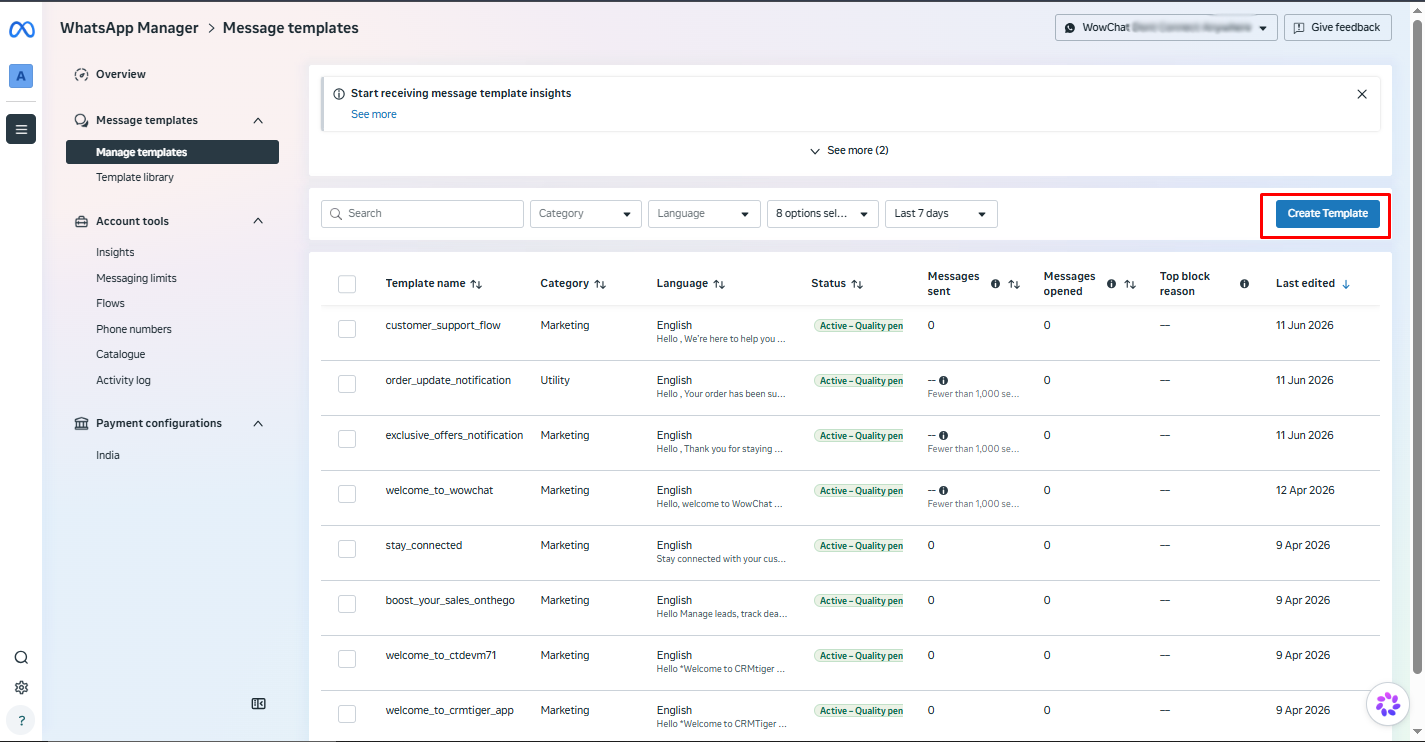
After clicking on the Create Template button in WowChat, you will be redirected to the Meta Create Template page.This is the official WhatsApp Business interface where all templates are created and configured according to Meta's guidelines. Click on the Create Template button
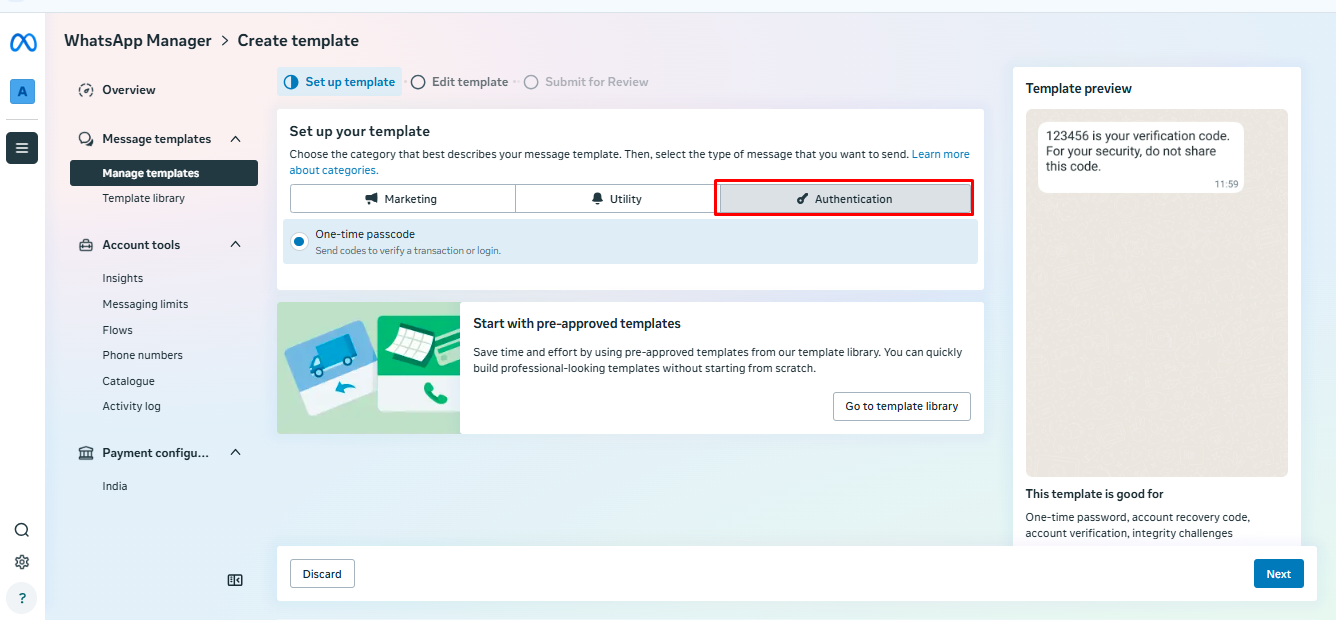
After clicking the Create Template button, you will be redirected to the template setup page where you need to choose the template category.On this screen, select Authentication as the category and click on next button, This option is used for sending secure verification messages such as OTPs or login verification codes.
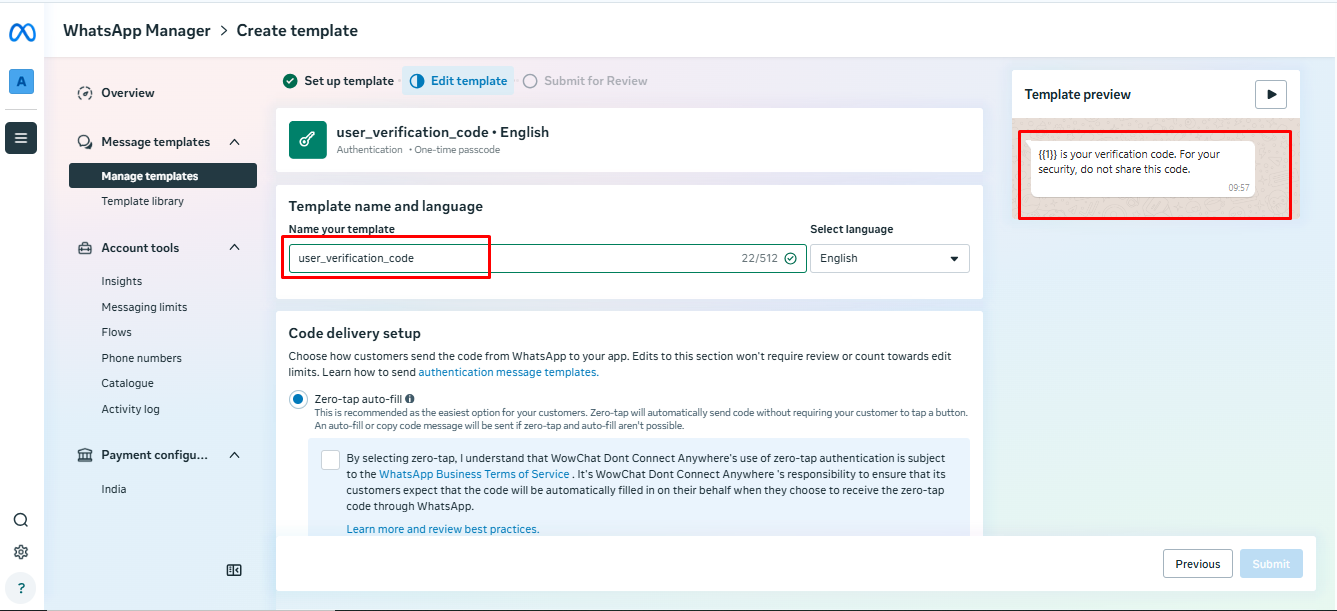
After selecting the Authentication category, you will be taken to the template configuration screen.Here, enter the Template Name along with all the required details as per the authentication format. Make sure the information is accurate and follows Meta's template guidelines.Once all fields are completed, click on the Submit for Review button to send the template for approval.
After submission, the template will be reviewed by Meta. The status will be updated accordingly, and you can track it from the template listing page.Once the template is approved, it can be synced in WowChat WhatsApp Business, making it available for use in sending authentication messages to users.
FAQ
Authentication templates are secure message formats used to send OTPs or verification codes during login, sign-up, password reset, or other sensitive user actions.