Why Create Tickets?
Creating tickets helps your organization:
- Track customer issues efficiently
- Assign ownership to team members
- Monitor ticket progress
- Improve response and resolution times
- Maintain a complete record of requests
- Enhance team collaboration
- Improve customer satisfaction
Creating a Ticket
Follow these steps to create a new ticket in WowChat.
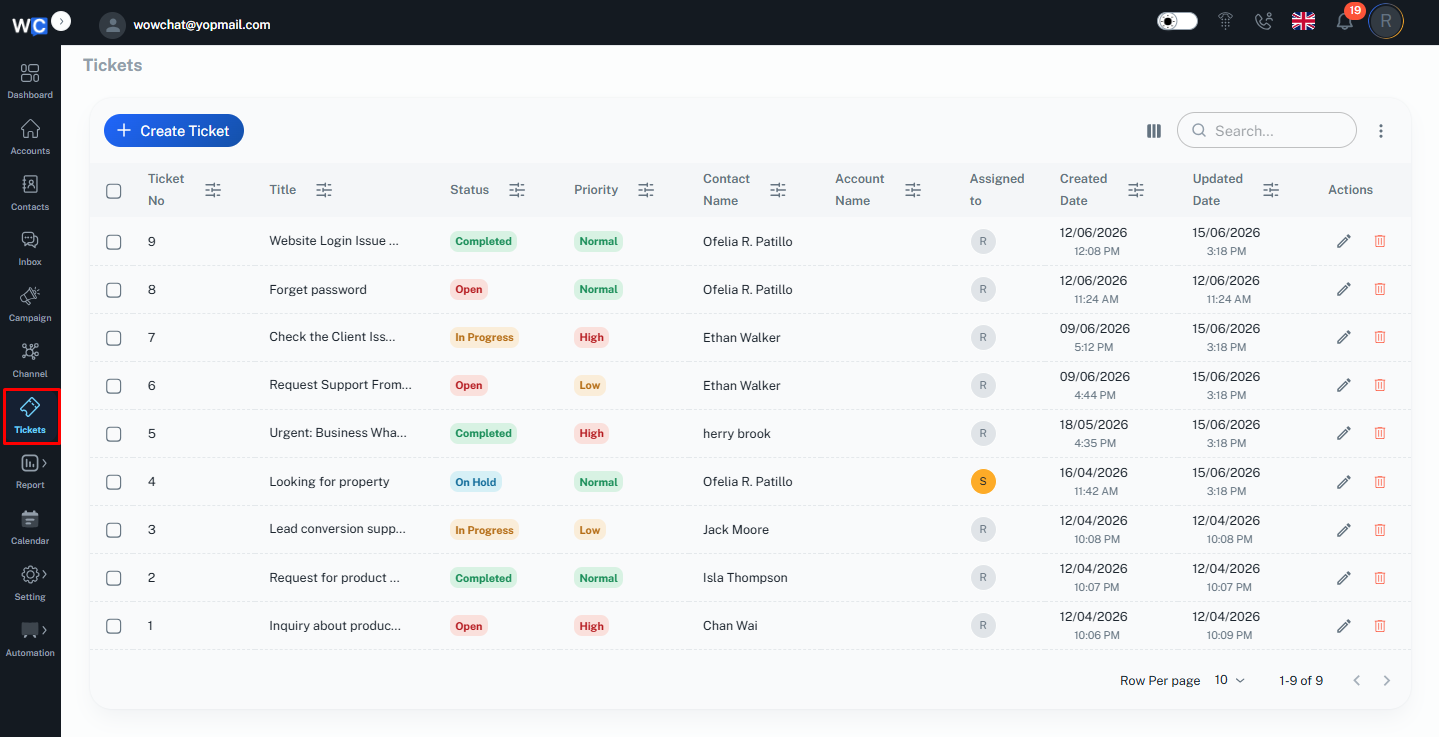
Step 1: Open Ticket Management
After successfully logging in to your WowChat account, click on the Tickets option from the left-hand navigation menu.
Step 2: Click Create Ticket
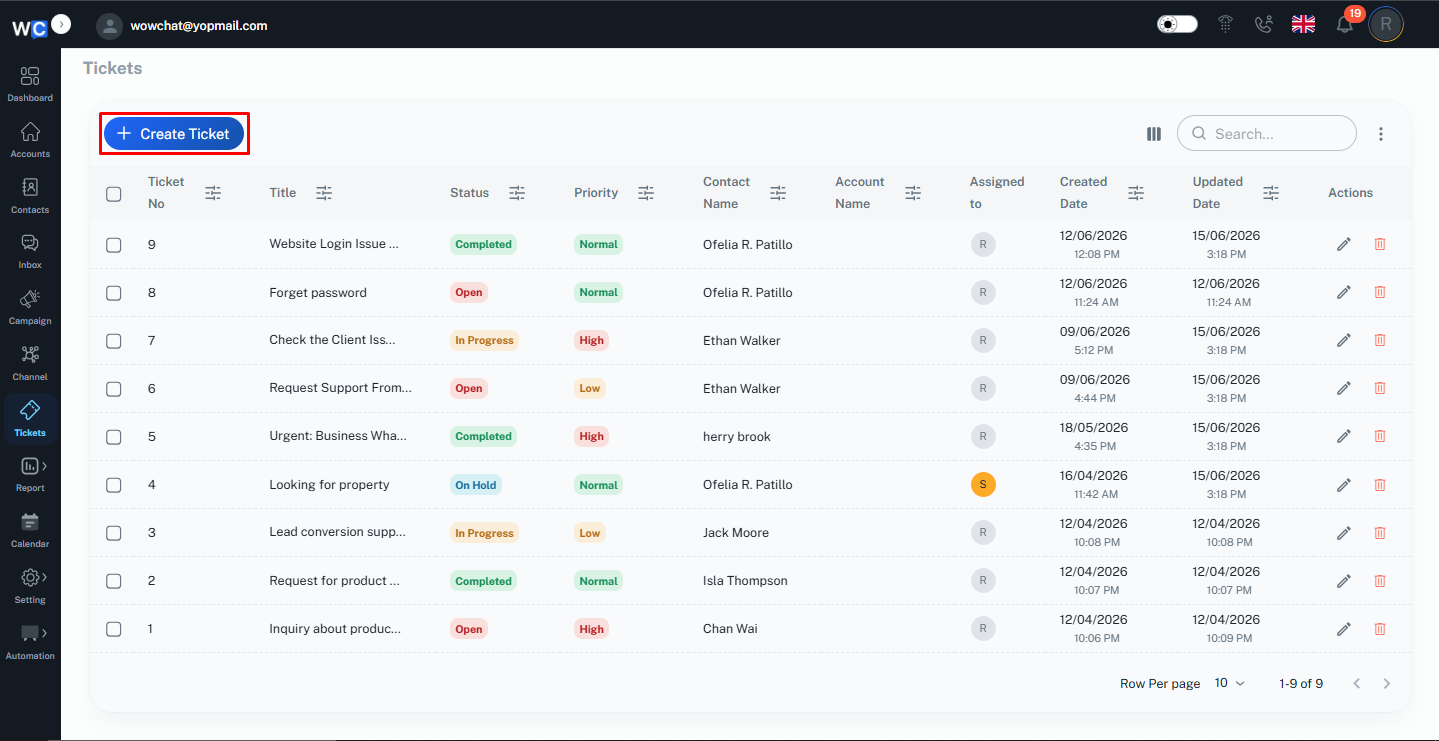
Click the Create Ticket button to begin creating a new ticket.
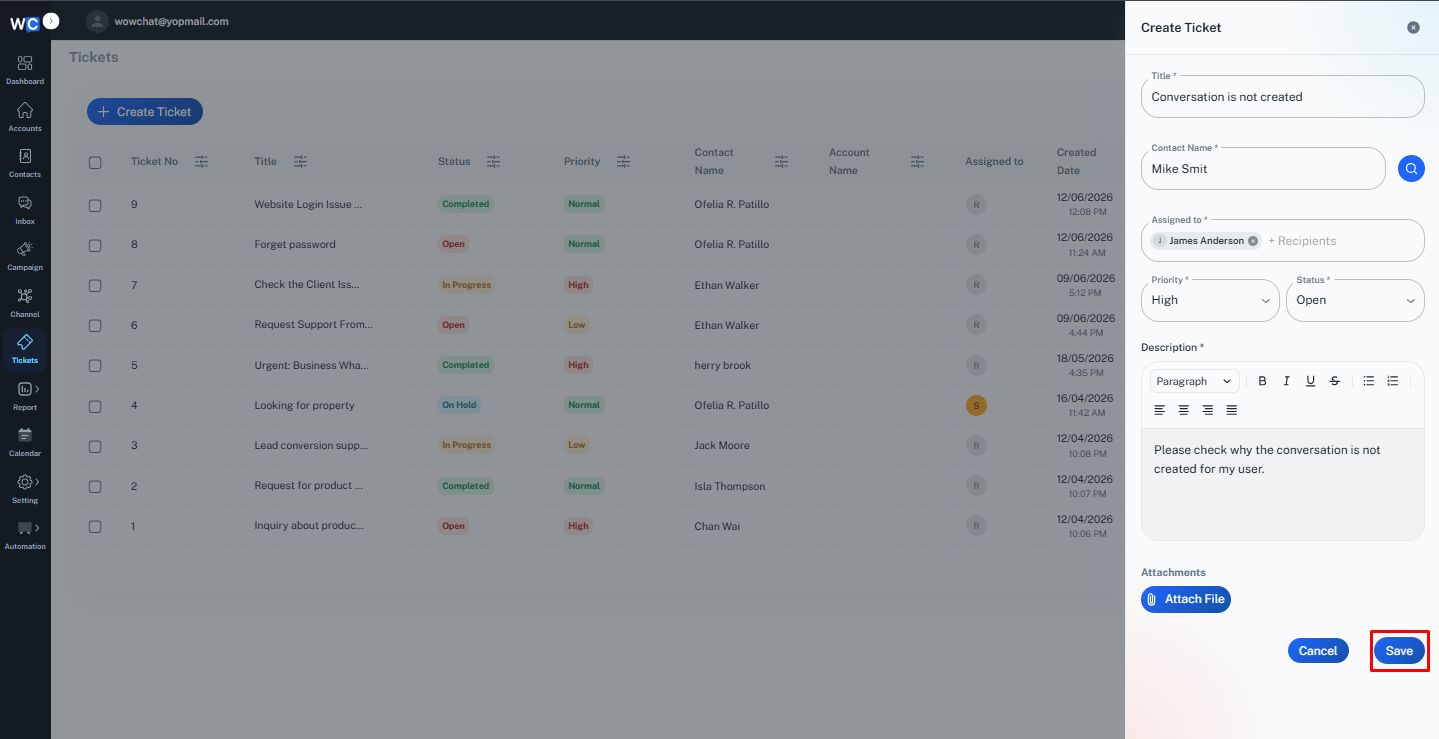
Step 3: Enter Ticket Information
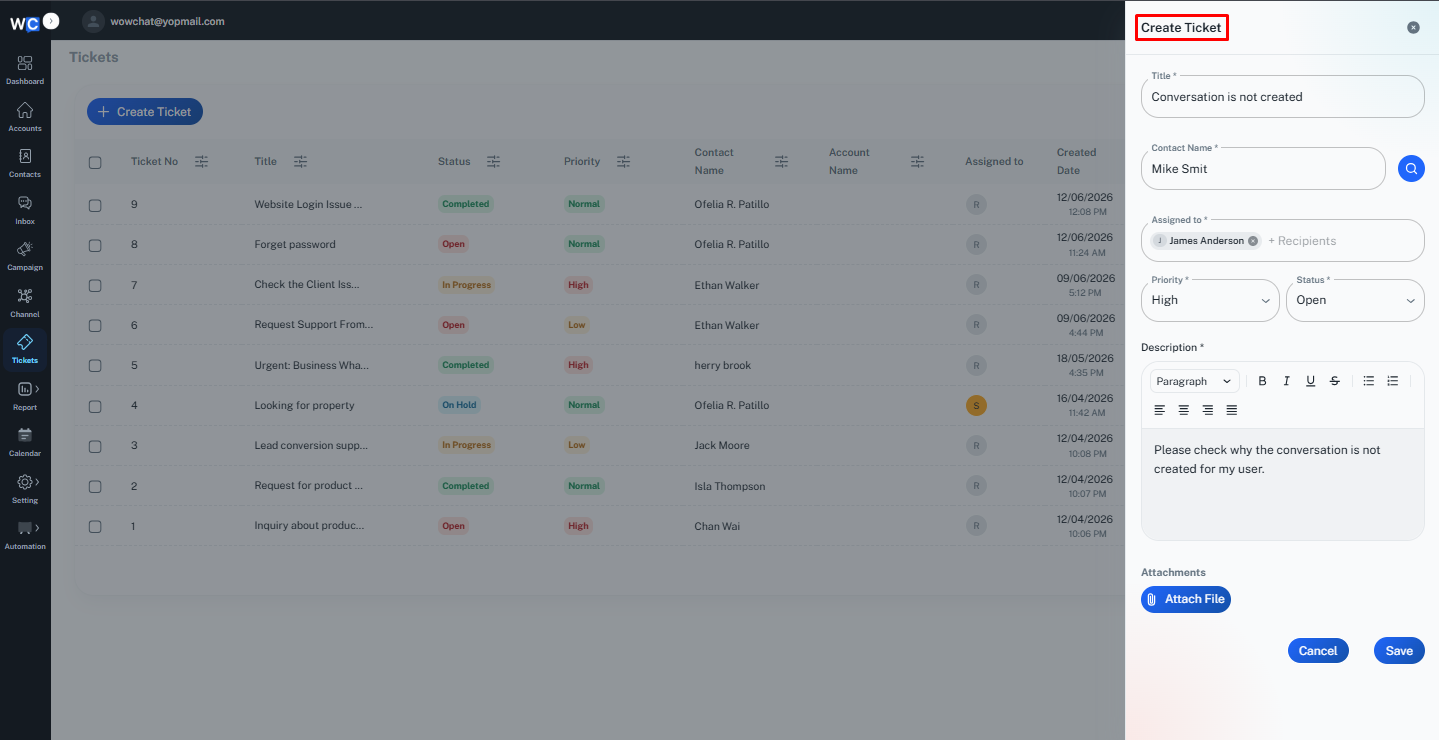
Provide the required ticket details:
- Ticket Title
- Select Contact
- Select Assigned to
- Select Priority
- Select Status
- Description
Make sure all information is entered accurately.
Step 4: Add Attachment
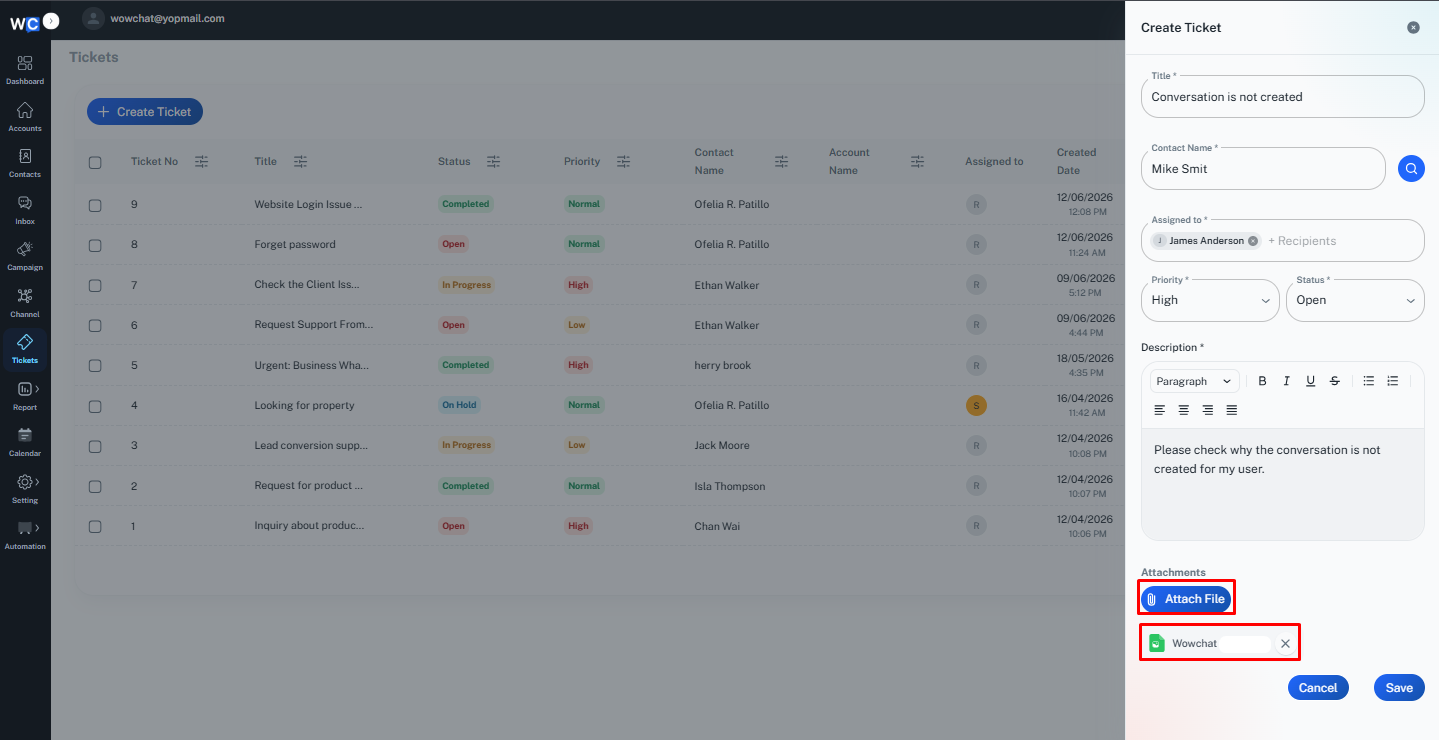
If you need to include supporting documents or files, click the Add Attachment option and upload the required file.Attachments can help provide additional context and supporting information related to the ticket.Examples may include:
- Screenshots
- Documents
- Images
- Supporting files
Once the attachment has been uploaded successfully, it will be associated with the ticket and available for team members to review.
Step 5: Save the Ticket
Review the entered information and click the Save or Create Ticket button.
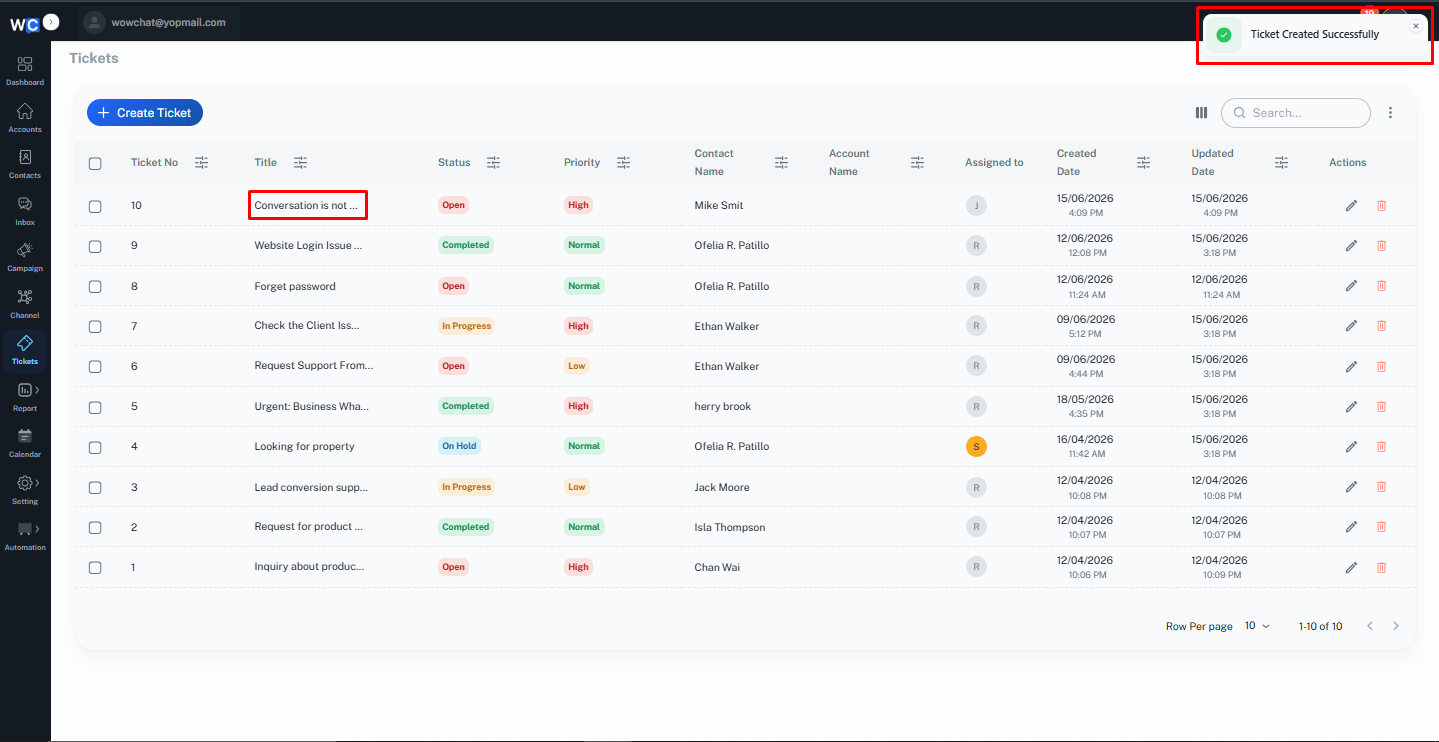
Step 6: Ticket Created Successfully
The ticket has now been created successfully.It will appear in the ticket listing page, where it can be tracked, updated, assigned, and managed.
Understanding Ticket Priorities
Ticket priorities help teams identify which requests require immediate attention.
Low
Used for minor requests that have minimal business impact.
Normal
Used for standard support requests and general inquiries.
High
Used for urgent requests that require prompt attention.
Managing Created Tickets
Once a ticket has been created, users can:
- Update ticket information
- Change ticket status
- Reassign ownership
- Add internal notes
- Track progress
- Close completed tickets
This helps teams maintain complete visibility throughout the ticket lifecycle.
Benefits of Creating Tickets
Creating tickets helps organizations:
- Improve issue tracking
- Increase accountability
- Improve collaboration
- Reduce missed requests
- Improve operational efficiency
- Enhance customer satisfaction
Frequently Asked Questions (FAQ)
Users with the appropriate permissions can create tickets within WowChat.