Managing Tickets from the Listing Page
The Ticket Listing page provides a centralized view of all tickets within your workspace.From this page, users can perform various actions to locate, organize, and manage tickets more efficiently.
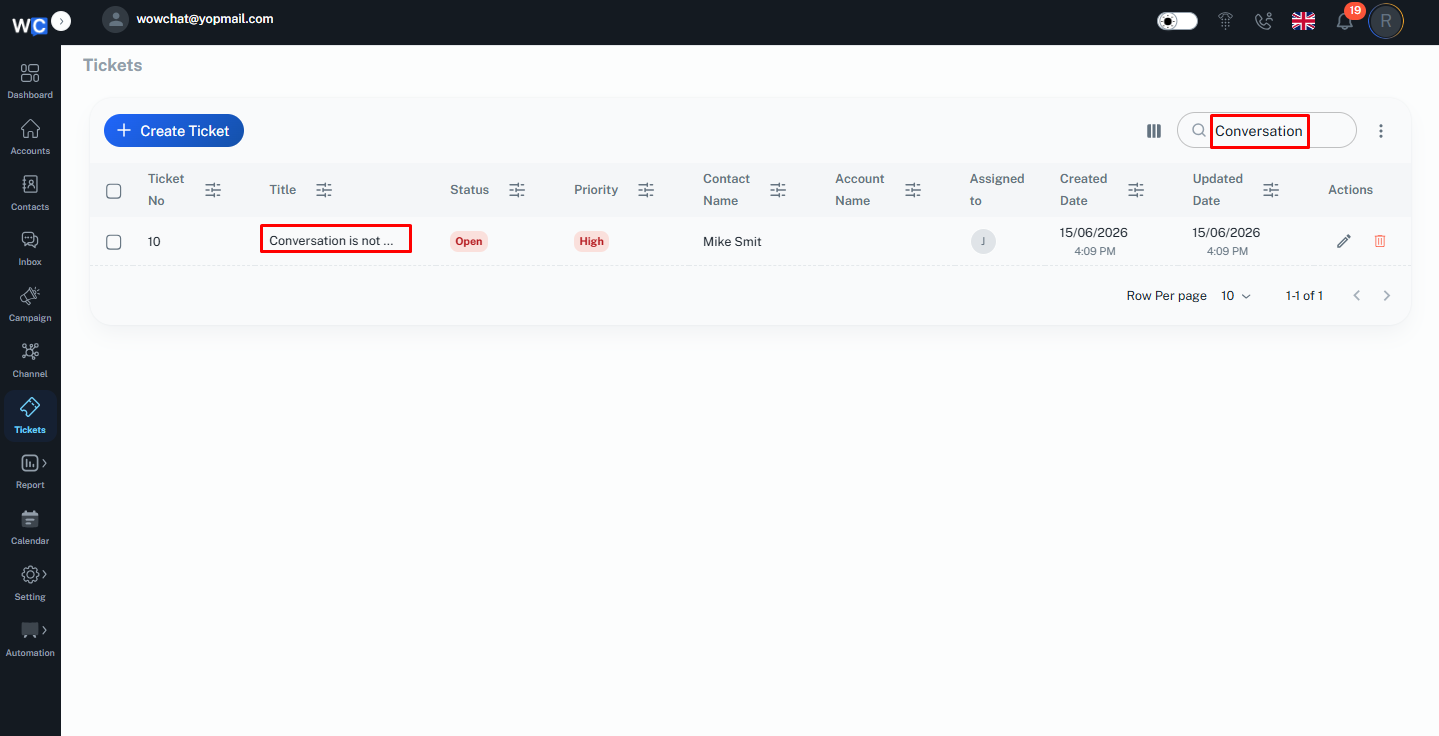
Search Tickets
Use the Search option to quickly find specific tickets.You can search using information such as:
- Ticket ID
- Subject
- Customer Name
This helps users locate tickets without manually browsing through the entire list.
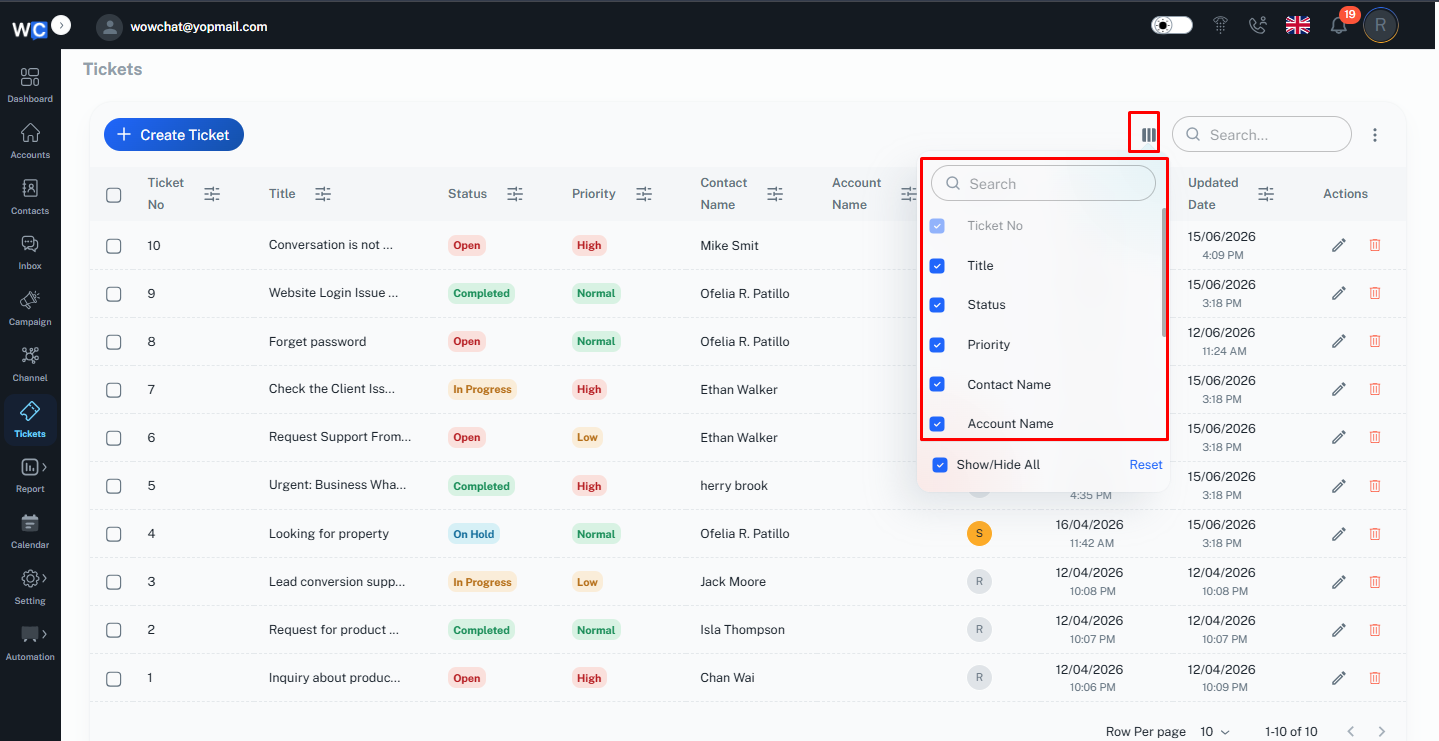
Manage Columns
The Manage Columns option allows users to customize the ticket listing view.Users can choose which columns should be displayed or hidden based on their requirements.Examples may include:
- Ticket No
- Title
- Status
- Priority
- Contact Name
- Account Name
- Created Date
- Updated Date
- Action
This helps create a personalized and efficient workspace.
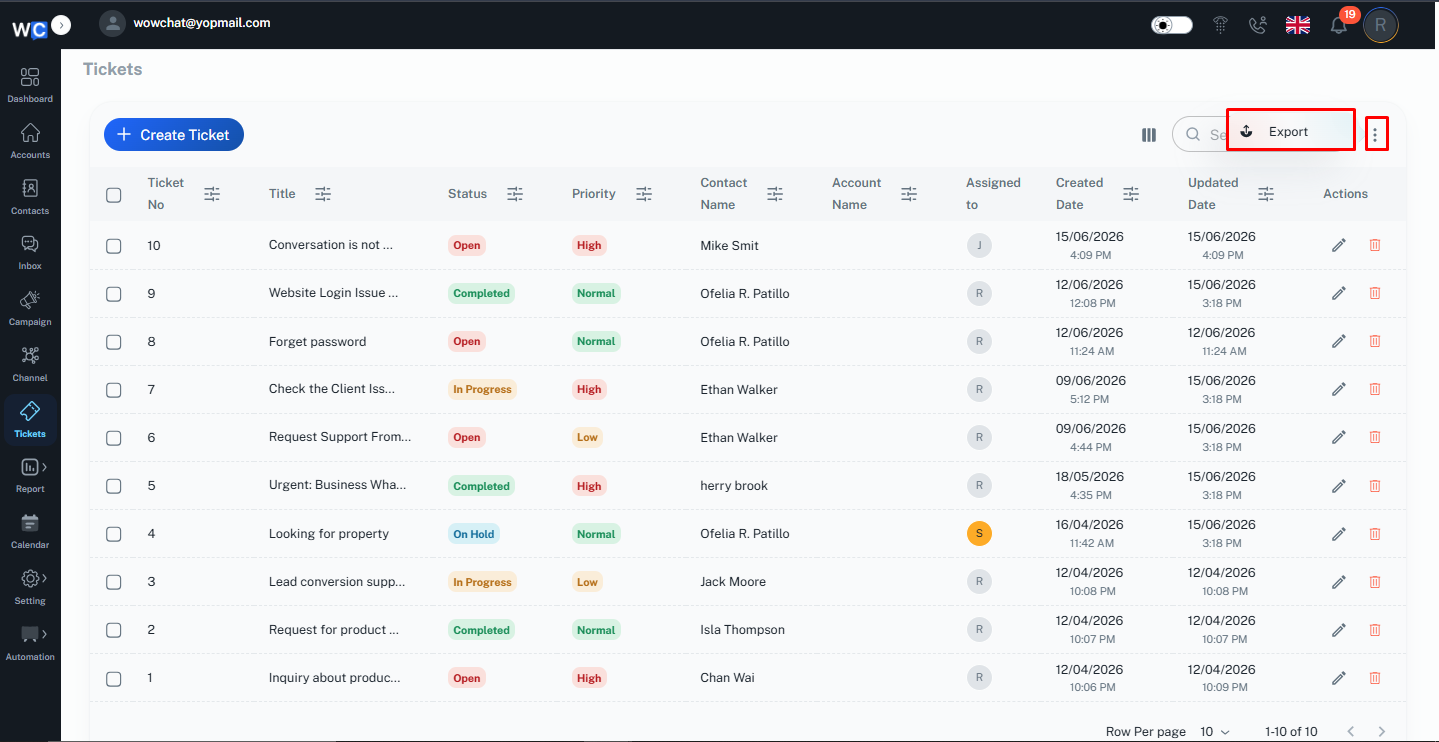
Export Tickets
Users can export ticket data for reporting, analysis, or record-keeping purposes.The Export option allows ticket information to be downloaded for offline use.This is particularly useful for operational reviews and management reporting.
Managing Tickets from the Details Page
When a ticket is opened, additional actions become available through the Ticket Details page.This provides a complete view of the ticket information, activity history, and communication related to the issue.
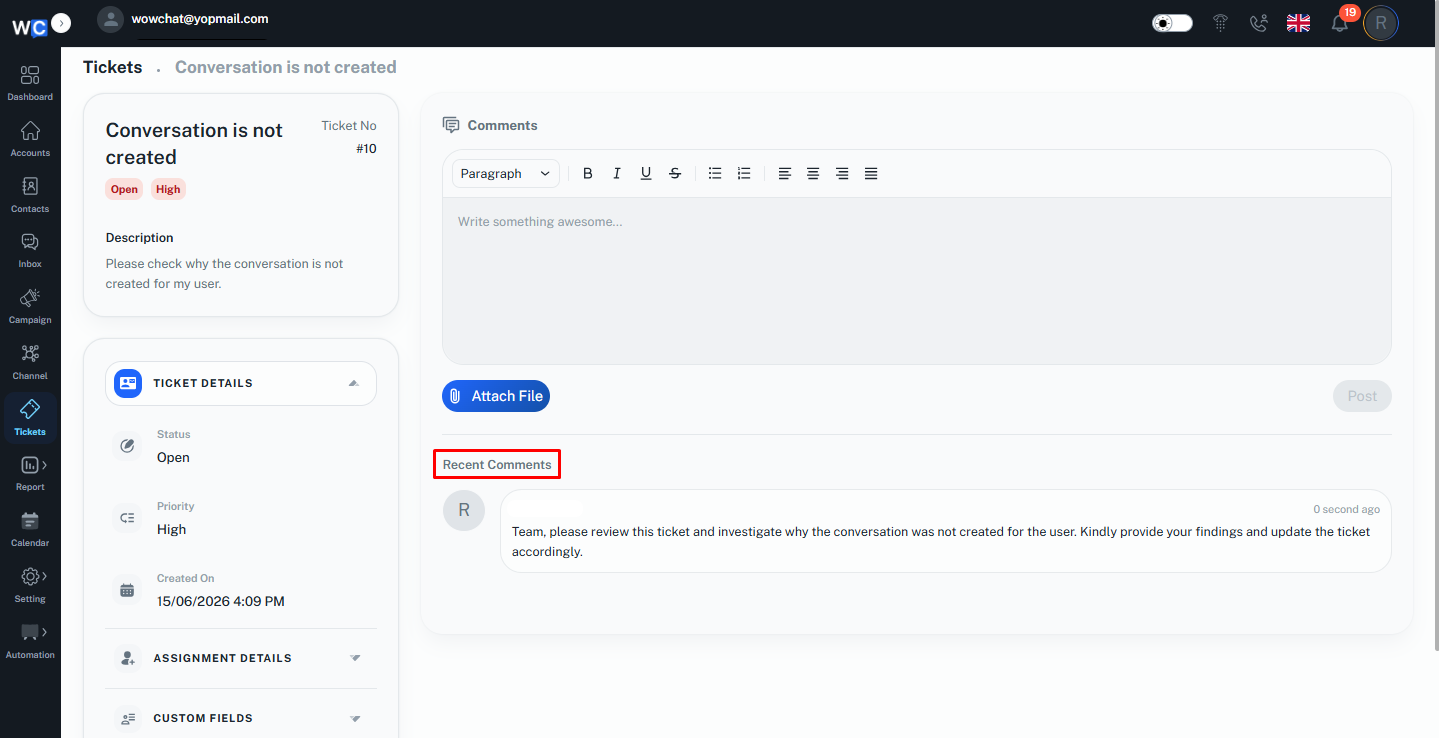
Add Comments
The Comments section allows team members to add updates, notes, and communication related to the ticket.Comments help teams collaborate and maintain a complete record of activities performed during the ticket lifecycle.Examples include:
- Progress updates
- Investigation notes
- Resolution details
- Internal communication
All comments remain associated with the ticket for future reference.
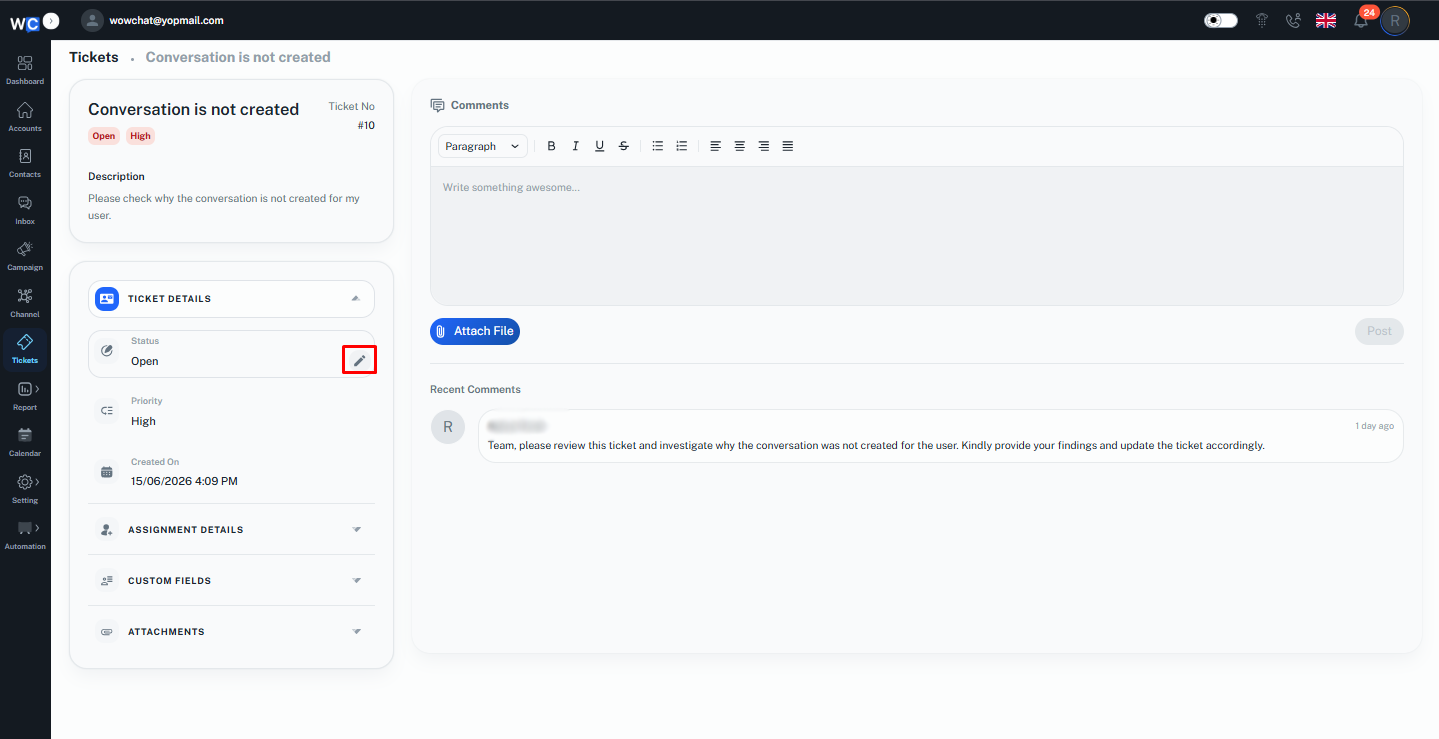
Edit Ticket
Users can edit ticket information directly from the left-hand menu within the Ticket Details page.Editable information may include:
- Status
- Priority
- Description
- Assigned User
- Contact Name
Updating ticket information ensures that records remain accurate throughout the ticket lifecycle.
Benefits of Ticket Management Actions
Using Ticket Management Actions helps organizations:
- Find tickets faster
- Improve team productivity
- Maintain accurate records
- Improve collaboration
- Track ticket progress efficiently
- Simplify reporting and analysis
- Enhance customer support operations
These tools help teams manage customer requests more effectively while maintaining visibility and accountability.
Frequently Asked Questions (FAQ)
Yes. You can use the Search option to quickly locate tickets using ticket information such as Ticket ID, Subject, or Assigned User.