Account creation is needed because, in real business scenarios, a single organization may have multiple contacts interacting through different channels. Without accounts, this information can become scattered and difficult to manage. By using accounts, users can maintain a clear and unified view of all related contacts and activities.
Accessing the Account Module
To go to the Account module, click on Accounts in the side navigation menu in WowChat. This will open the Account Listing Page where all existing accounts are displayed.
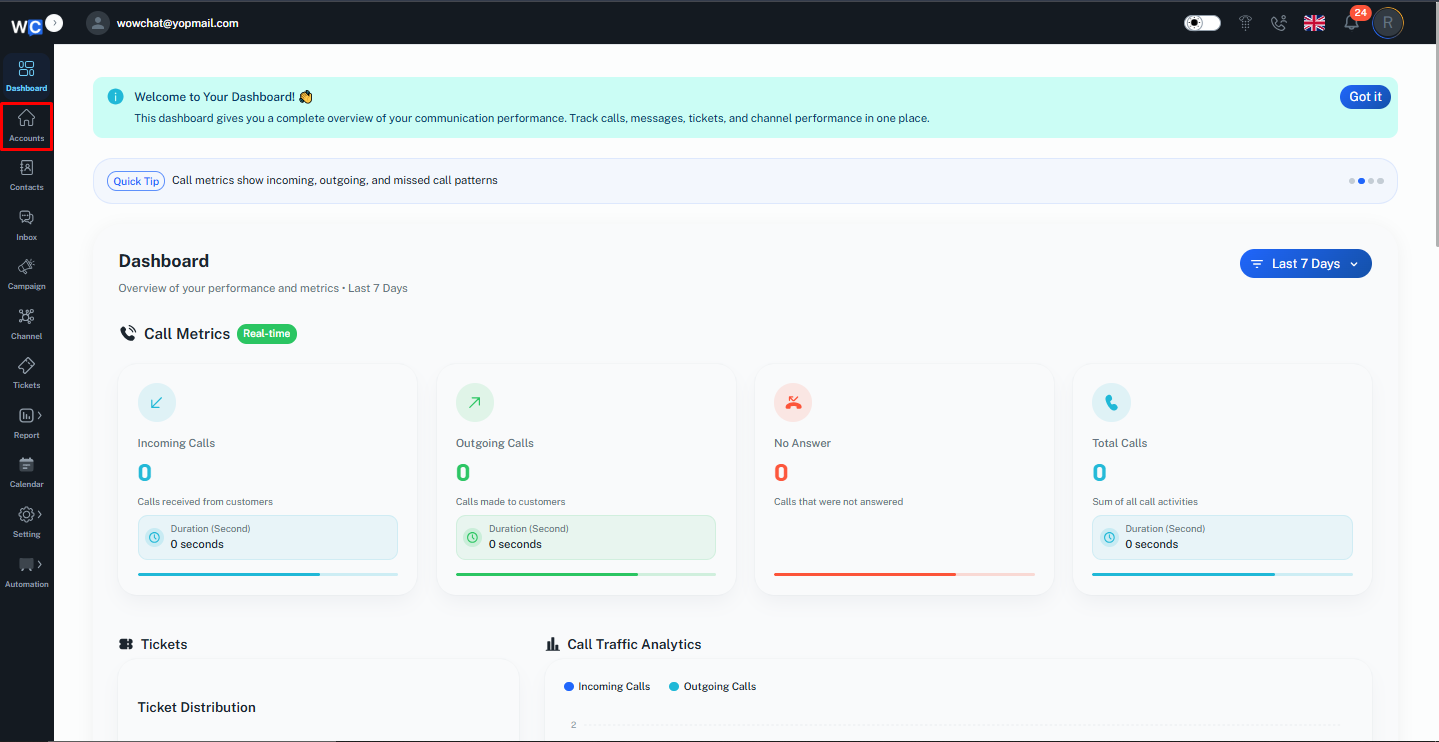
Account Listing Page Quick Actions
The Account Listing Page provides quick actions that help users efficiently manage account records directly from the list view.
Available Quick Actions
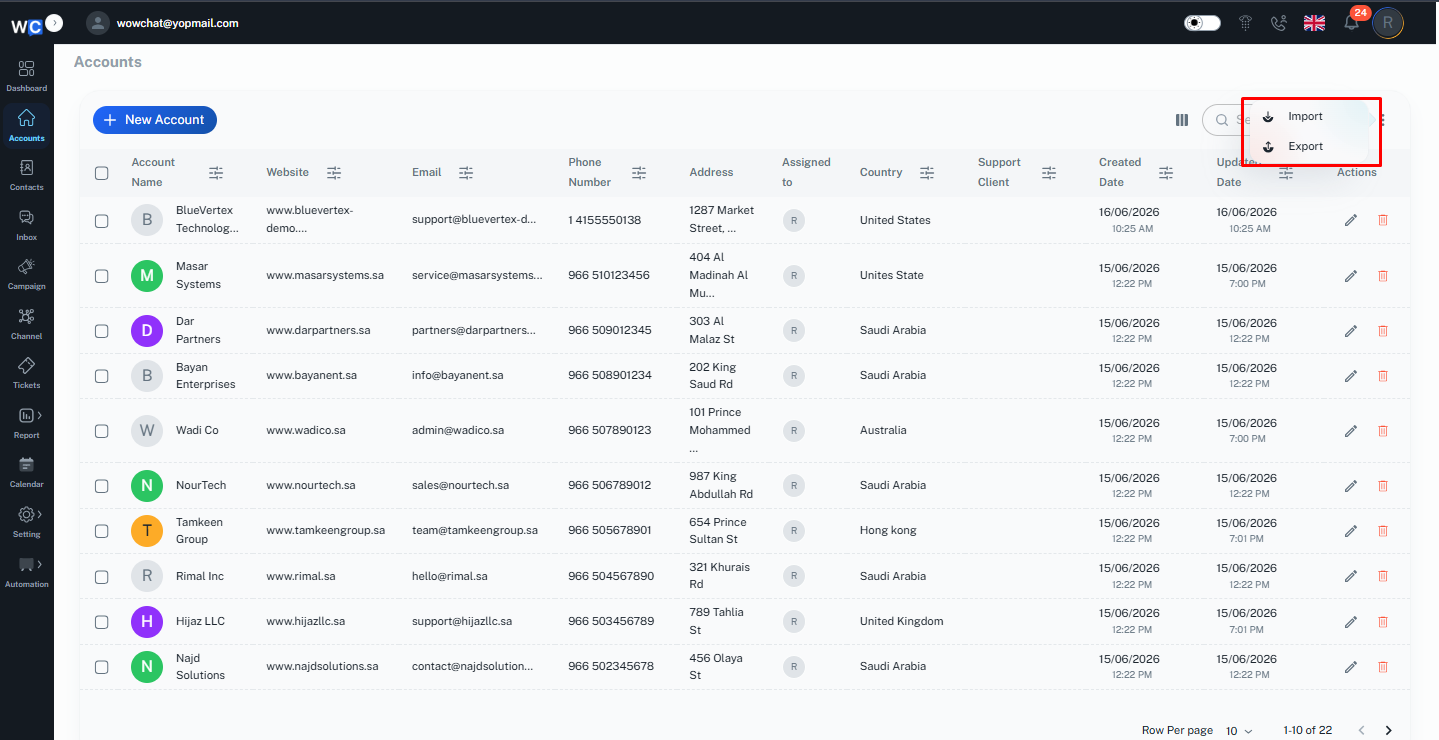
Column Management
Customize the visible columns to display only required account details for better readability.
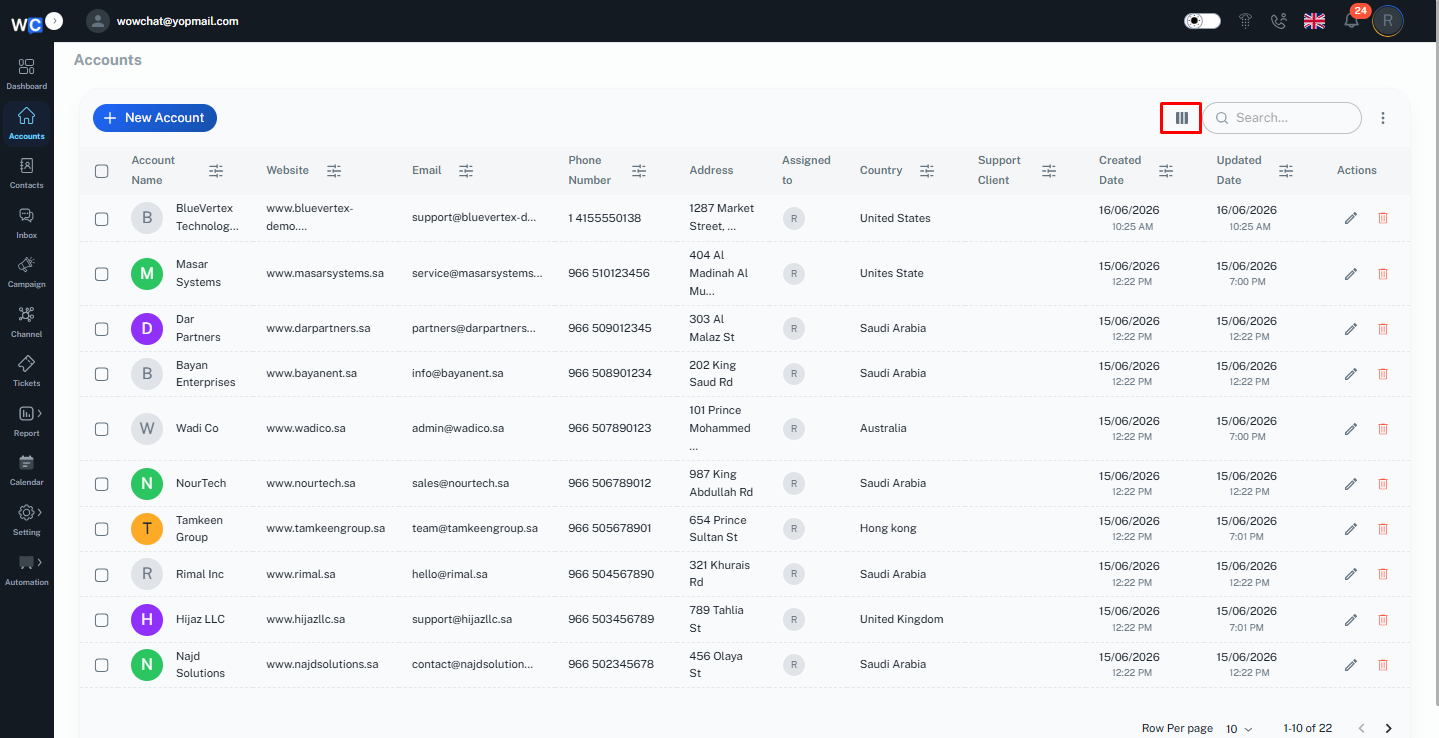
Search Records
Quickly find specific accounts using keywords such as account name or related information.
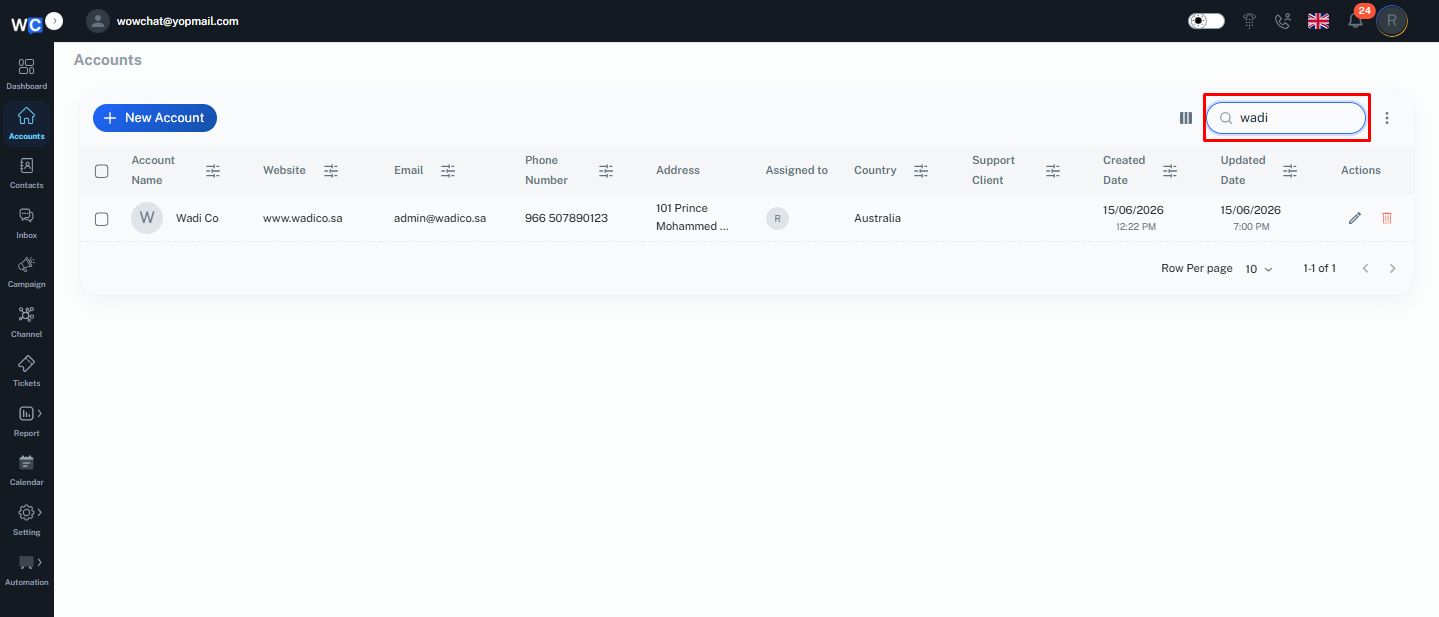
More Options (Three Dots Menu)
Includes additional functionalities such as:
- Import accounts
- Export accounts
Edit Icon
Allows users to quickly update account details directly from the listing page.
Delete Icon
Enables users to remove unwanted or duplicate account records.
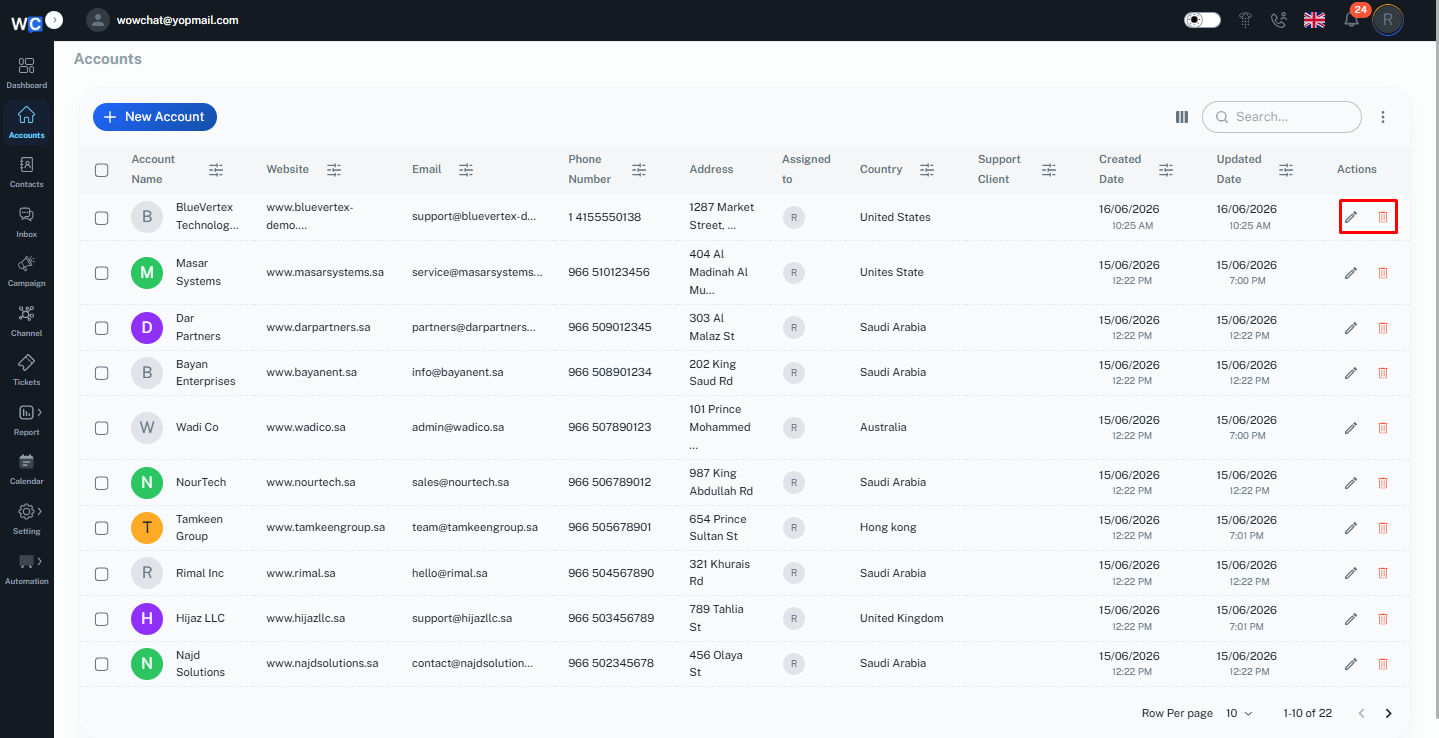
These quick actions help streamline account management and improve overall efficiency while working with customer data.
How to Create an Account
To create a new account in WowChat, navigate to the Account module from the side navigation menu. This will open the Account Listing Page, where all existing accounts are displayed.To start creating a new account, click on the New Account button.
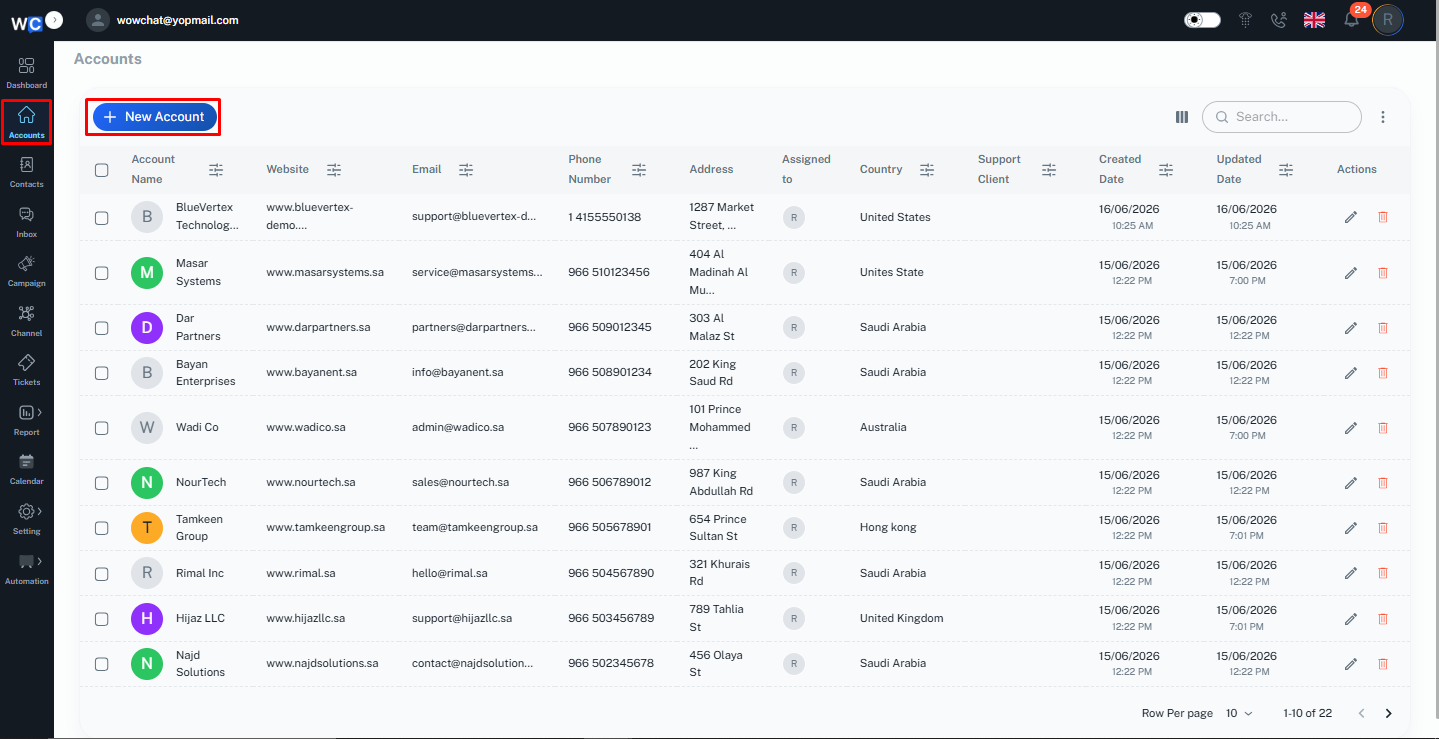
A form will open where you can enter the required account details such as account name and other relevant information.
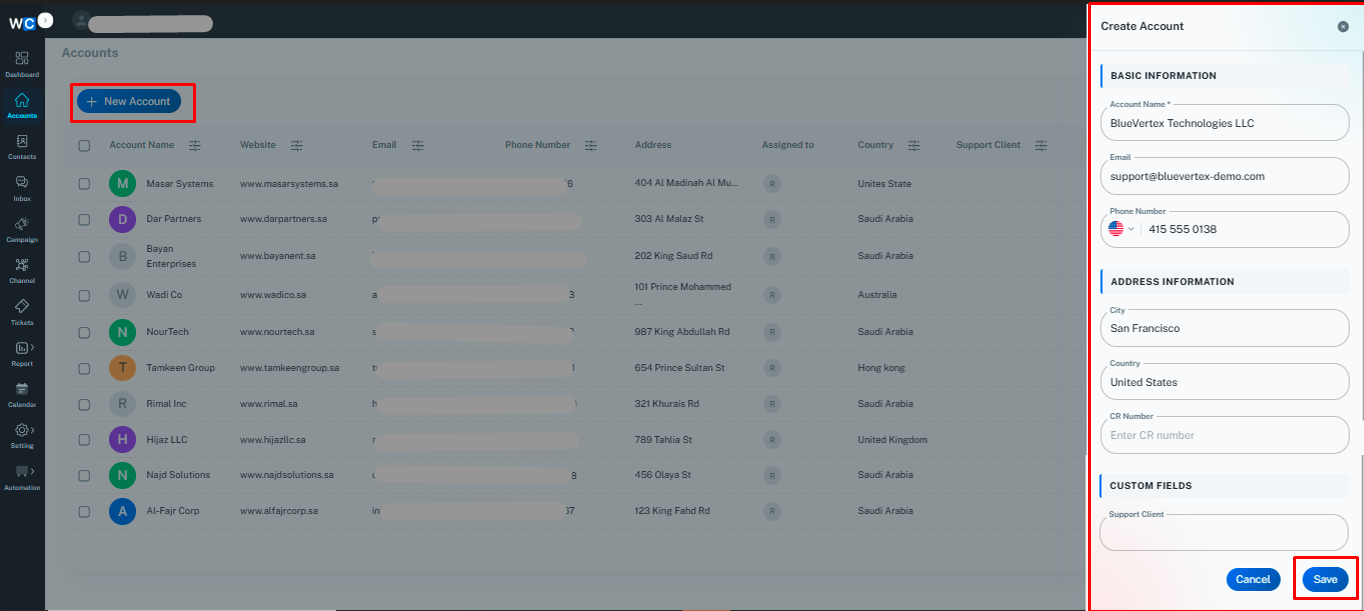
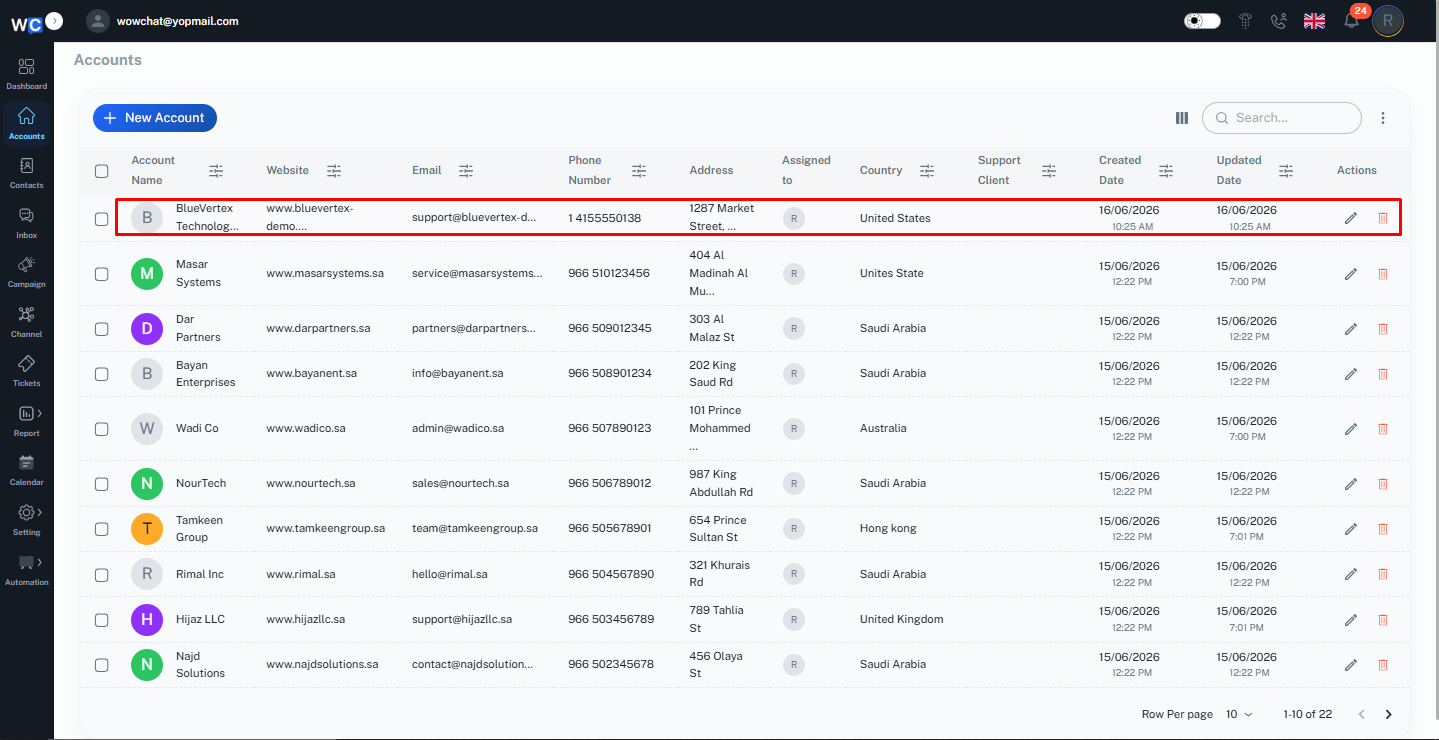
After filling in the details, click Save to successfully create the account.Once saved, the new account will appear on the Account Listing Page and can be managed or updated as needed.
Accounts Details Page
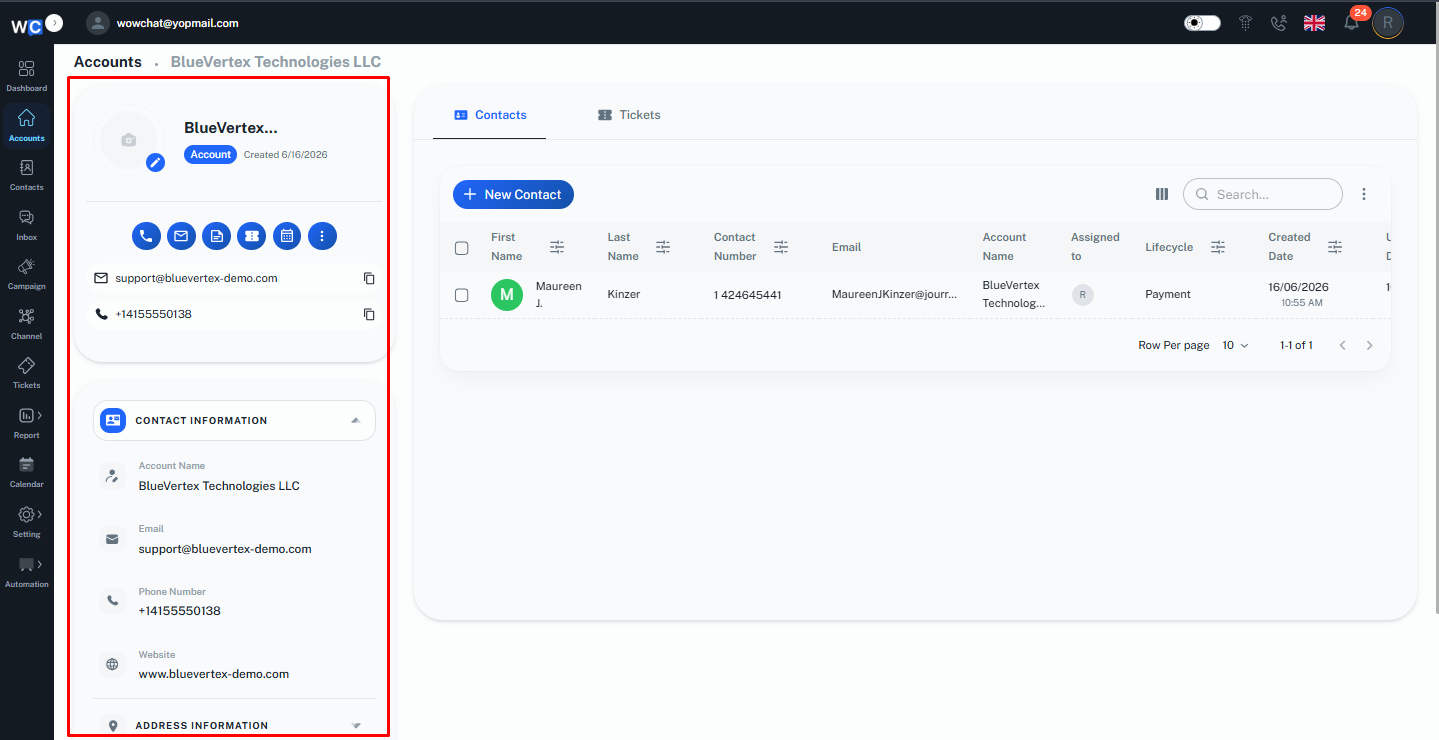
The Accounts Details Page in WowChat provides a complete view of the selected Account record along with its related information and activities. It helps users manage Account details, view associated records, and maintain all Account-related information from a single place.Users can access important Account information, update details, and review related data whenever required.
Account Information Section
The Account Information section displays the available details of the selected Account.Users can view information such as:
- Account name
- Contact details
- Account-related information
- Other available Account details
Users can also update Account information whenever required to keep records accurate and up to date.
Related Records
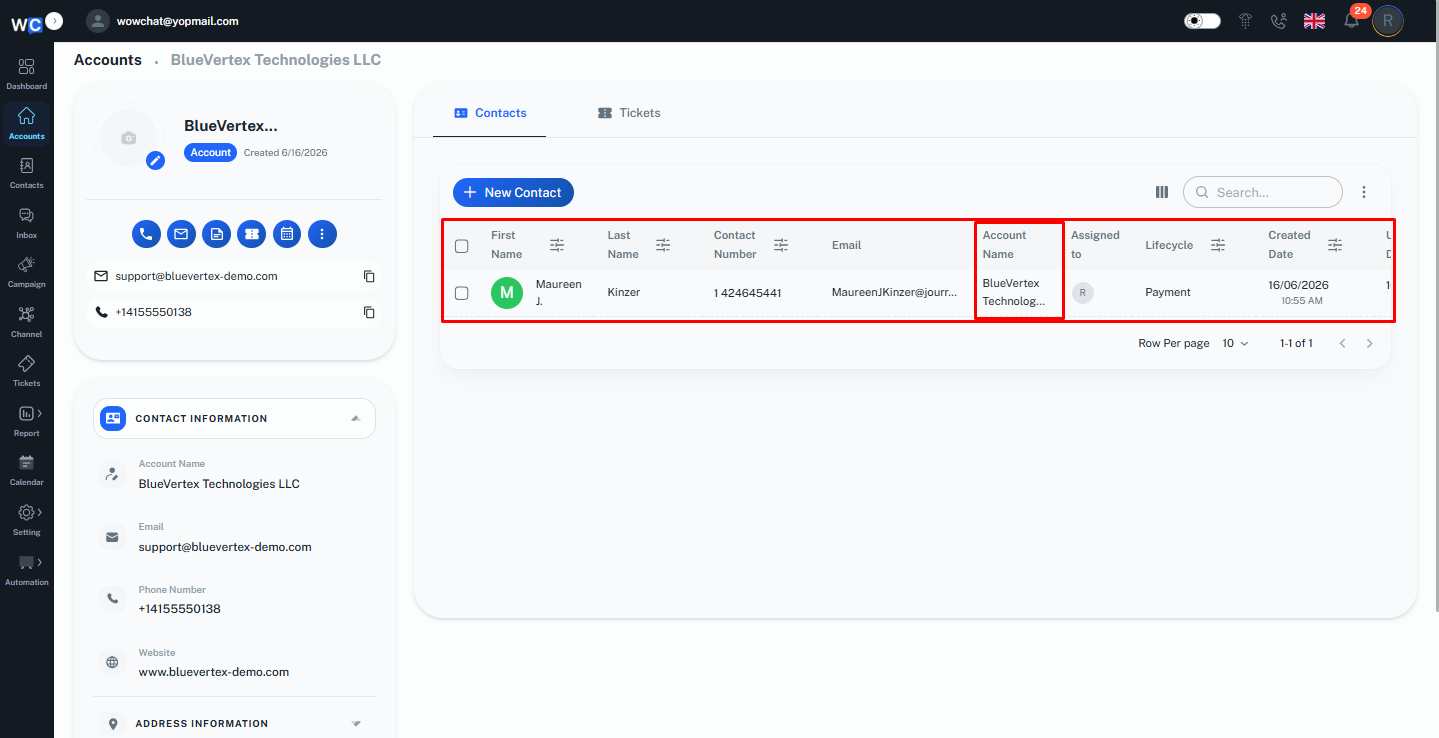
The Account Details Page allows users to view records associated with the Account, helping maintain a complete relationship view.Users can manage and track related information, such as contacts and tickets, linked to the Account.It helps users view and manage connected customer information from a single place.
Contacts Associated with Account
Displays all contacts linked to the selected account, allowing users to access customer details and manage relationships easily.
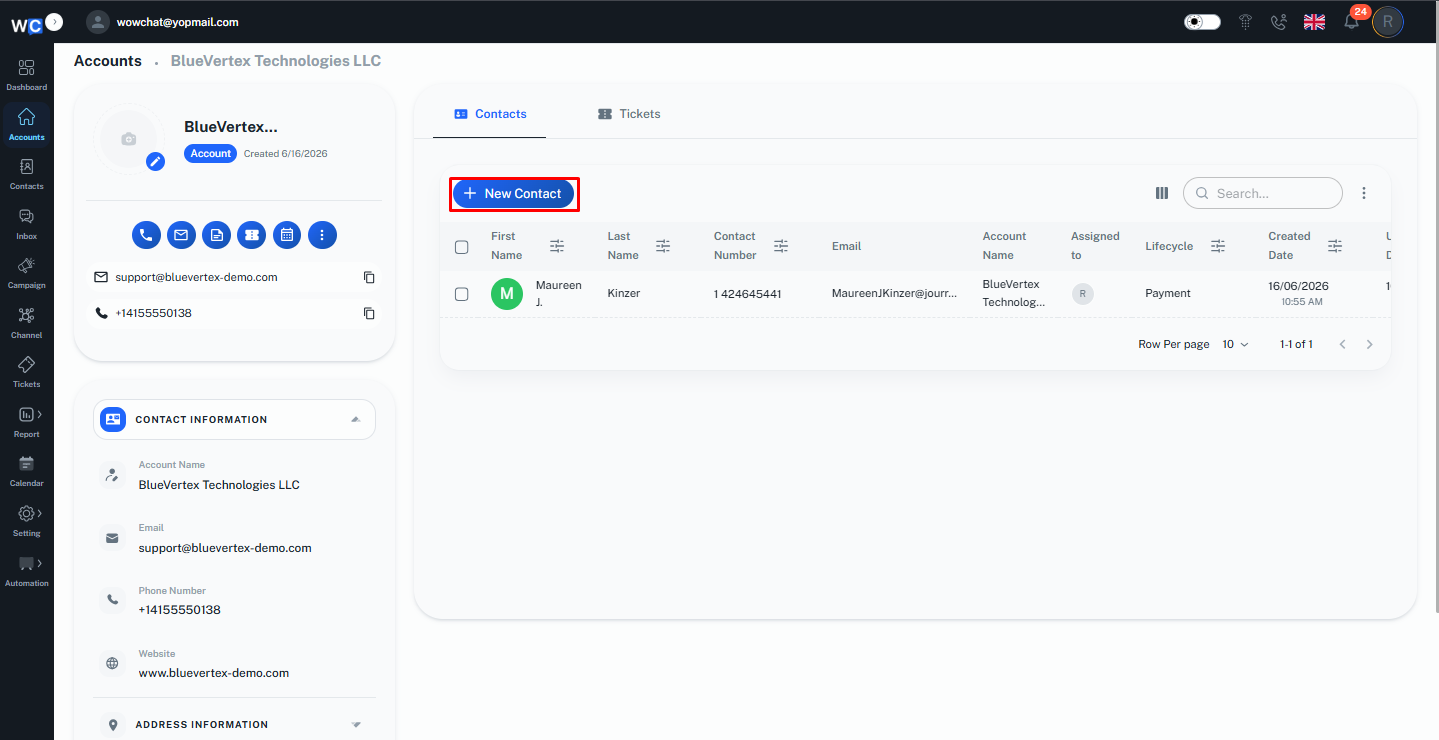
Users can also create and add a new contact directly from the Related Records section of the Account Details Page.To add a new contact, navigate to the Related tab and select the Add Contact option.
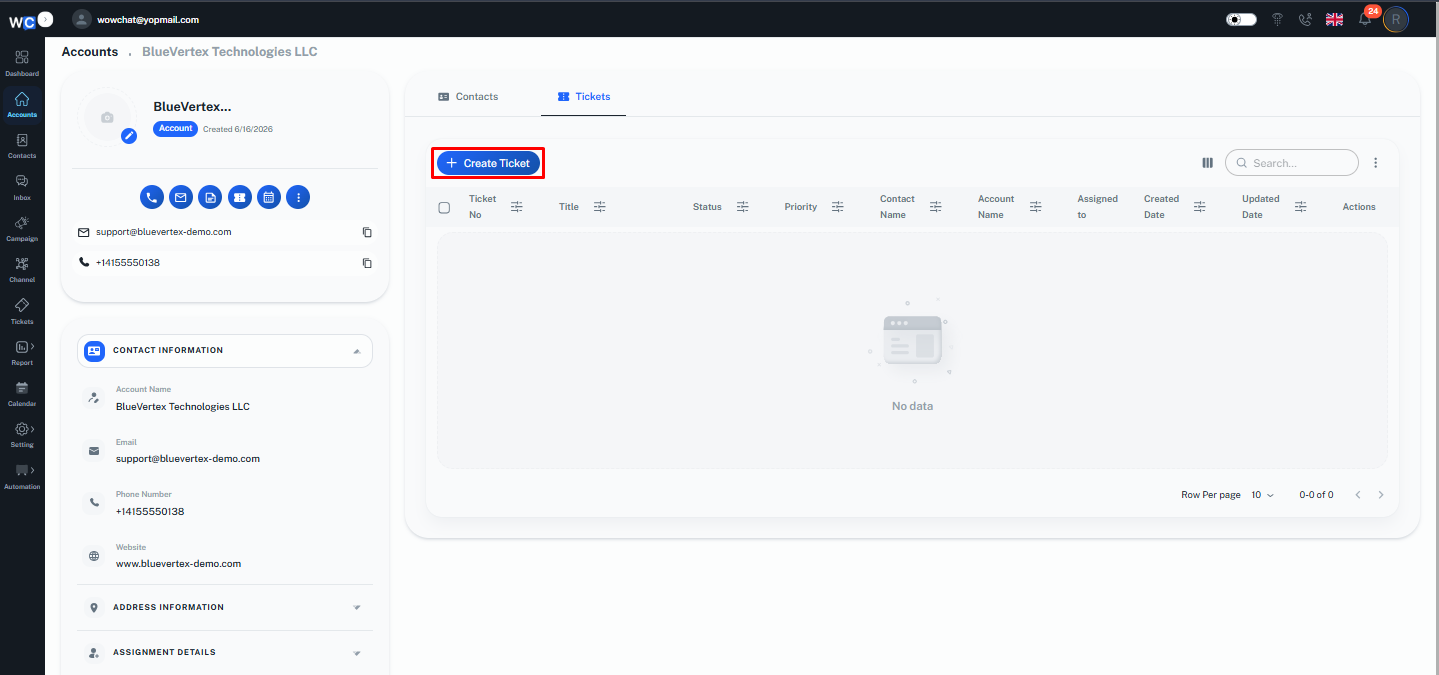
Tickets Associated with Account
Shows all tickets created for the account, helping users track customer requests and support activities.
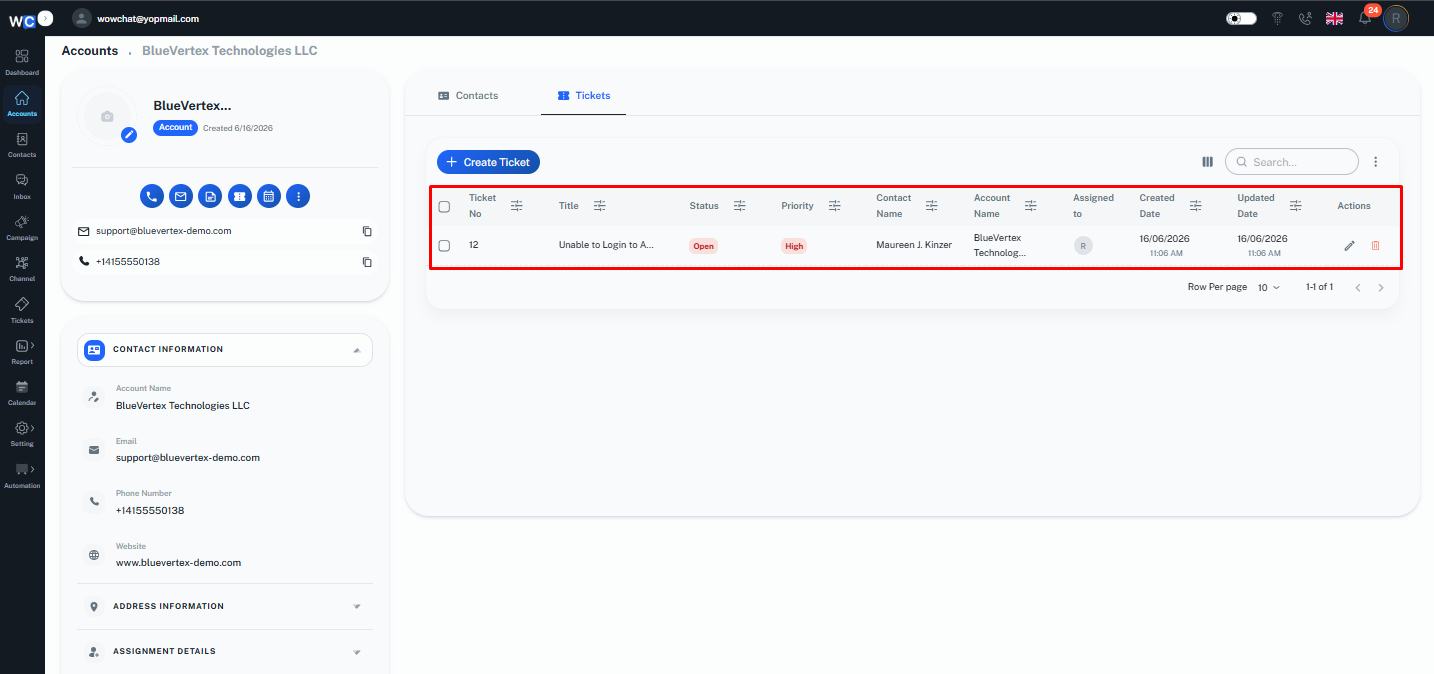
Users can create a ticket from the Related Records section of the Account Details Page to manage customer requests associated with the account.While creating a ticket, the ticket is linked directly to the Contact record. Since the contact is already associated with the account, the ticket will automatically appear under the related records of that account.Note: Tickets do not have a direct relationship with the Account module. The relationship flow works as: Account → Contact → TicketOnce a ticket is created for a contact linked to an account, it will be visible in the account’s related records for better tracking and management.
Frequently Asked Questions (FAQ)
Account Management helps users organize customer information at the Organization level by grouping related contacts and activities under a single account.