Instead of assigning every conversation individually, teams allow organizations to distribute workloads, streamline communication, and improve operational efficiency across the platform.
Whether you have a small support team or multiple departments managing different communication channels, the Teams module helps keep everyone organized and aligned.
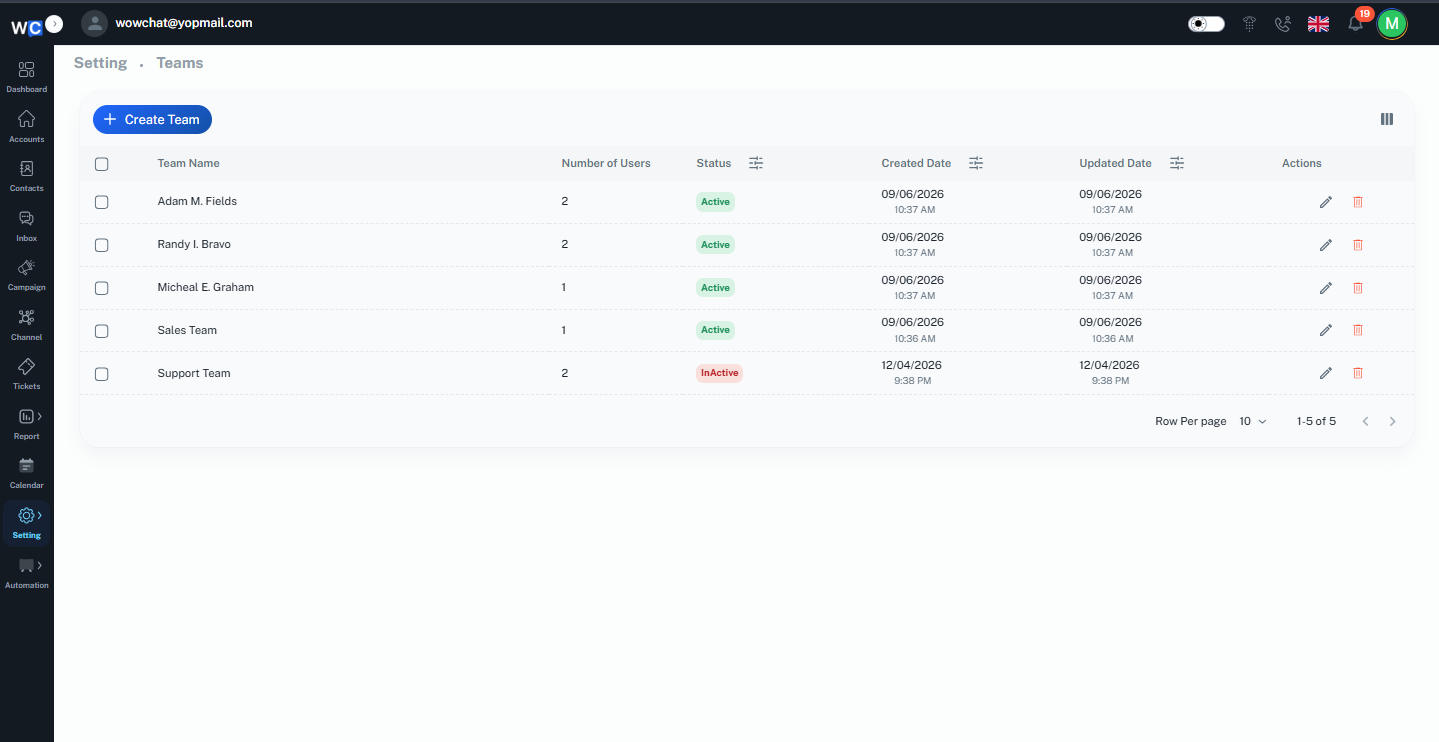
What are Teams?
A Team is a collection of users grouped together based on a common role, department, or responsibility.
Teams help businesses manage conversations more effectively by allowing administrators to assign channels, conversations, and workflows to specific groups of users.
For example, organizations may create teams such as:
- Customer Support
- Sales
- Technical Support
- Billing
- Customer Success
- Marketing
By grouping users into teams, conversations can be routed to the most appropriate department for faster and more accurate responses.
Why Use Teams?
Using Teams helps organizations:
- Organize users efficiently
- Improve team collaboration
- Distribute workloads evenly
- Route conversations to the correct department
- Reduce response times
- Improve customer experience
- Simplify user management
- Increase operational efficiency
Teams make it easier to manage growing customer communication volumes without creating confusion among users.
How Teams Work
Teams act as collaboration groups within WowChat.
Once a team is created, administrators can:
- Add users to the team
- Assign communication channels to the team
- Route conversations to specific teams
- Manage team responsibilities
- Improve workload distribution
When conversations are assigned to a team, all authorized team members can access and manage those conversations according to their permissions.
Key Features of Teams
- Team Creation: Create teams based on business departments, communication channels, or operational requirements.
- User Assignment: Add and manage users within specific teams.
- Conversation Routing: Automatically or manually assign conversations to the appropriate team.
- Workload Distribution: Help distribute customer conversations among team members.
- Team Collaboration: Allow multiple users to work together on customer inquiries.
- Access Control: Manage team visibility and permissions based on organizational requirements.
Common Use Cases
- Customer Support Team: Handle customer questions, complaints, and support requests.
- Sales Team: Manage leads, inquiries, and sales conversations.
- Technical Support Team: Resolve technical issues and troubleshooting requests.
- Billing Team: Manage payment-related inquiries and account issues.
- Customer Success Team: Assist customers with onboarding, training, and account management.
Benefits of Teams
Using Teams within WowChat helps organizations:
- Improve internal collaboration
- Increase productivity
- Reduce conversation handling time
- Improve customer response times
- Simplify conversation management
- Enhance accountability
- Improve service quality
- Scale support operations efficiently
Managing Teams
Administrators can manage teams directly from the Teams section.
Available actions may include:
- Creating new teams
- Editing existing teams
- Adding or removing users
- Assigning responsibilities
- Updating team information
- Deactivating unused teams
Proper team management helps ensure conversations are always handled by the right people.
Frequently Asked Questions (FAQ)
A Team is a group of users organized together to manage specific conversations, channels, or business functions within the platform.