Whether you're creating a Customer Support team, Sales team, Technical Support team, or any other department, the Teams module provides a simple way to group users and improve collaboration across your organization.
Why Create Teams?
Creating teams helps organizations:
- Organize users efficiently
- Improve team collaboration
- Route conversations to the right department
- Distribute workloads evenly
- Improve response times
- Increase productivity
- Simplify user management
- Enhance customer experience
Teams provide a structured way to manage communication and responsibilities within your workspace.
Before You Begin
Before creating a team, ensure that:
- You have access to the WowChat workspace
- You have permission to manage teams
- Users have already been added to the workspace
- You know which users should belong to the team
Creating a Team
Follow these steps to create a new team.
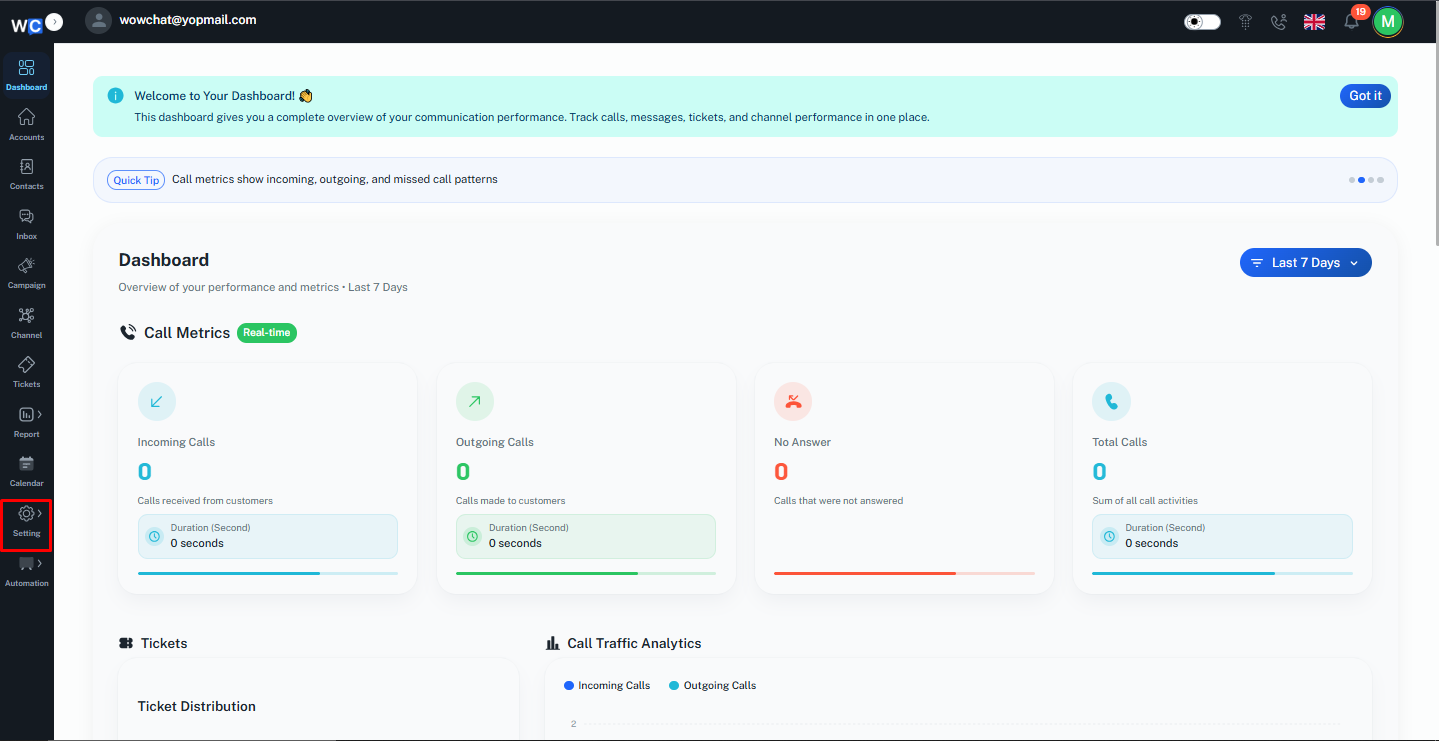
Step 1: Open Settings
After successfully logging in to your WowChat account, click on the Settings option from the left-hand navigation menu.
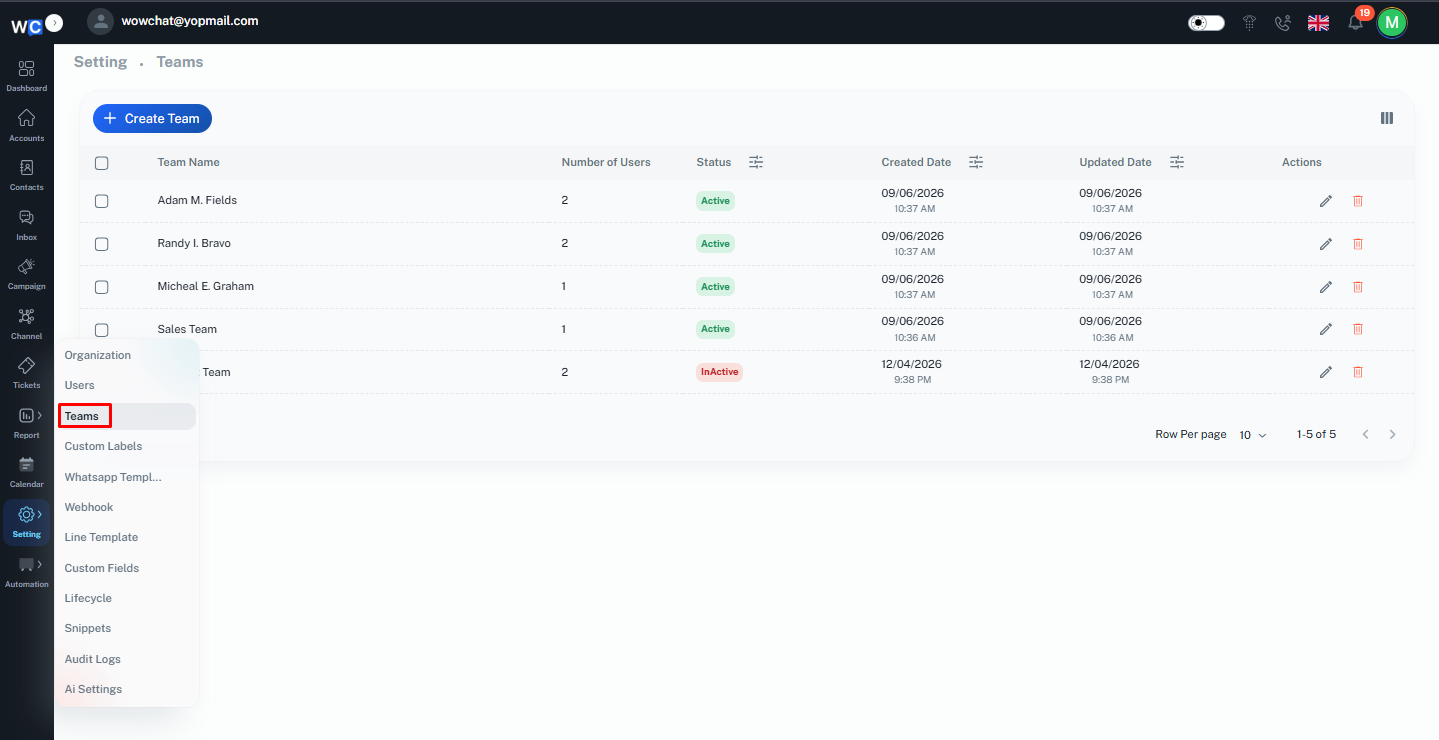
Step 2: Open Teams
Click on the Teams option from the Settings menu.This will open the Teams management page, where all existing teams are displayed.
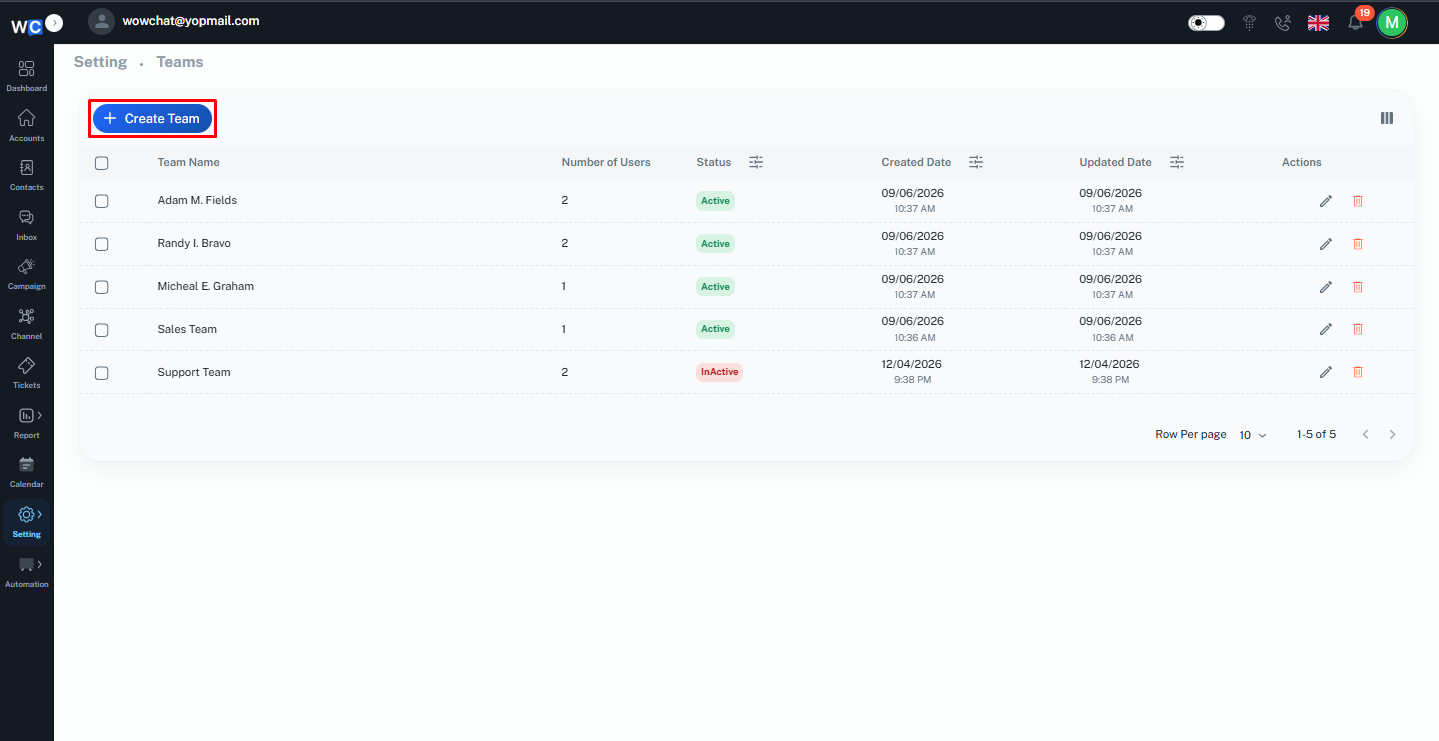
Step 3: Click Create Team
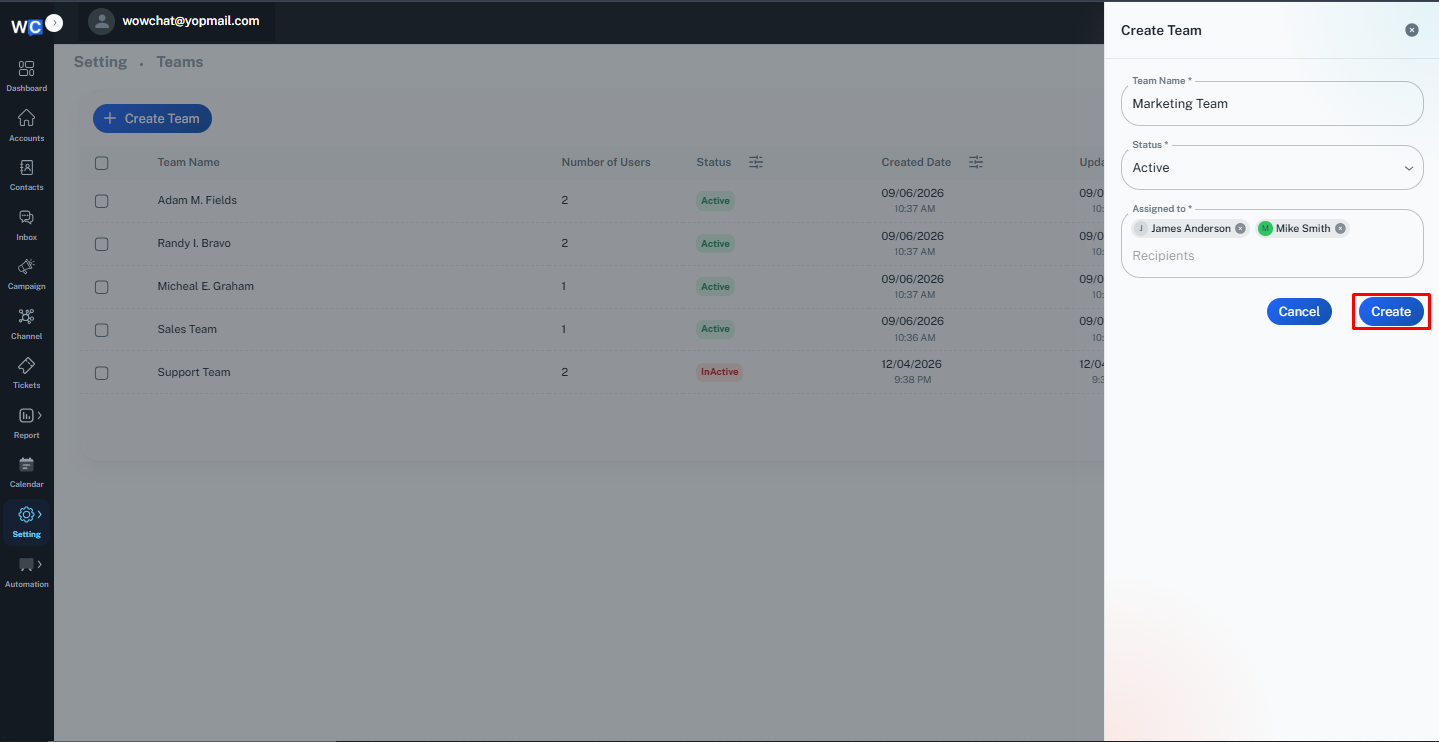
Click the Create Team button to create a new team.A Create Team pop-up window will appear.
Step 4: Enter Team Information
Provide the required team details:- Team Name- Status- Assigned to(Users)Select the users who should be part of the team.
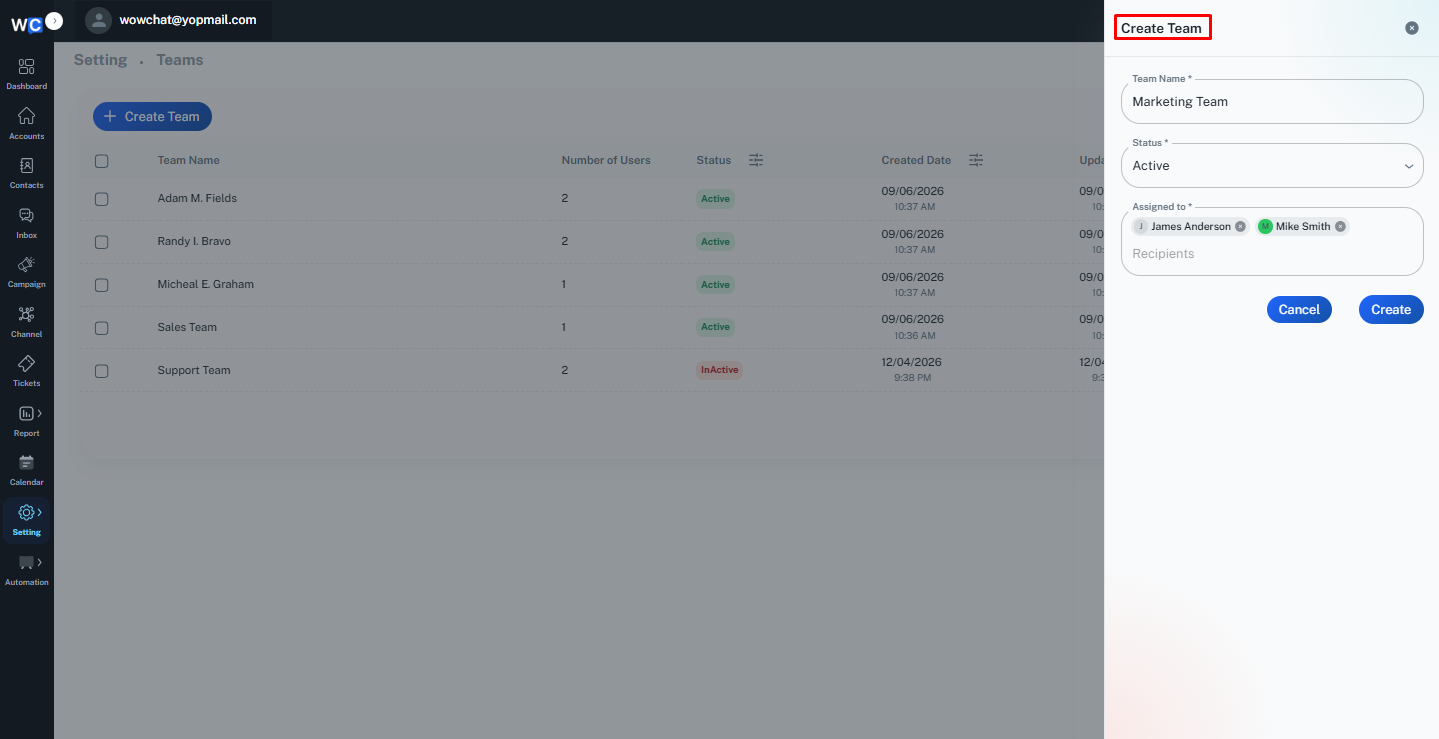
Step 5: Create Team
After entering all required information, click the Create button.The team will be created successfully and will appear in the Teams listing page.
Managing Teams After Creation
Once a team has been created, administrators can:
- View team details
- Edit team information
- Add or remove users
- Update team assignments
- Manage team responsibilities
Keeping team information updated helps ensure smooth collaboration and efficient conversation management.
Benefits of Creating Teams
Creating teams within WowChat helps organizations:
- Improve collaboration between users
- Organize departments efficiently
- Manage customer conversations effectively
- Reduce response times
- Improve workload distribution
- Increase team productivity
- Enhance customer service quality
Frequently Asked Questions (FAQ)
A Team is a group of users organized together to manage conversations, channels, and responsibilities within the platform.