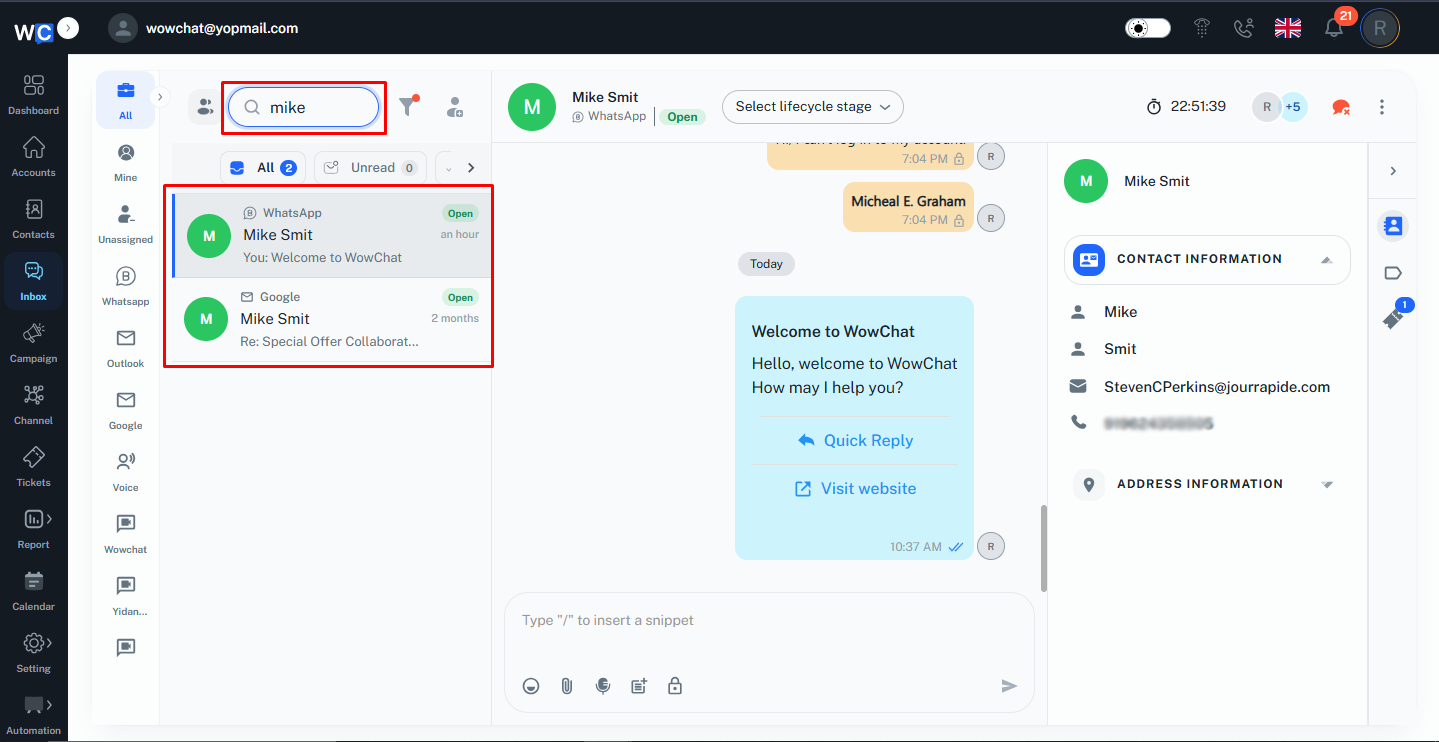
Instead of scrolling through the entire conversation list, the admin can use the search bar to find specific chats based on customer details or conversation information.
As customer interactions increase across multiple channels, searching helps save time and ensures that important conversations can be accessed instantly. Whether looking for a specific customer, reviewing previous interactions, or continuing an ongoing conversation, the search functionality makes conversation management faster and more efficient.
The search results are displayed in real time, allowing the admin to quickly identify the required conversation and open it directly from the conversation list. This helps improve productivity and ensures a smoother customer support experience.
Key Actions
- Search for specific customer conversations.
- Find conversations using customer names or contact details.
- Quickly access previous customer interactions.
- Locate active or historical conversations.
- Reduce time spent manually browsing conversations.
- Open conversations directly from the search results.
Frequently Asked Questions (FAQs)
The Search Conversations feature helps the admin quickly locate specific customer conversations without manually browsing through the entire inbox.