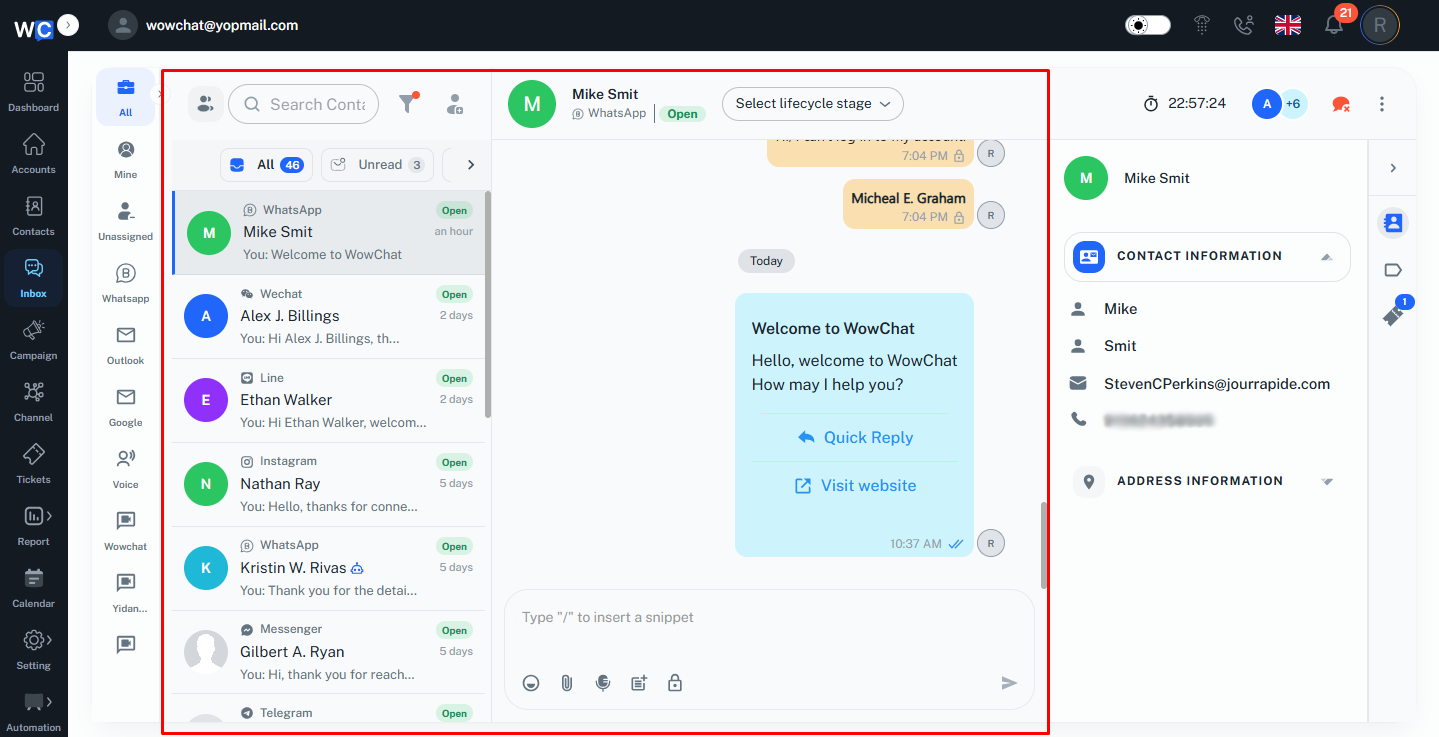
The admin can view incoming messages, respond to customers, track conversation status, and access customer information without switching between multiple screens.
The conversation list allows the admin to quickly identify active, unread, and assigned chats. Selecting a conversation opens the complete chat history, making it easy to understand previous interactions and continue the discussion seamlessly. The admin can send text messages, attachments, and quick replies while keeping all communication organized in one place.
Customer details displayed alongside the conversation provide valuable context, enabling the admin to deliver personalized and informed responses. This streamlined workflow helps teams respond faster, collaborate effectively, and ensure every customer inquiry is addressed promptly.
Key Actions
- View and manage customer conversations.
- Read the complete chat history.
- Send messages and attachments to customers.
- Access customer information while chatting.
- Track conversation status and activity.
- Handle multiple conversations from one inbox.
Frequently Asked Questions (FAQs)
Simply select a conversation from the conversation list to view the chat history and begin responding.