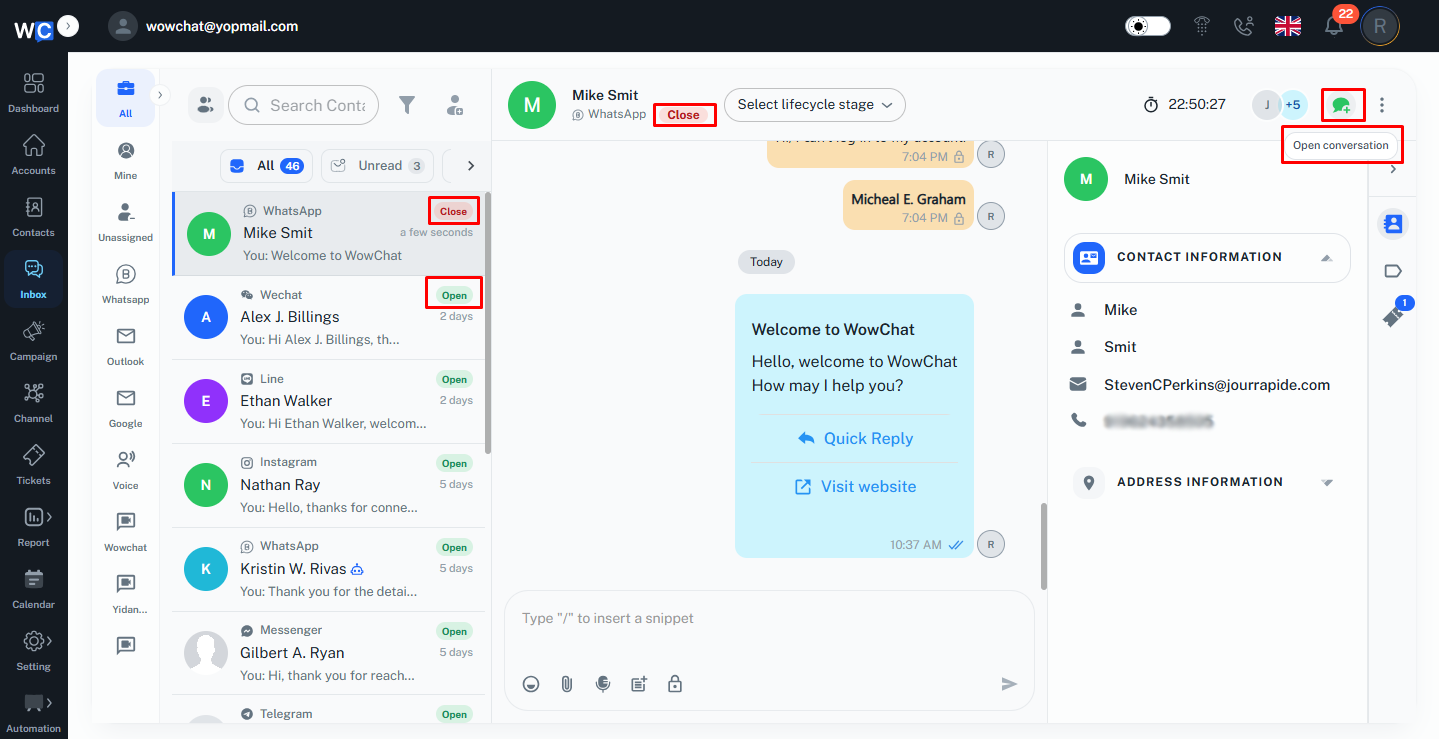
By marking a conversation as Open or Closed, the admin can easily track which customer inquiries still require attention and which have already been resolved.
Open conversations indicate that customer interaction is ongoing or requires further follow-up. Once an issue has been resolved or the conversation is complete, the admin can mark the conversation as Closed. This helps keep the inbox organized and allows the admin to focus on active customer requests.
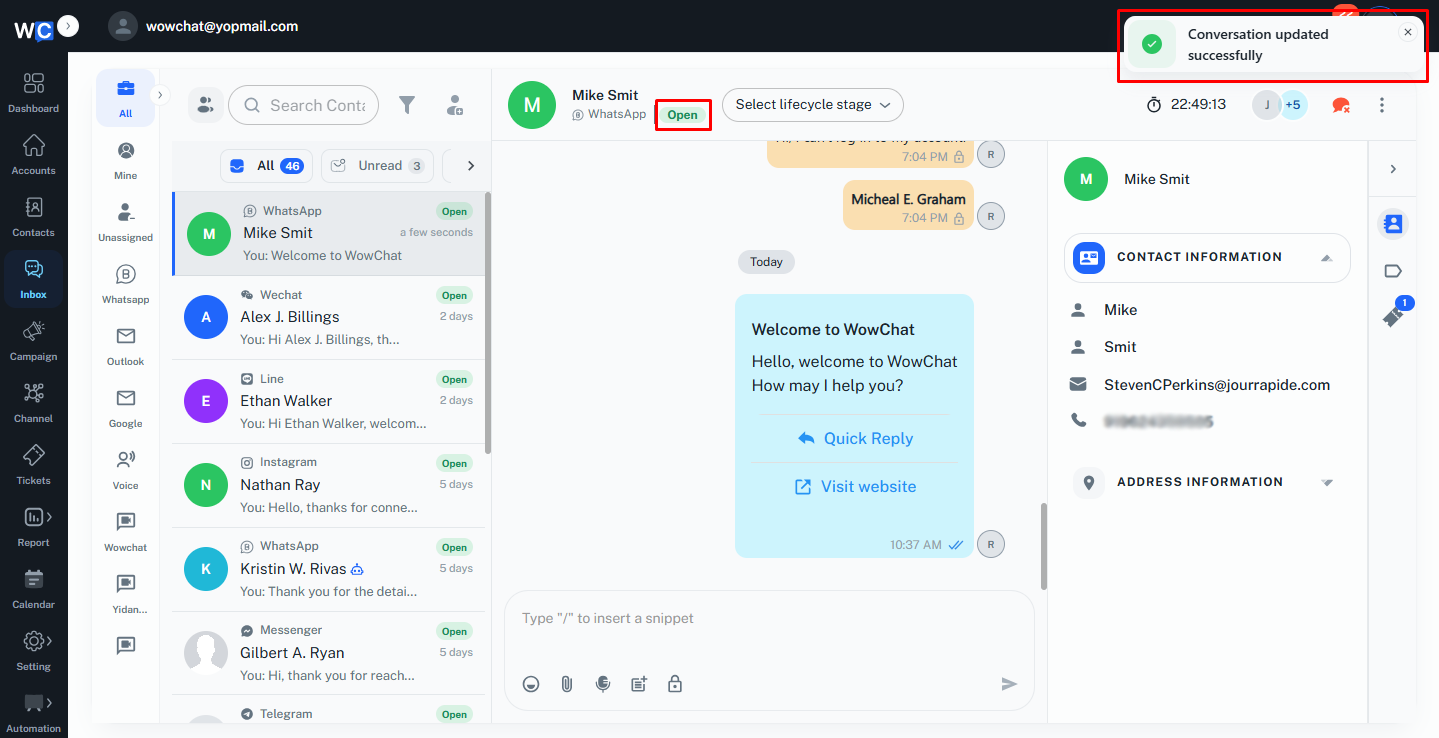
The conversation status is displayed within the conversation list and conversation header, making it easy to identify the current state of each customer interaction. If needed, a closed conversation can be reopened to continue communication with the customer.
Key Actions
- Mark conversations as Open or Closed.
- Track the status of customer interactions.
- Identify active conversations that require attention.
- Organize completed and ongoing conversations.
- Reopen closed conversations when additional follow-up is required.
- Improve inbox management and conversation tracking.
Frequently Asked Questions (FAQs)
This feature helps the admin manage conversation status by identifying whether a customer interaction is active or completed.