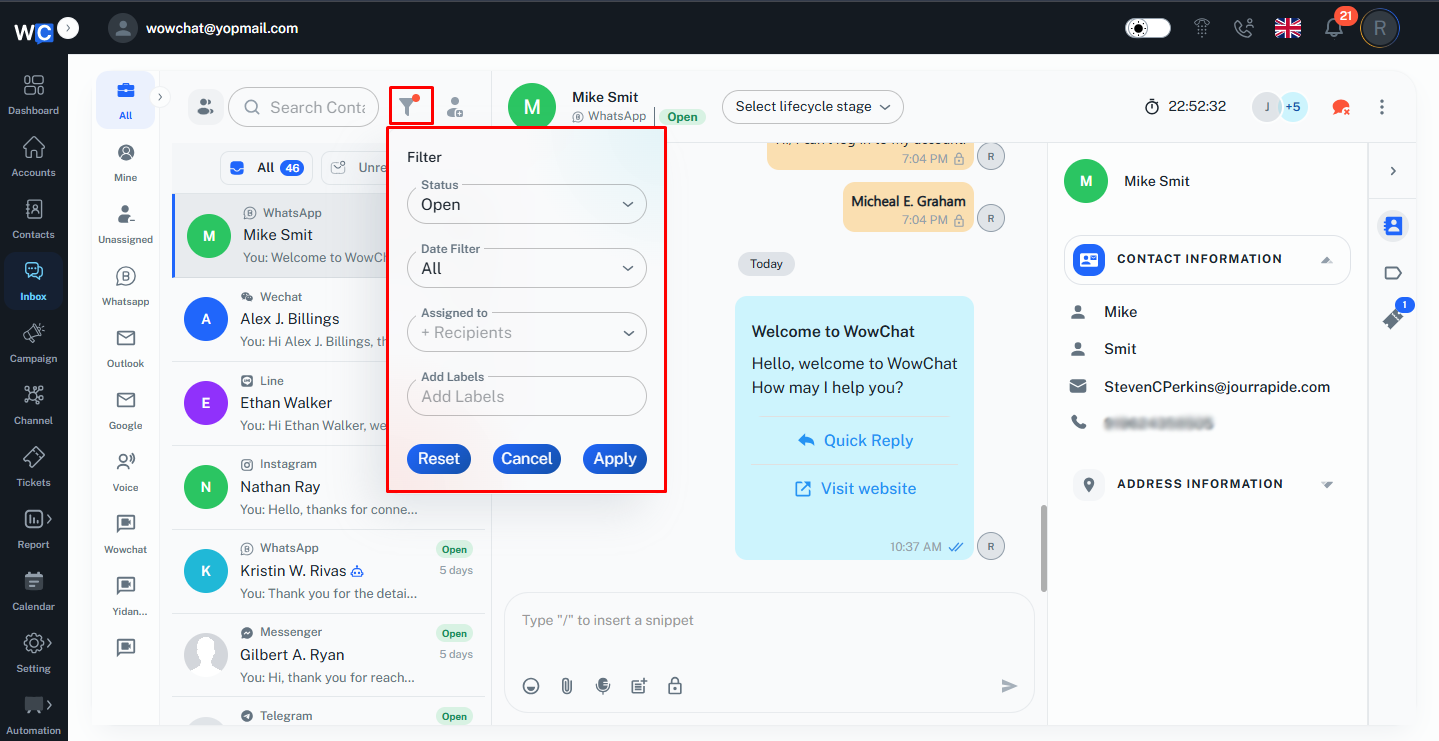
Instead of manually searching through all chats, the admin can apply filters to display only the conversations that match specific criteria.
Filters make it easier to focus on active customer inquiries, review conversations handled by specific users, and locate chats related to particular business processes such as new leads, order updates, or purchase intent. This improves response efficiency and keeps the inbox organized as conversation volume grows.
Available Filters
- Status: Filter conversations by their current status.
- Date Filter: Show conversations from a selected time period, such as all conversations, recent conversations, or other available date ranges.
- Assigned to: Display conversations assigned to a specific user or recipient.
- Labels: Filter conversations by labels given.
Key Actions
- Filter conversations by status.
- View conversations from specific date ranges.
- Show conversations assigned to selected users.
- Filter conversations using labels.
- Quickly locate conversations that require attention.
- Organize the inbox for easier conversation management.
Frequently Asked Questions (FAQs)
Conversation Filters help the admin narrow down conversations based on criteria such as status, date, assignment, and labels, making inbox management more efficient.