WowChat allows administrators to invite users to the workspace and assign appropriate roles based on their responsibilities. Once invited, users can access the platform, participate in conversations, and contribute to customer engagement activities.
Inviting users ensures that the right people have access to the tools and information they need while maintaining a secure and organized workspace.
Why Invite Users?
Adding users to your workspace helps your organization:
- Collaborate more effectively
- Distribute customer conversations across teams
- Improve response and resolution times
- Manage workloads efficiently
- Control access through roles and permissions
- Scale customer support operations as your business grows
How to Invite Users
Follow these steps to invite a new user to your WowChat workspace.
Step 1: Open Settings
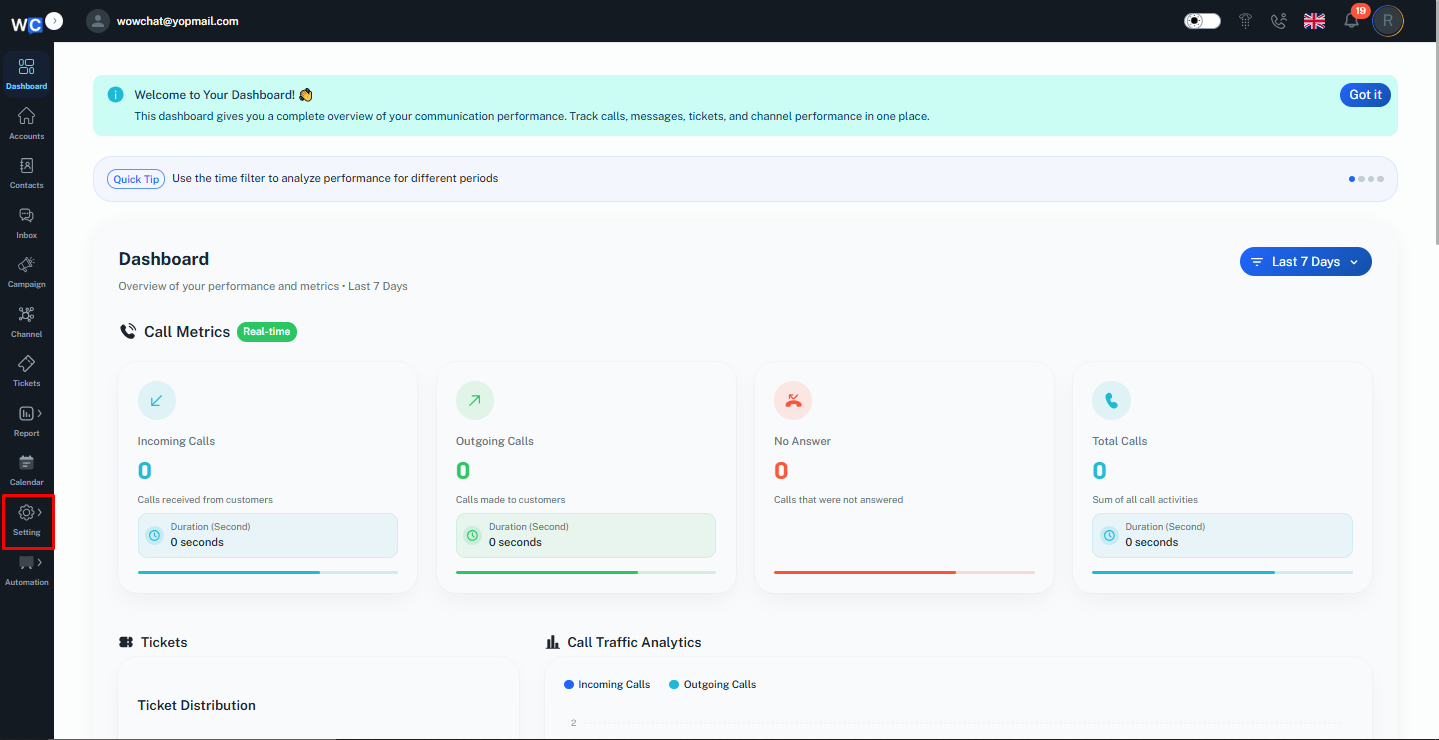
After logging in to your WowChat account, navigate to the Settings section from the left-hand navigation menu.
Step 2: Open the Users Page
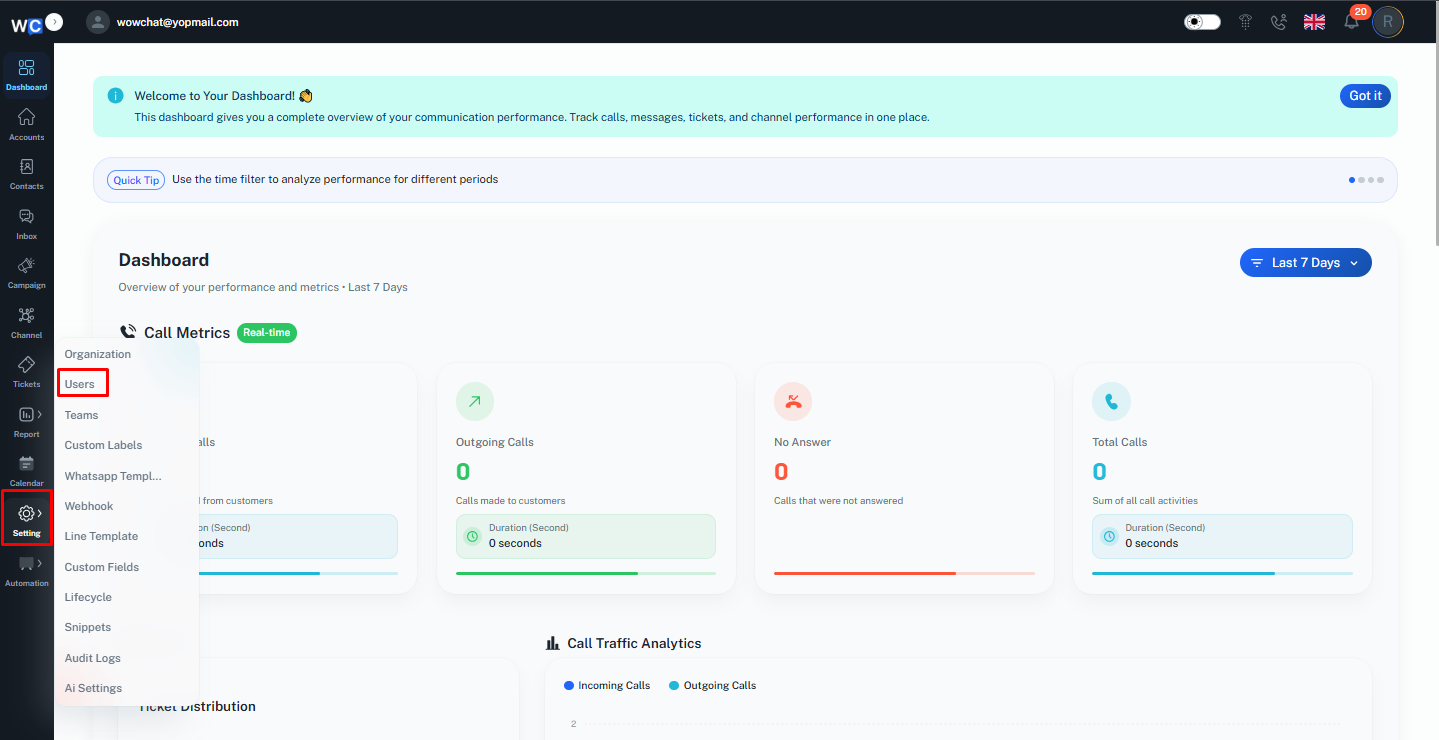
Click on the Users option to access the user management page.From here, you can view existing users and manage workspace access.
Step 3: Click Invite User
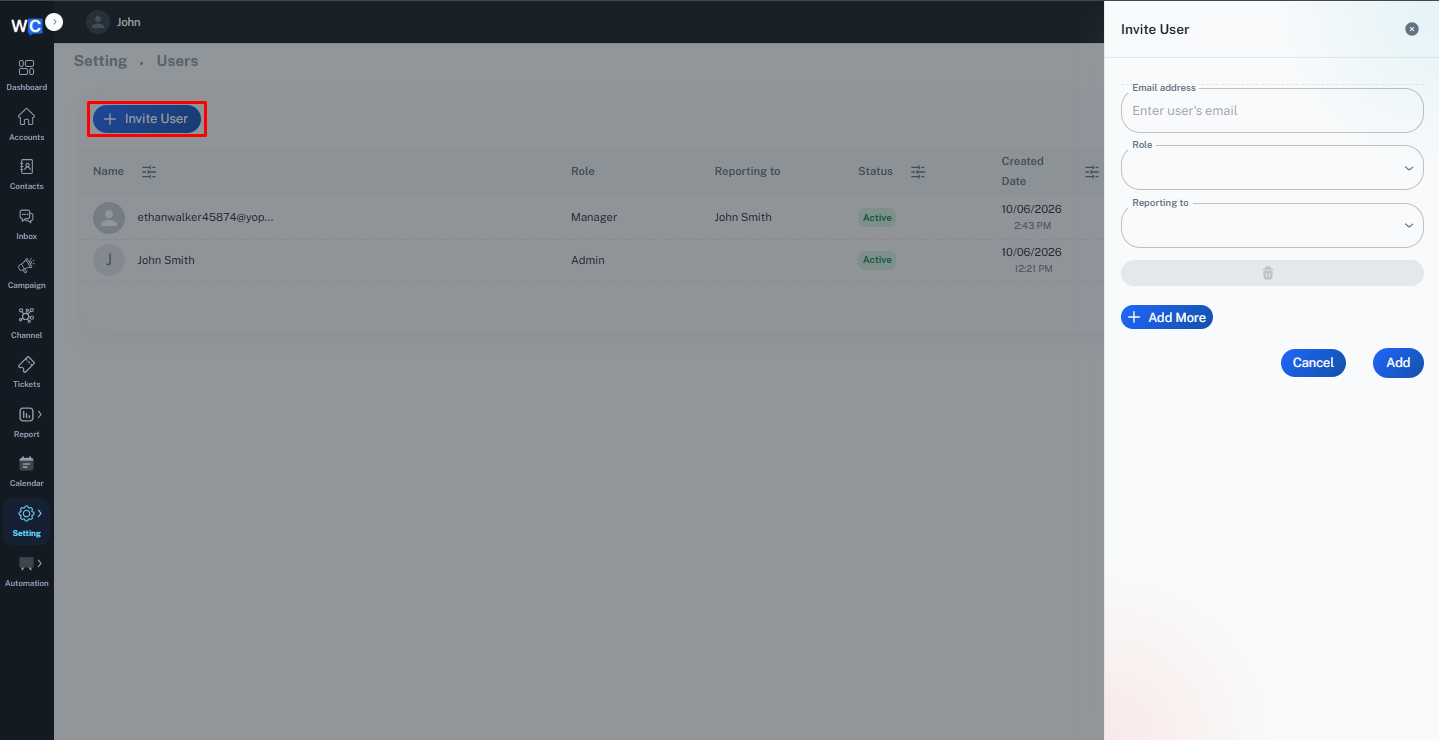
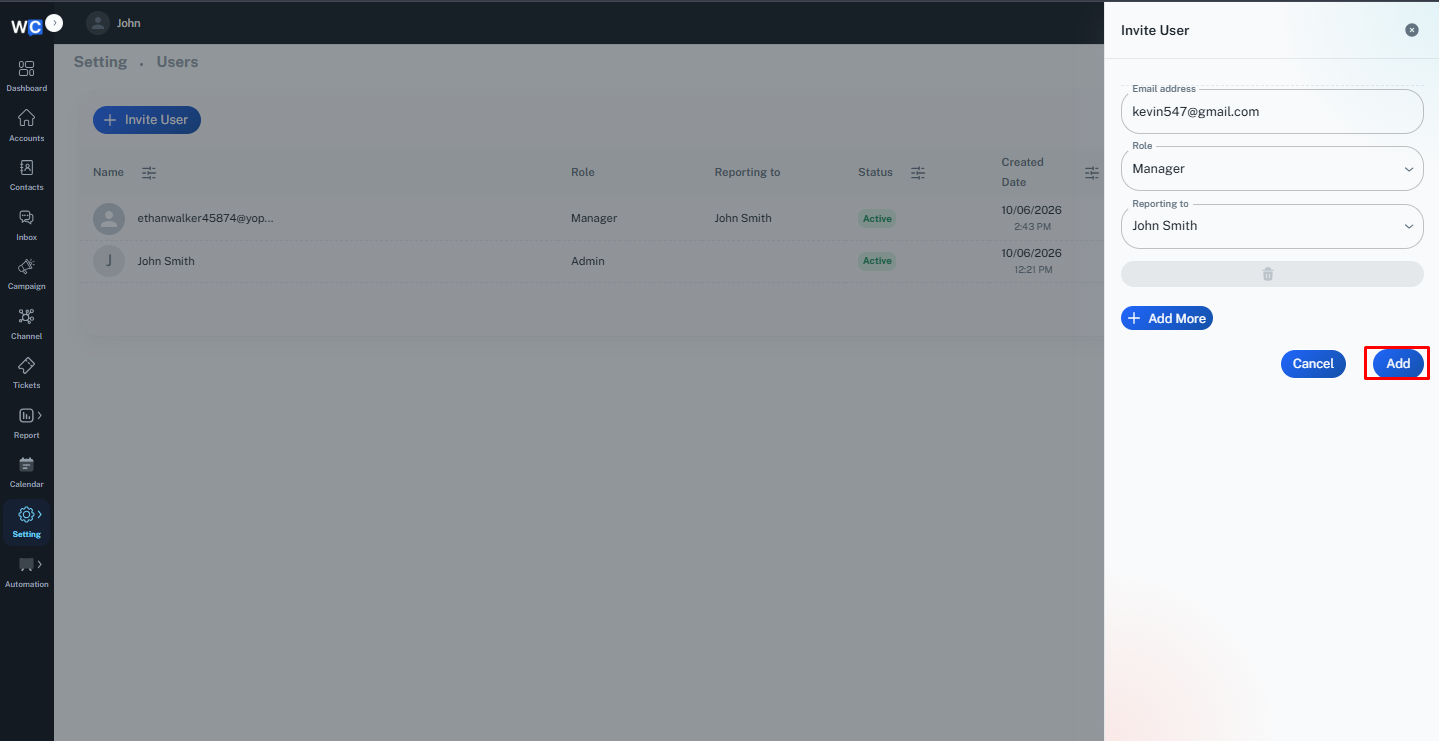
On the Users page, click the Invite User button.An invitation form or pop-up window will appear.
Step 4: Enter User Information
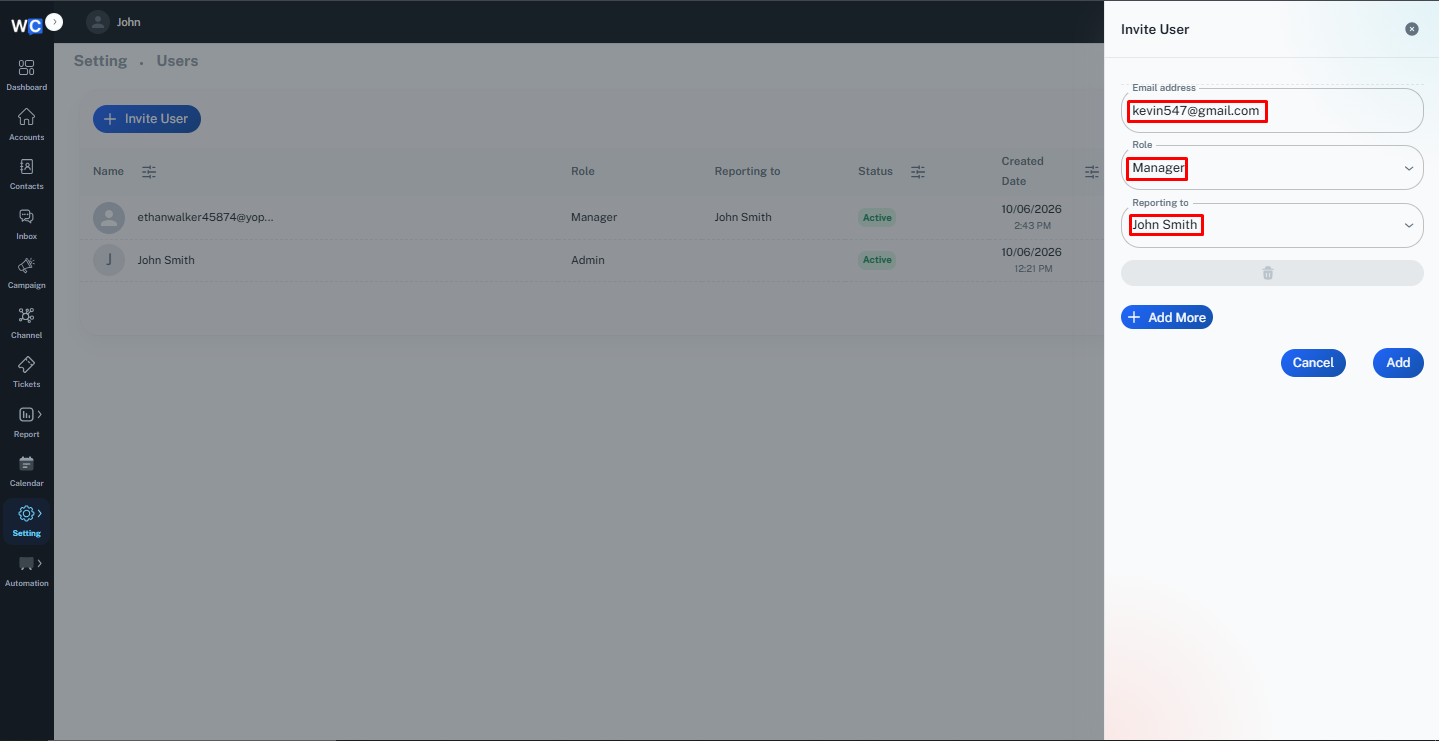
Provide the required user details, such as:- Email Address- Role- Reporting ToEnsure all information is entered correctly before proceeding.
Step 5: Click on Add
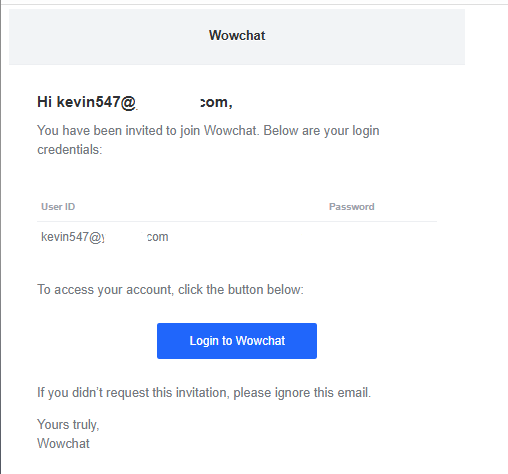
Click the Add button to send the invitation.The user will receive an email invitation containing instructions to join the workspace.
Step 6: User Accepts the Invitation
The invited user can open the invitation email, follow the provided instructions, and sign in to access the workspace.Once accepted, the user will appear in the Users listing page and can begin collaborating with the team.
Managing Users
Administrators can continue managing users after they have joined the workspace.Common user management actions include:
- Updating user information
- Changing user roles
- Activating or deactivating accounts
- Managing permissions
- Reviewing user activity
Proper user management helps maintain workspace security and operational efficiency.
Benefits of Inviting Users
By inviting users to your workspace, your organization can:
- Improve team collaboration
- Share workloads efficiently
- Respond to customers faster
- Reduce missed conversations
- Maintain secure access control
- Scale customer support operations
Frequently Asked Questions (FAQ)
Only users with the necessary administrative permissions can invite and manage users within a workspace.