Once your workspace has been created, the next step is to invite your team members. By adding users to your workspace, you can distribute conversations, improve response times, and ensure customer inquiries are handled by the right people.
Whether you're managing a small support team or a large organization, WowChat makes it easy to onboard team members and control their access through roles and permissions.
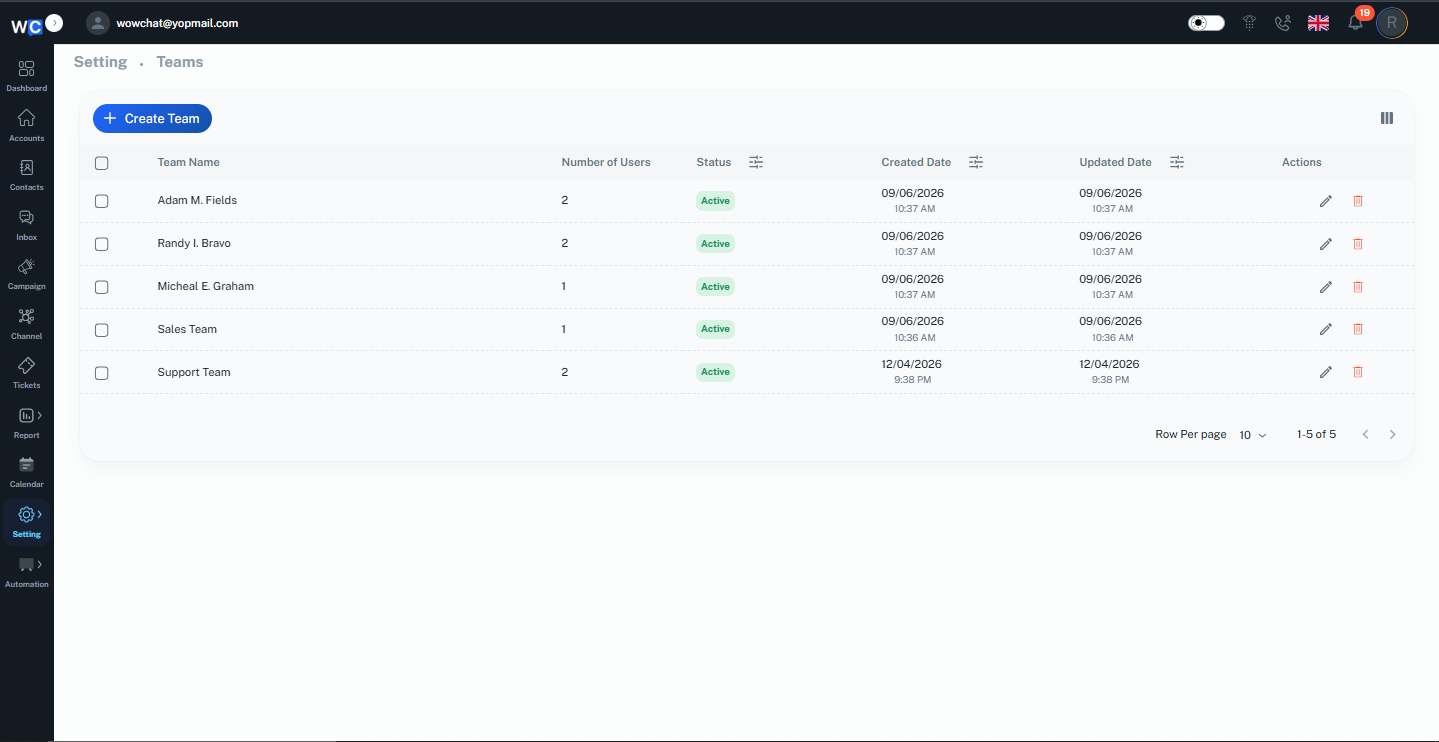
Why Invite Team Members?
Inviting team members allows your organization to:
- Collaborate on customer conversations
- Assign chats to specific agents
- Manage workloads more effectively
- Improve response and resolution times
- Control user access through permissions
- Enhance team productivity
By working together in a shared workspace, your team can provide a more consistent customer experience.
How to Invite Team Members
Follow these steps to invite users to your WowChat workspace.
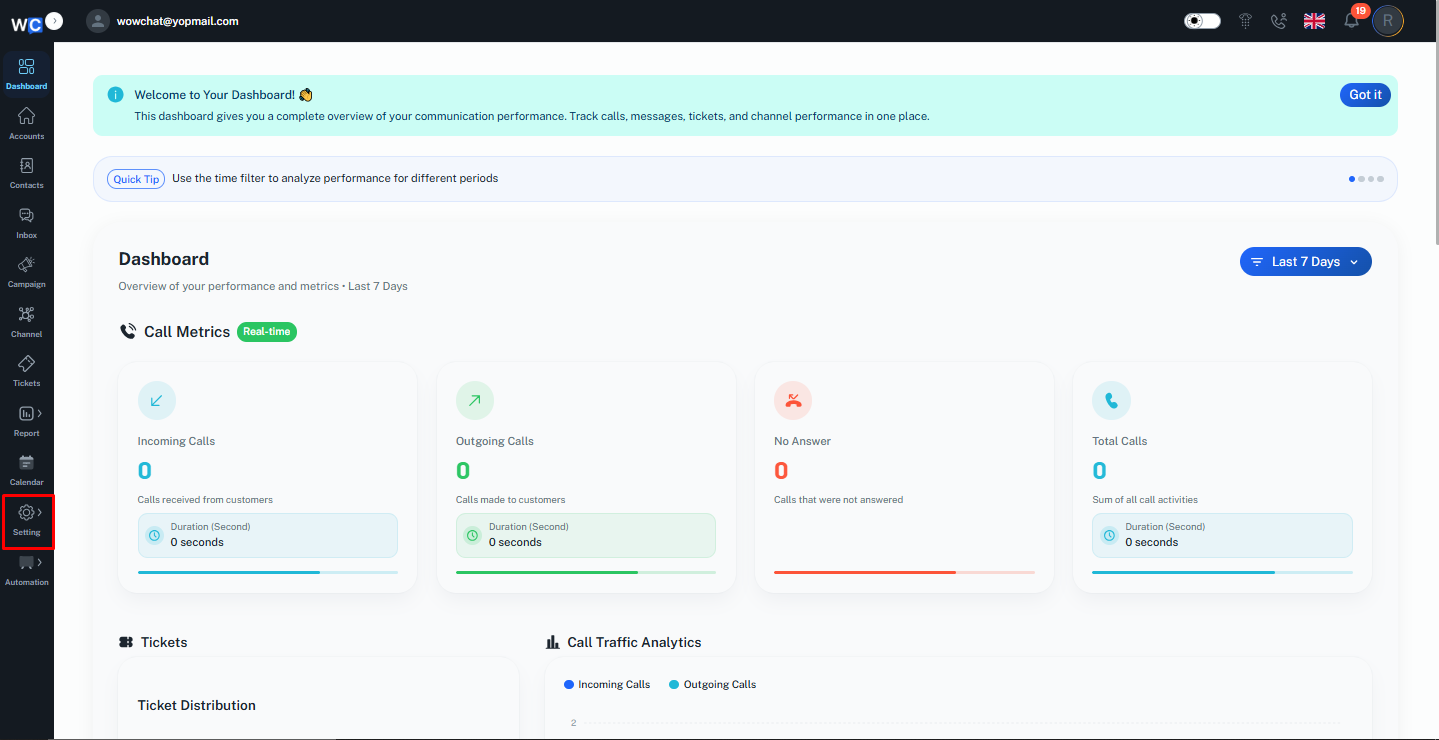
Step 1: Open Settings
After logging in to your WowChat account, navigate to the Settings section from the left-hand navigation menu.
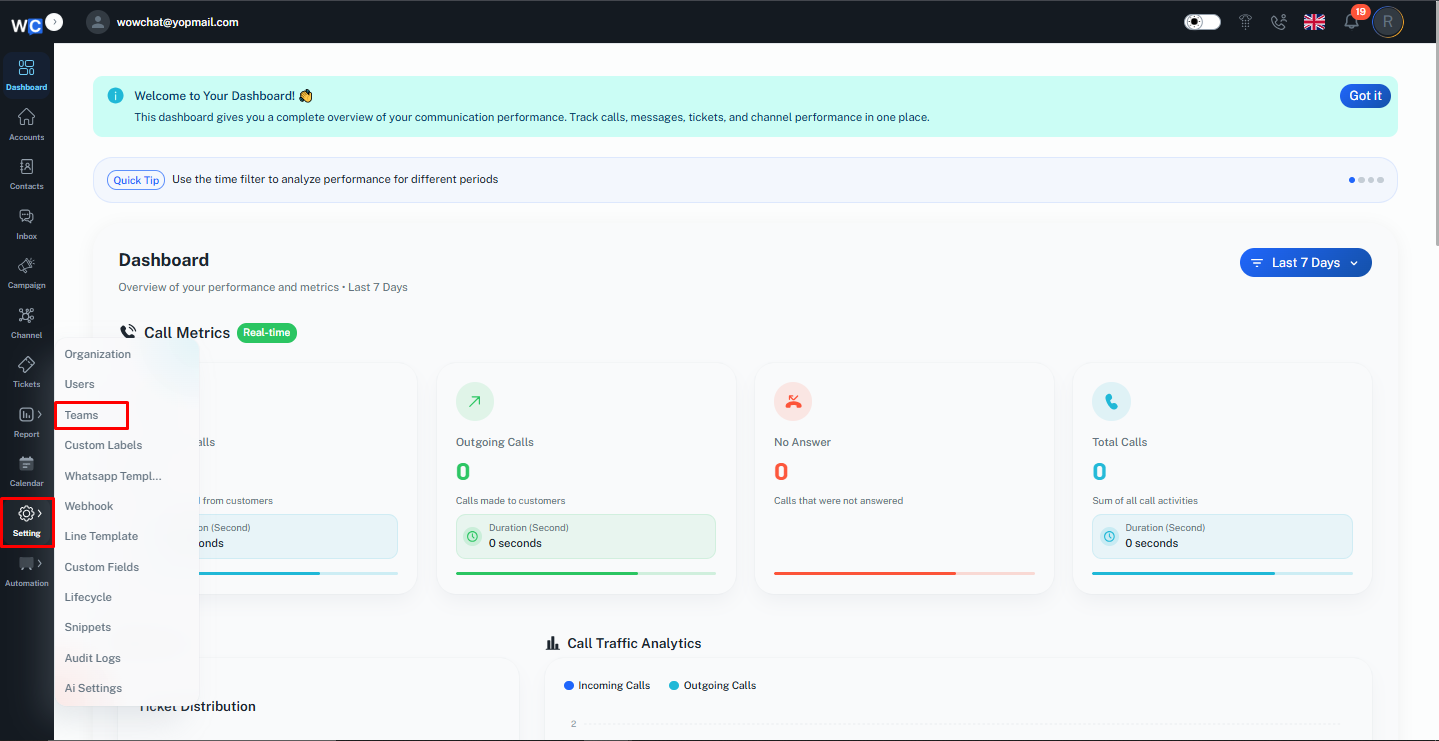
Step 2: Open the Teams Page
Click on the Teams option. This will open the Teams management page, where you can view and manage all teams within your workspace.
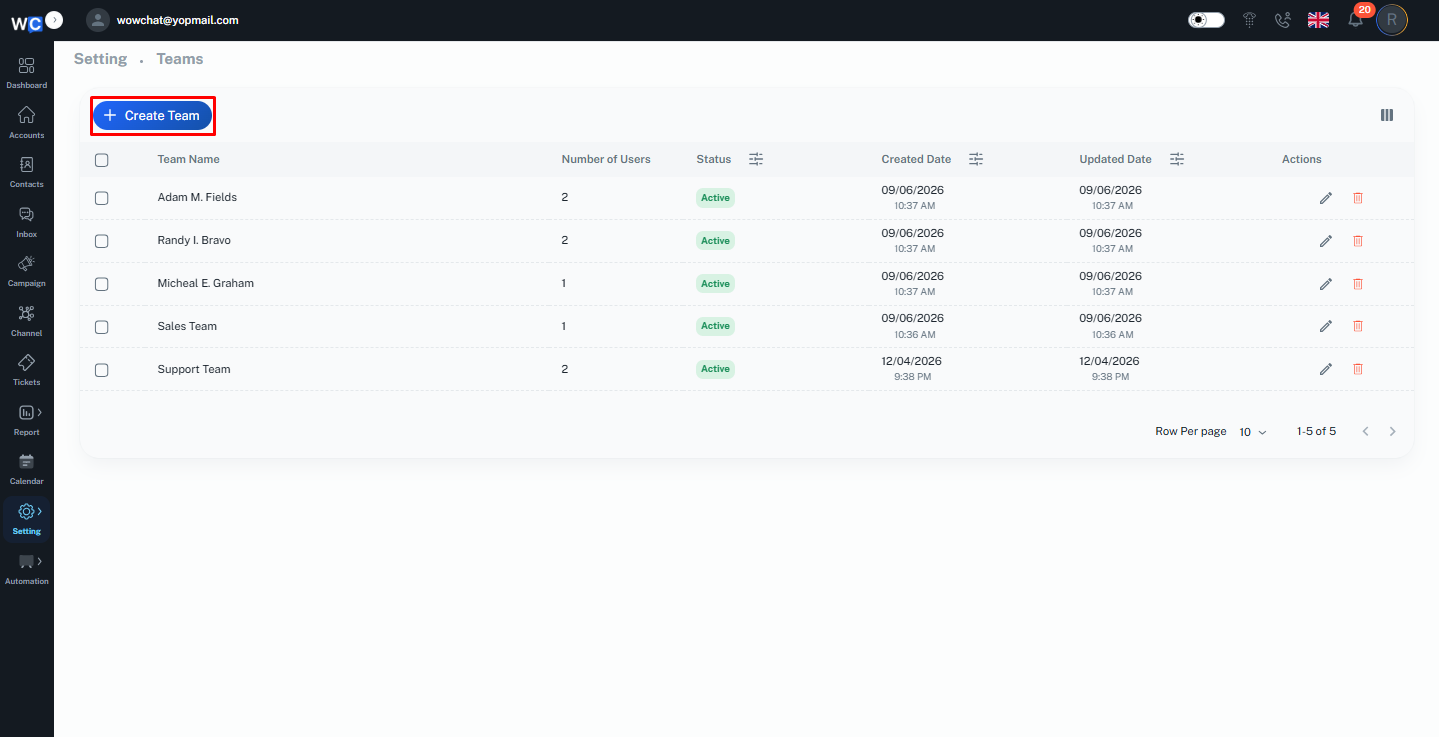
Step 3: Click Create Team
On the Teams page, click the Create Team button.A Create Team pop-up window will appear.
Step 4: Enter Team Details
Provide the required information for the team:- Team Name- Select Status (Active / Inactive)- Recipients / Team MembersMake sure all details are entered correctly before proceeding.
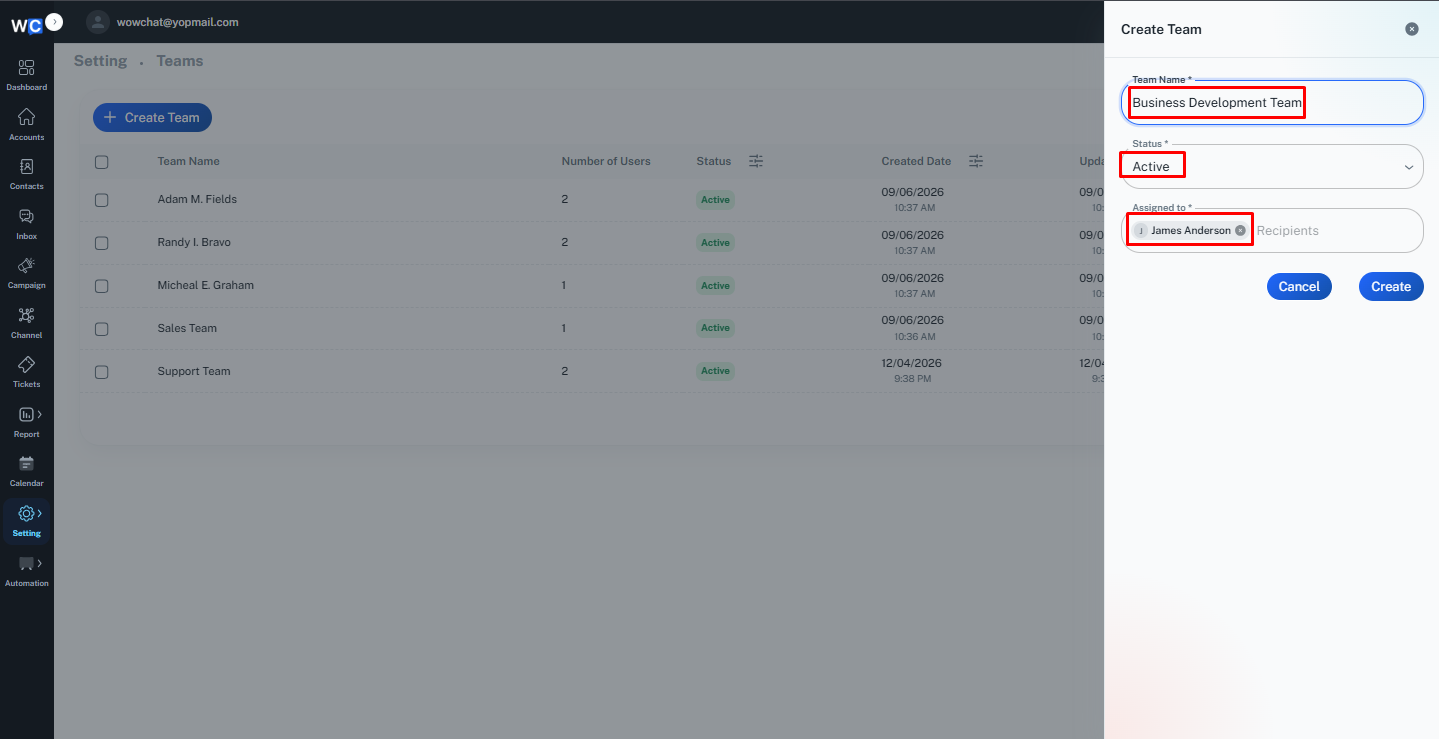
Step 5: Create the Team
Click the Create button to save the team.Once created successfully, the new team will appear in the Teams listing page and will be available for conversation assignment and team collaboration.
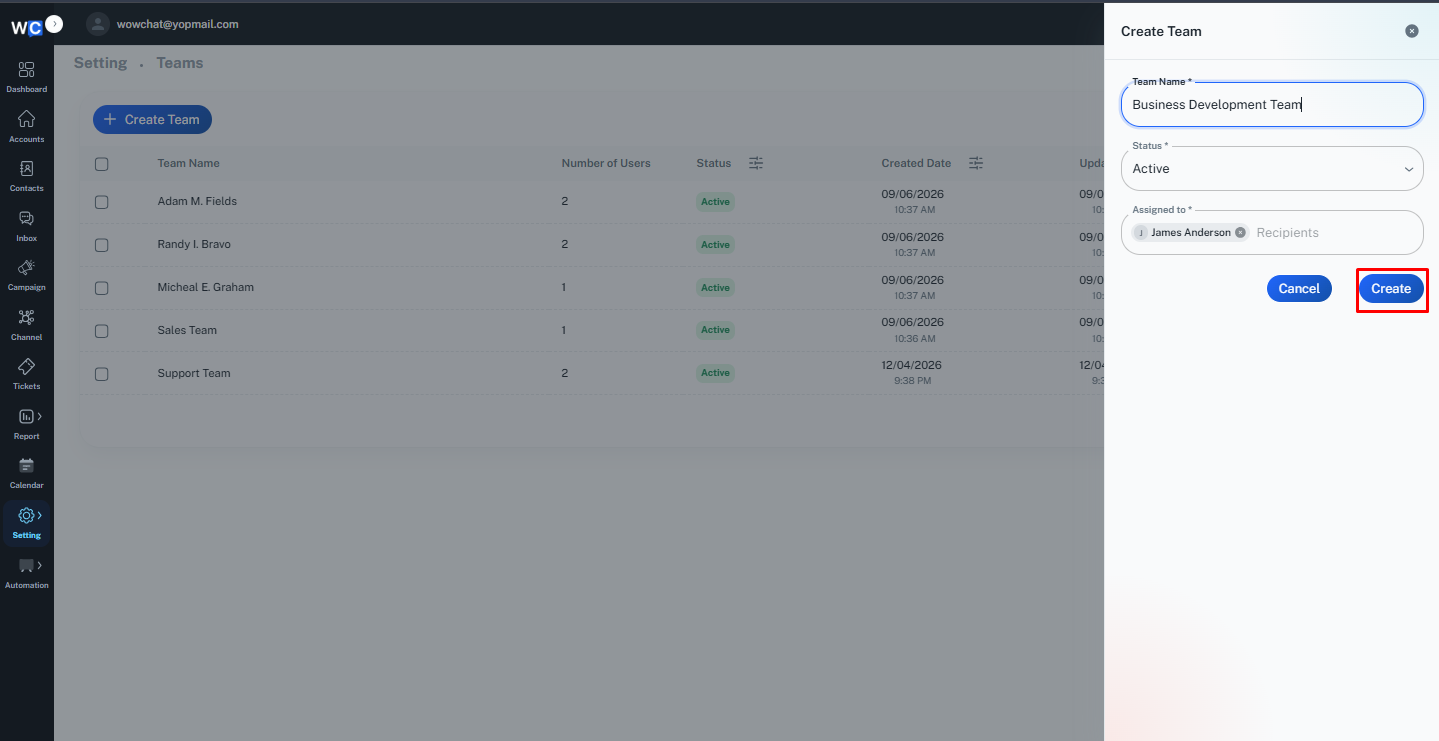
Managing Team Members
After inviting users, administrators can continue to manage team members by:
- Updating user information
- Changing roles and permissions
- Activating or deactivating accounts
- Resetting access when required
- Organizing users into teams or departments
Effective user management helps maintain security and operational efficiency.
Benefits of Team Collaboration
With multiple team members working within WowChat, your organization can:
- Handle more conversations efficiently
- Improve customer response times
- Reduce missed messages
- Share workload across teams
- Increase productivity
- Deliver a better customer experience
Frequently Asked Questions (FAQ)
Users with administrative permissions can invite and manage team members within the workspace.