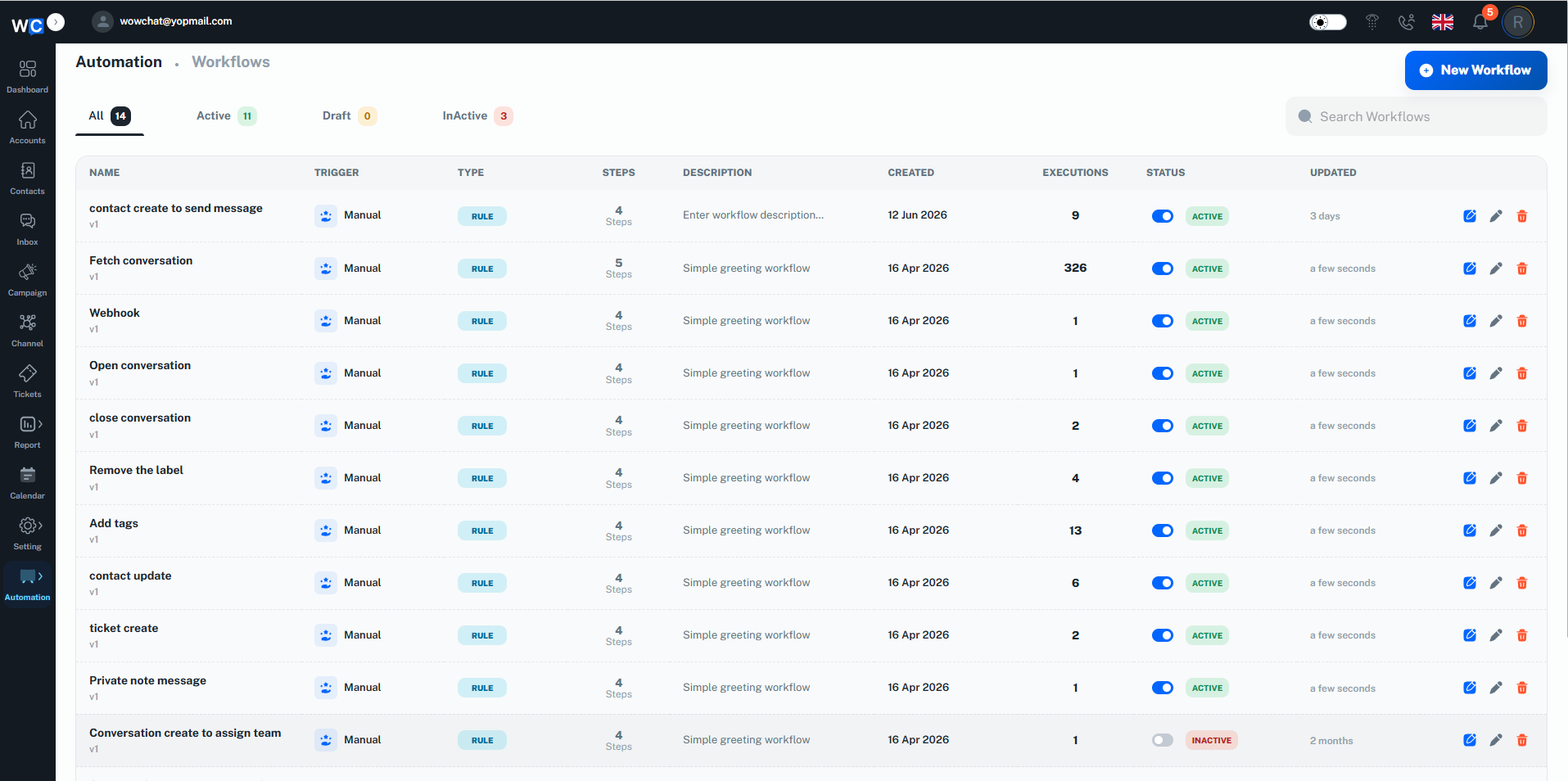
Instead of manually managing repetitive tasks, WowChat Automation Workflows allow you to automate conversation routing, assignments, notifications, status updates, and other operational processes. This helps teams work more efficiently, reduce response times, and deliver a better customer experience.
Whether you're managing customer support, sales inquiries, or internal processes, automation Workflows help ensure that the right actions happen at the right time.
What are Automation Workflows?
Automation Workflows are rule-based processes that automatically execute actions when specific conditions are met.For example, an automation workflow can:
- Assign new conversations to a specific user or team
- Route conversations based on channel or customer information
- Update conversation statuses automatically
- Trigger notifications for important events
- Escalate conversations when required
- Reduce manual workload for support teams
By automating routine processes, organizations can improve efficiency and maintain consistent Workflows across teams.
Why Use Automation Workflows?
Using Automation Workflows helps organizations:
- Reduce repetitive manual tasks
- Improve operational efficiency
- Route conversations automatically
- Improve response times
- Ensure consistent processes
- Reduce human error
- Increase team productivity
- Scale customer support operations
Automation allows teams to focus on customer interactions instead of administrative tasks.
How Automation Workflows Work
Automation Workflows operate using three key components:
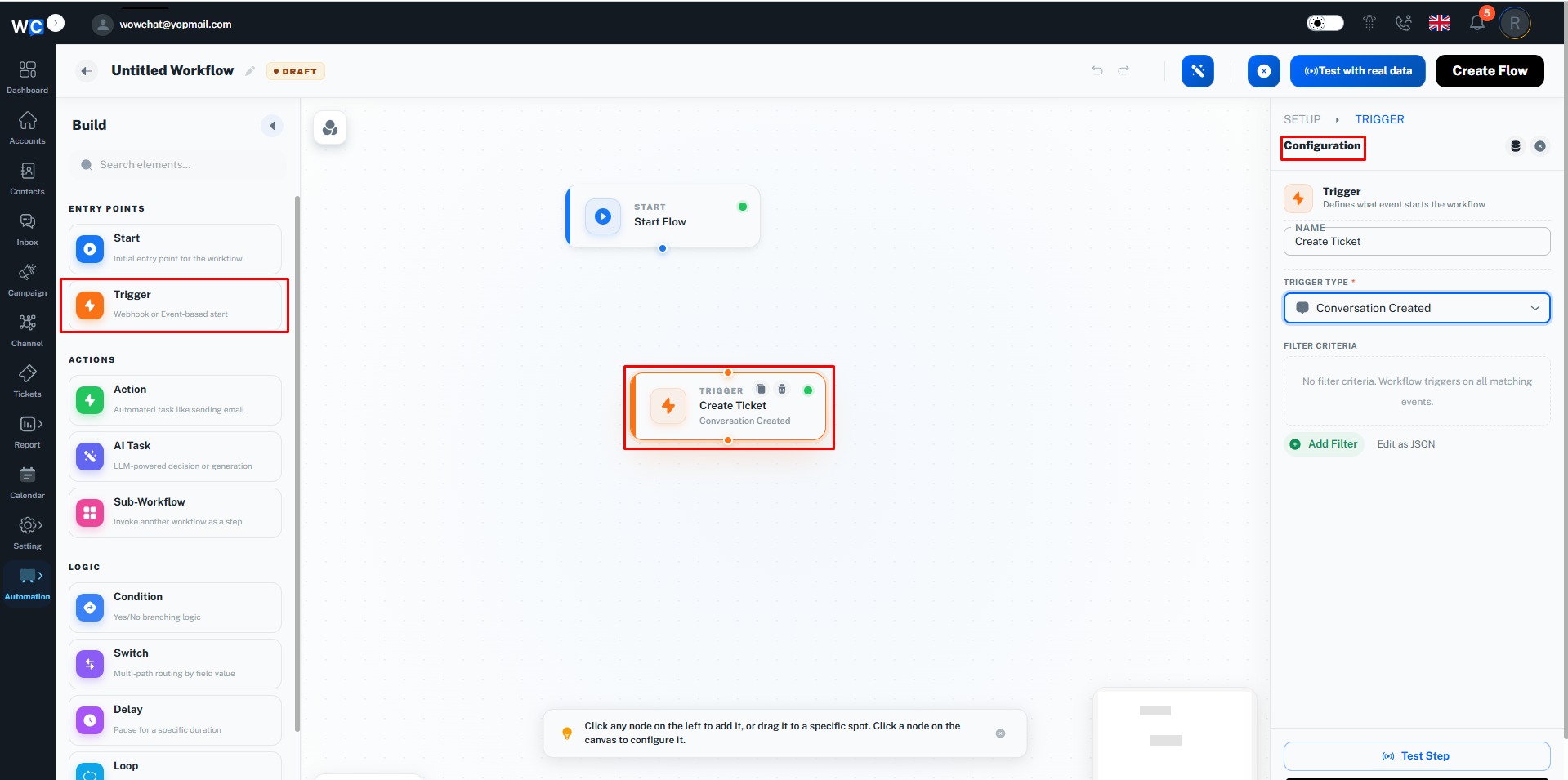
Trigger
A trigger is the event that starts the workflow.Examples include:
- New conversation created
- New message received
- Conversation assigned
- Conversation status updated
- Customer information updated
Conditions
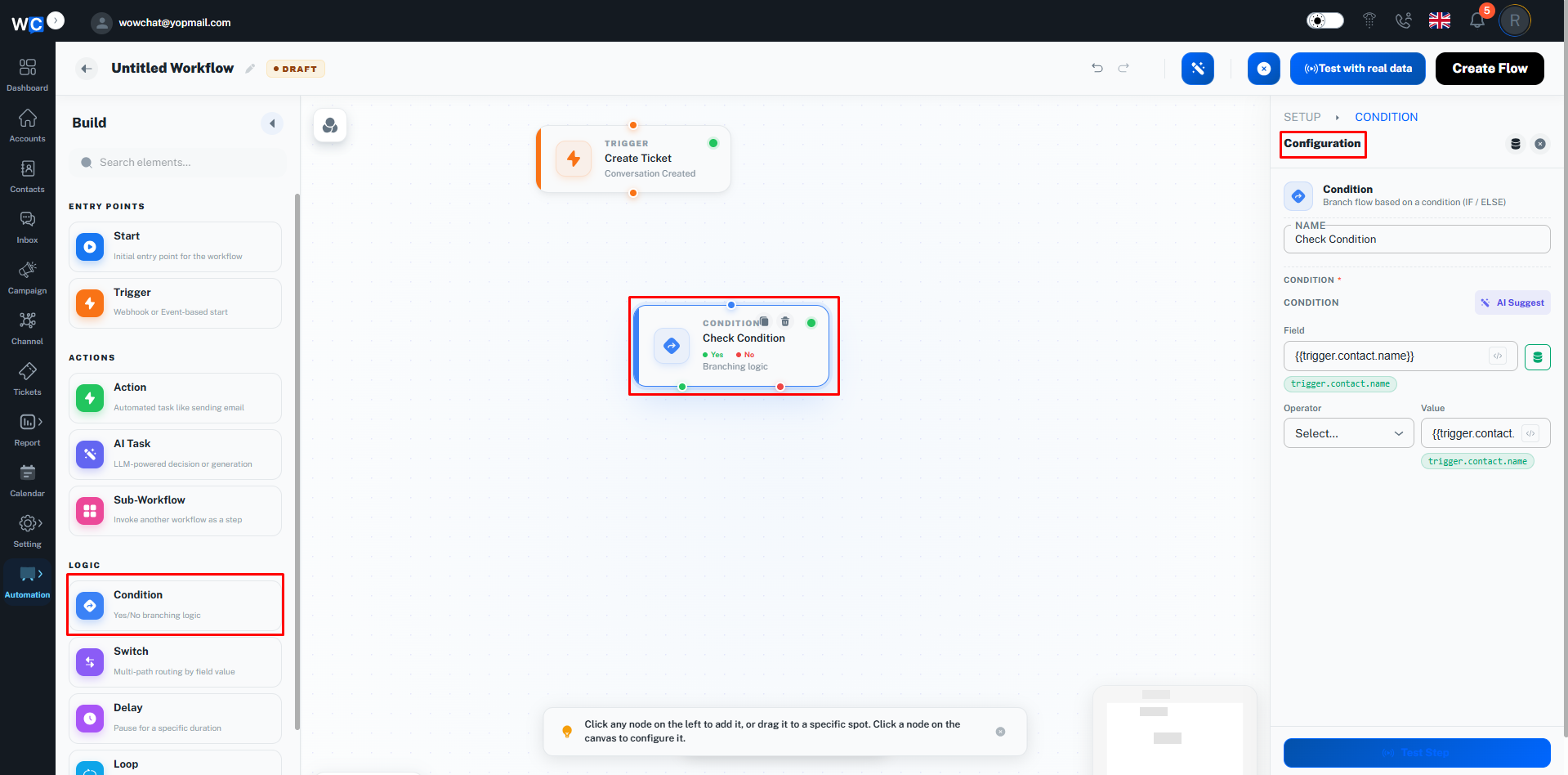
Conditions determine when the workflow should execute.Examples include:
- Communication channel
- Customer attributes
- Conversation status
- Assigned team
- Message content
Actions
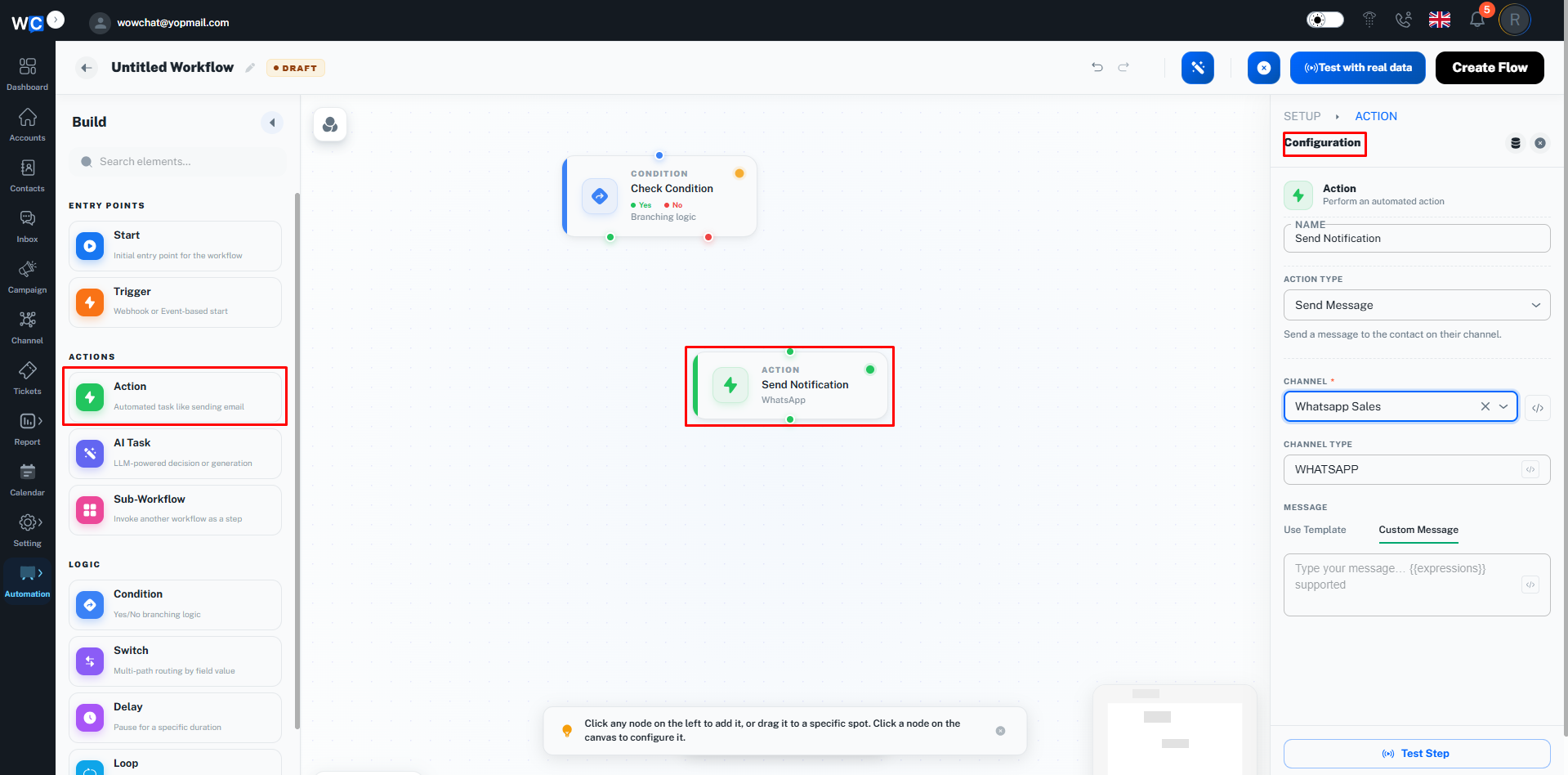
Actions are performed automatically when the trigger and conditions are satisfied.Examples include:
- Assign conversation
- Change status
- Send notification
- Add tags
- Route to a team
- Escalate conversation
Common Use Cases
Automatic Conversation Assignment
Automatically assign new conversations to specific users or teams.
Channel-Based Routing
Route conversations to the correct department based on the communication channel.
Priority Handling
Identify and prioritize important customer inquiries.
Escalation Management
Automatically escalate conversations that require additional attention.
Status Management
Update conversation statuses based on predefined workflow rules.
Internal Notifications
Notify team members when important events occur.
Benefits of Automation Workflows
By implementing Automation Workflows, organizations can:
- Improve response times
- Increase operational efficiency
- Reduce manual work
- Improve team productivity
- Ensure process consistency
- Reduce missed conversations
- Improve customer satisfaction
- Scale operations more effectively
Example: Automation Workflow in Action
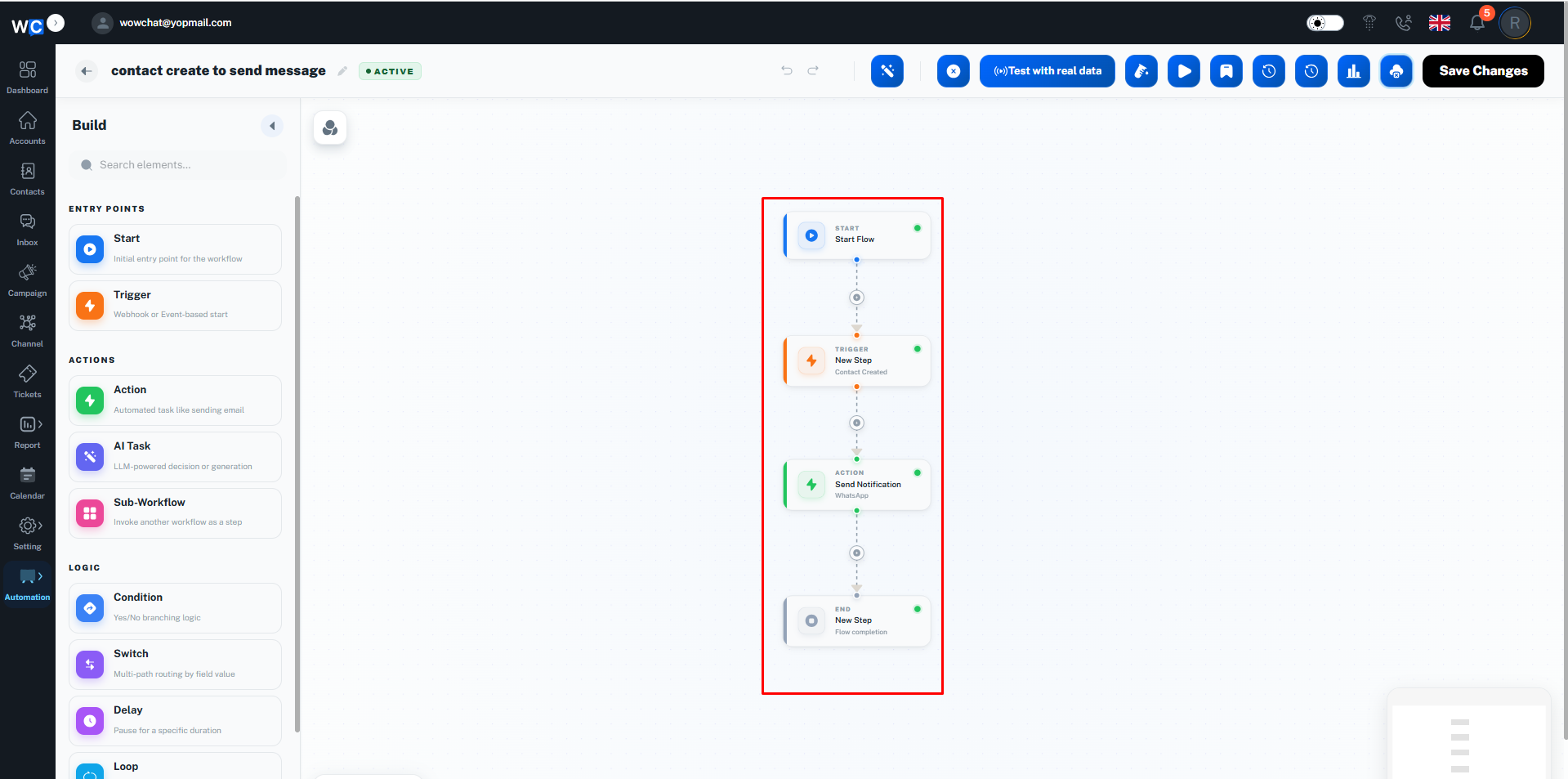
The screenshot below demonstrates how an Automation Workflow can automatically process conversations based on configured triggers, conditions, and actions.This example shows how workflows help reduce manual effort, automate routine tasks, and ensure conversations are handled according to your organization's processes.
Frequently Asked Questions (FAQ)
Automation Workflows are rule-based processes that automatically perform actions when specific conditions and triggers are met.