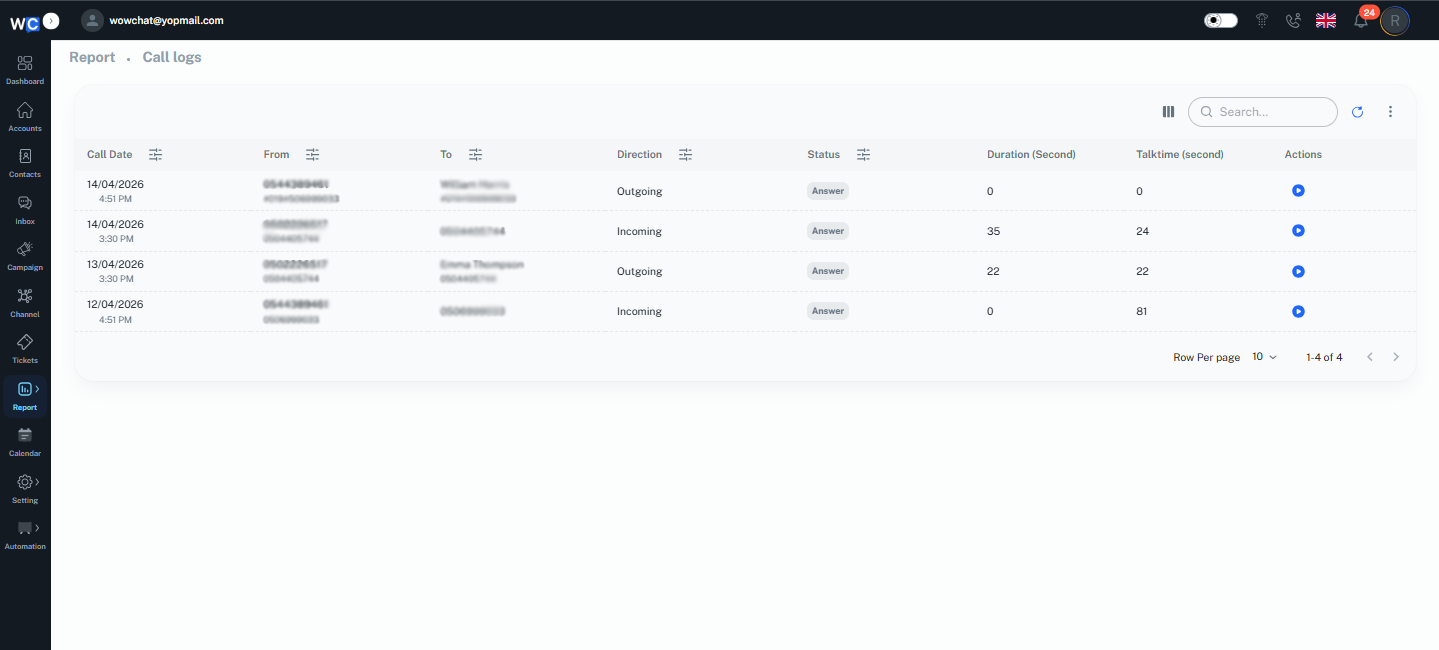
The Call Logs Report provides a detailed view of all incoming and outgoing voice call activities managed through WowChat.
This report helps organizations monitor call performance, review communication history, analyze call durations, and track agent interactions. By maintaining a centralized record of all voice communications, teams can improve customer service, monitor operational performance, and gain valuable insights into call activities.
Whether you're reviewing customer interactions, monitoring agent performance, or generating reports for analysis, the Call Logs Report provides the information you need in a single location.
What is the Call Logs Report?
The Call Logs Report is a reporting tool that displays detailed information about voice call activities handled through connected voice call channels.
Each call record contains important information, such as:
- Call Date and Time
- Caller Information
- Receiver Information
- Call Direction
- Call Status
- Call Duration
- Talk Time
This information helps organizations maintain complete visibility into voice communication activities.
Why Use the Call Logs Report?
Using the Call Logs Report helps organizations:
- Monitor incoming and outgoing calls
- Review communication history
- Analyze call durations and talk times
- Track agent activity
- Improve customer service quality
- Identify communication trends
- Maintain operational transparency
- Generate reports for business analysis
Understanding Call Log Information
The Call Logs Report provides a detailed overview of all incoming and outgoing calls handled through your connected voice channels.
Each column in the report contains important call information and includes a filter option that allows users to quickly narrow down records based on specific criteria. Users can use these filters to find relevant call logs without manually reviewing the entire report.
Each call record contains the following details:
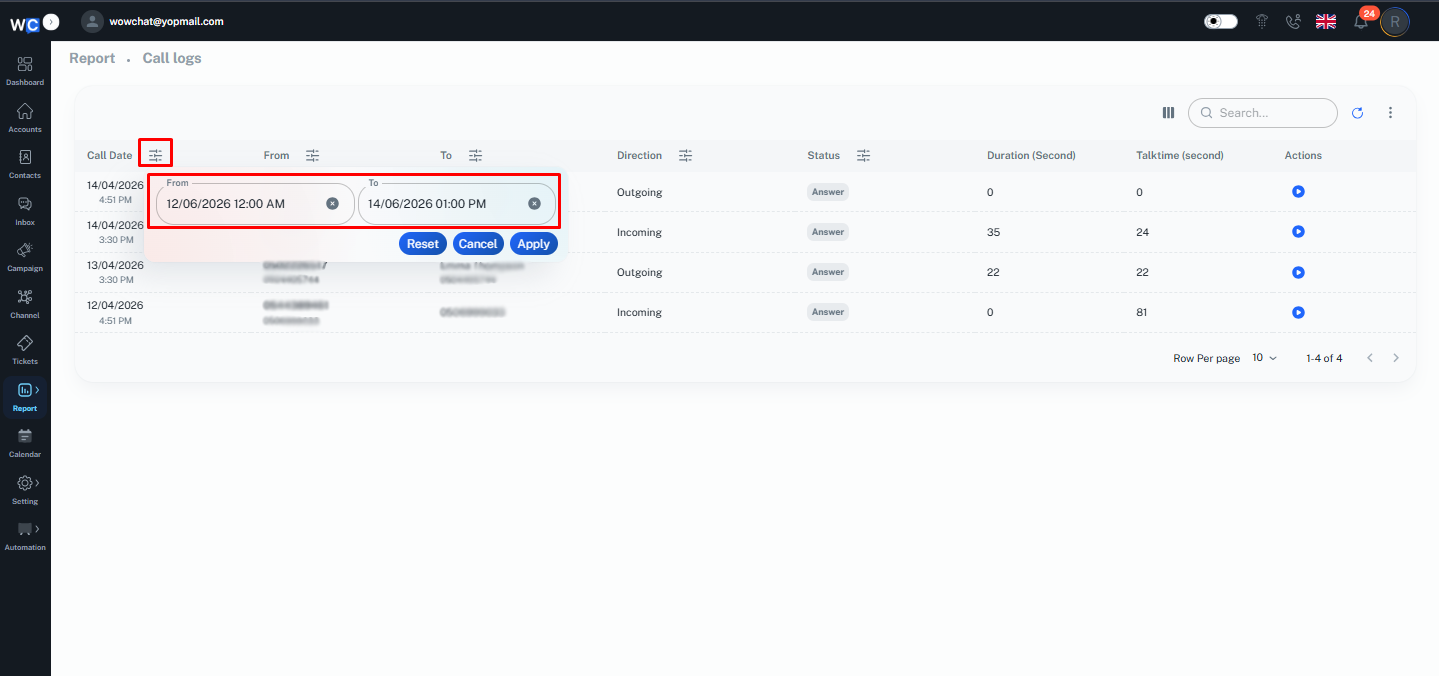
Call Date
Displays the date and time when the call occurred.
The filter option allows users to view call records for specific dates or date ranges.
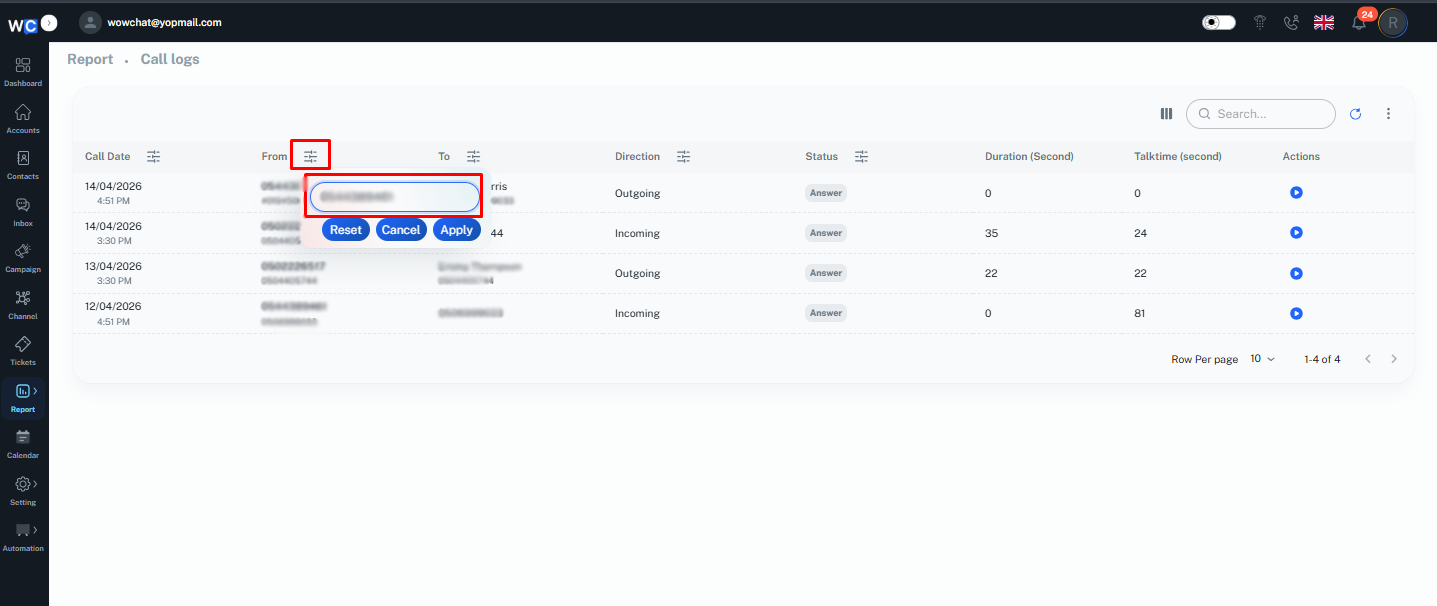
From
Shows the caller's phone number or contact information.
Users can use the filter option to locate calls from a specific phone number or contact.
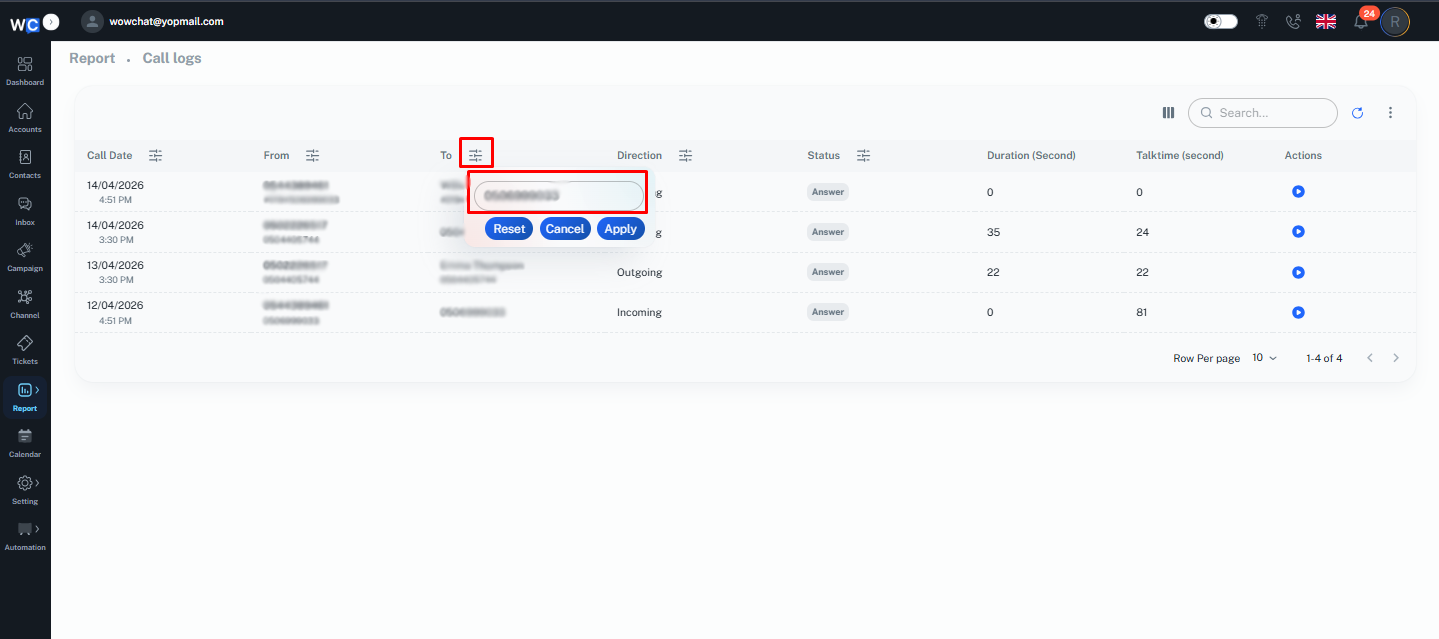
To
Displays the recipient's phone number or contact information.
The filter option helps users find calls made to a specific recipient.
Direction
Indicates whether the call was:
- Incoming
- Outgoing
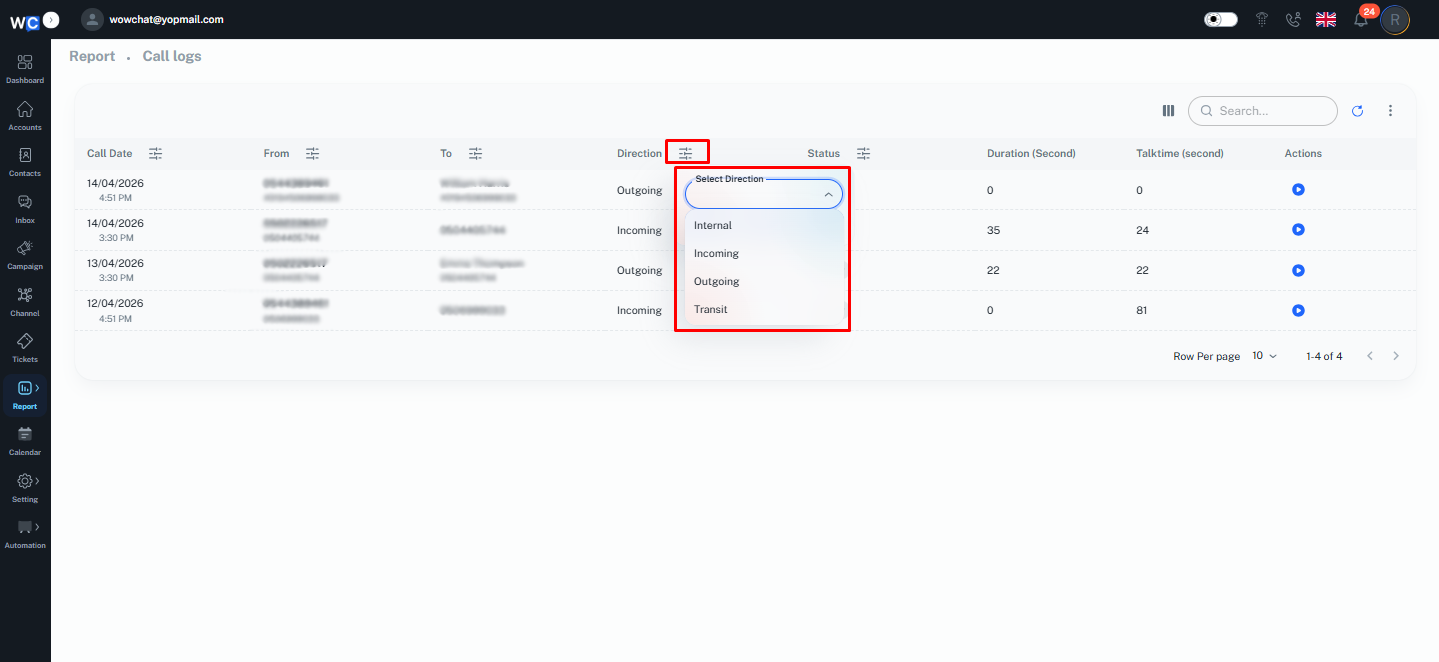
Status
Displays the current call status.Examples may include:
- Answered
- Missed
- Busy
- Failed
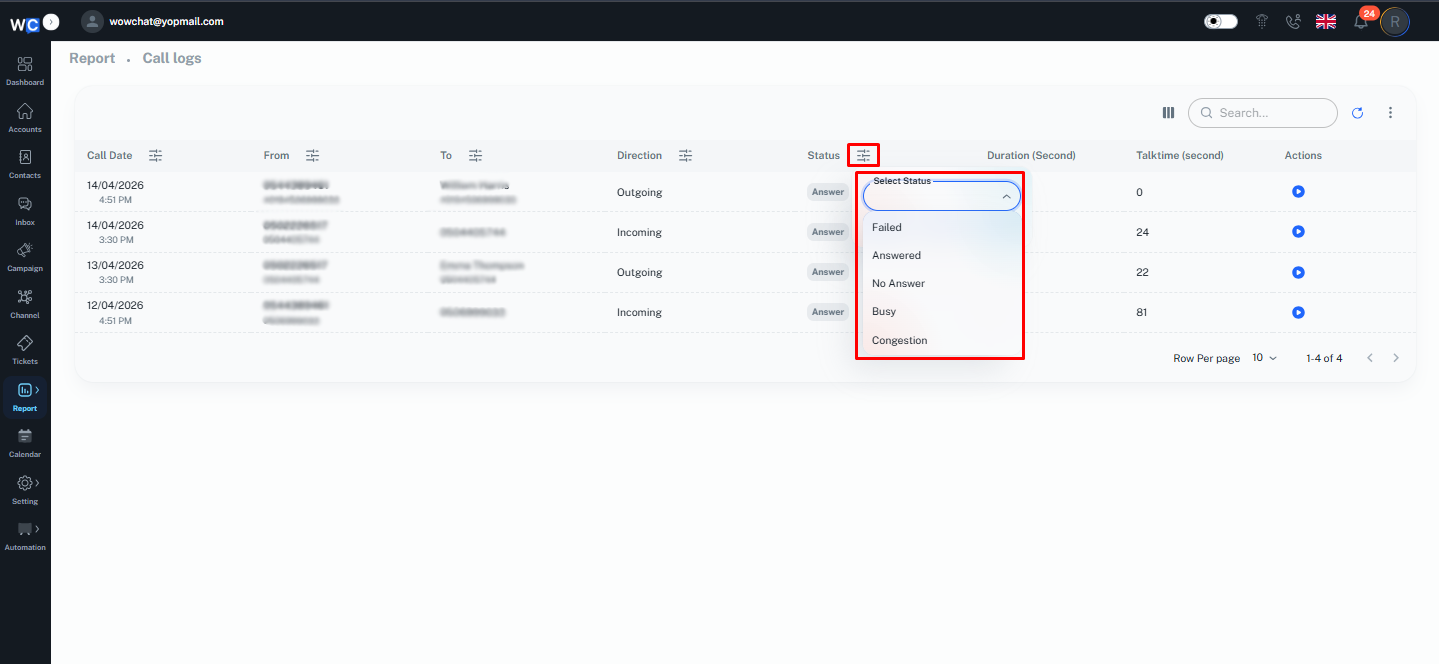
The filter option allows users to quickly find calls based on their status.
Duration
Shows the total duration of the call.
Talk Time
Displays the actual time spent speaking during the call.
These details help teams analyze call activities more effectively.
Available Actions
The Call Logs Report provides several tools to help users manage and analyze call records.
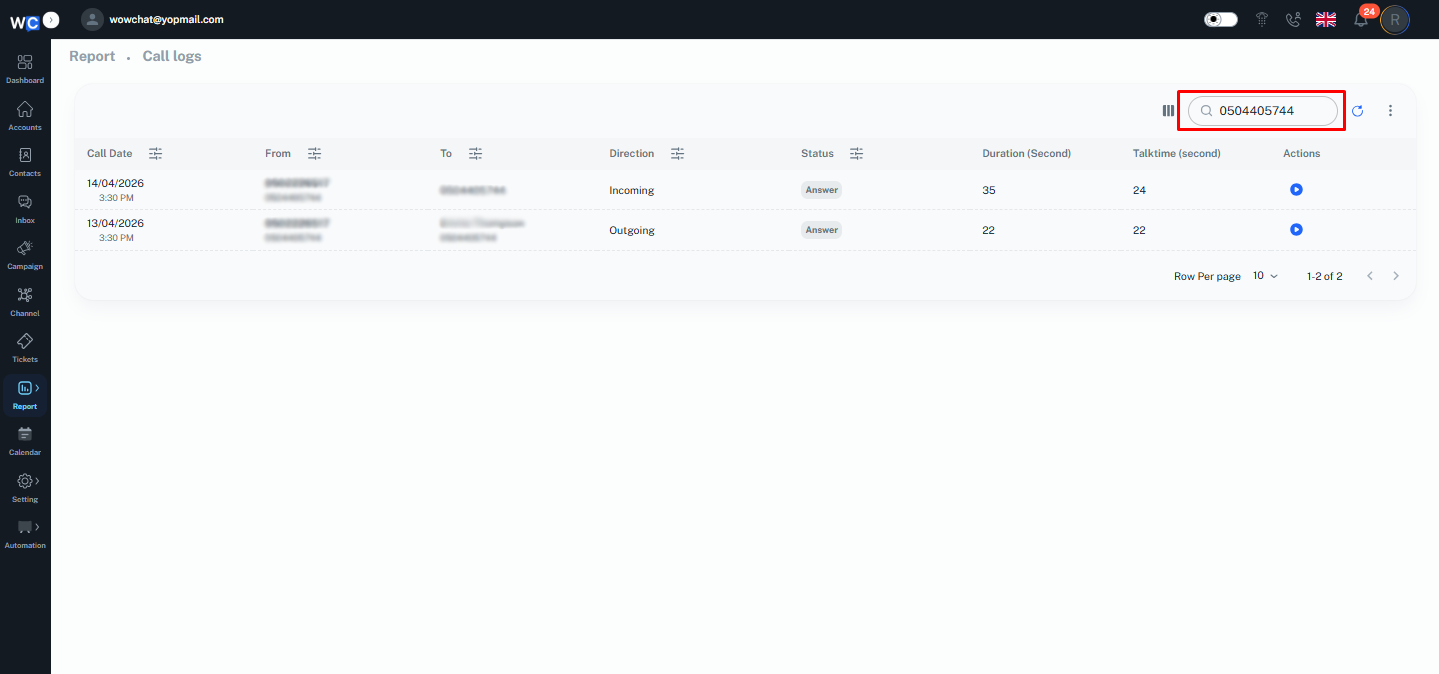
Search Call Logs
Use the search option to quickly locate specific call records.You can search using:
- Phone Number
- Contact Name
- Call Information
This helps users find records without manually reviewing the entire list.
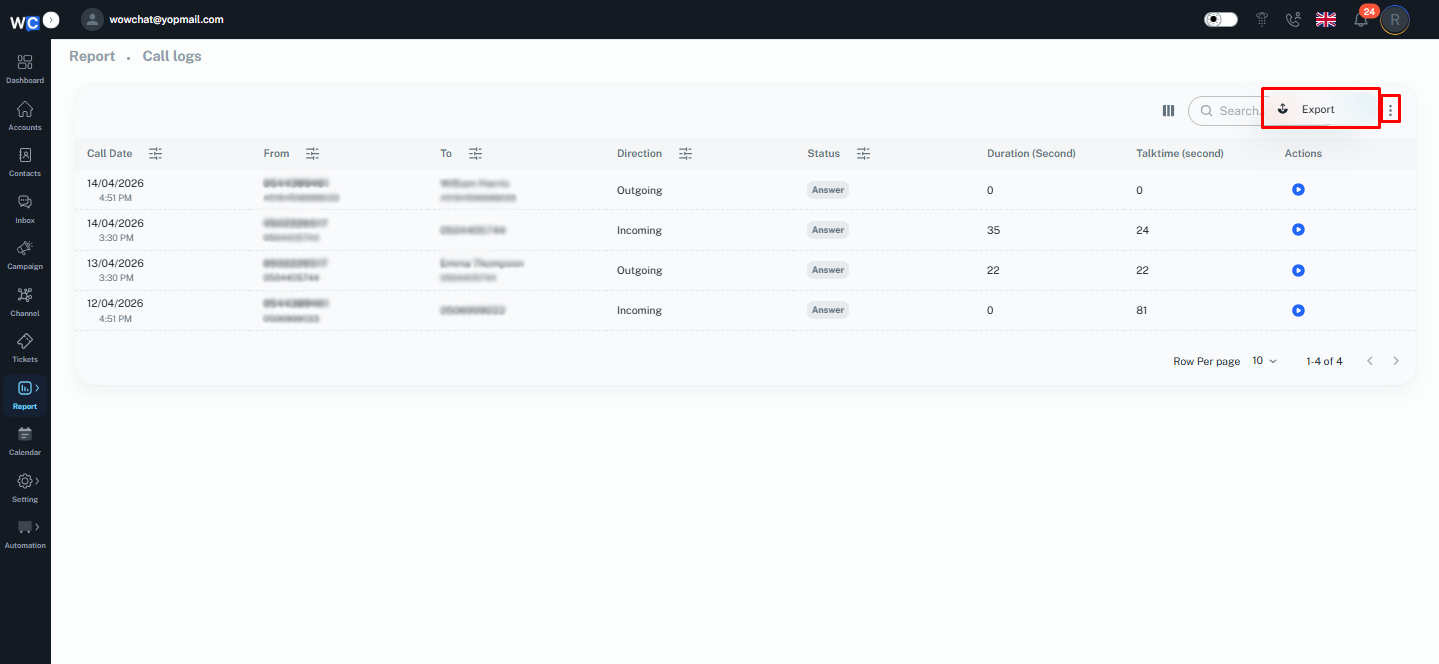
Export Call Logs
Export call records for reporting, auditing, and business analysis purposes.Exported reports can be used for operational reviews and performance tracking.
Benefits of the Call Logs Report
Using the Call Logs Report helps organizations:
- Improve visibility into call activities
- Monitor communication performance
- Track customer interactions
- Analyze call metrics
- Improve operational reporting
- Support quality monitoring initiatives
- Maintain historical communication records
Frequently Asked Questions (FAQ)
The Call Logs Report displays detailed information about incoming and outgoing voice calls handled through WowChat.